How to Fix the Nasty Peculiarities of Windows 11 - Hetman Software
FBTwitterReddit
video description
Rating: 4.5; Vote: 2
How to Fix the Nasty Peculiarities of Windows 11 - Hetman Software
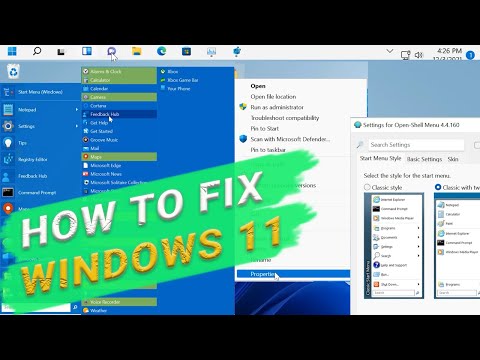
you-ll see how to change some peculiarities in the settings and interface of the new operating system, Windows 11, that so many people dislike. Every new update that Windows receives seems to be trying to change some of the users- habits.
Some of those changes may be for the better, but some are definitely unpleasant for a number of people. There-s a number of things in Windows 11 that most users find annoying - and naturally, they-d like to do something about it
00:38 - Reduced context menu
02:33 - The ribbon menu in File Explorer is gone
03:46 - The Start menu takes up most of your screen
06:33 - The taskbar size cannot be changed
07:21 - You can-t move the taskbar
08:51 - It is difficult to change the default browser
09:52 - The taskbar has lost the weather widget
10:17 - OneDrive is installed by default
10:40 - Buttons on the taskbar
1. HKEY_CURRENT_USER \ SOFTWARE \ CLASSES \ CLSID CLSID 86ca1aa0-34aa-4e8b-a509-50c905bae2a2- InprocServer32
2. HKEY_LOCAL_MACHINE \ SOFTWARE \ Microsoft \ Windows \ CurrentVersion \ Shell Extensions Blocked - -e2bf9676-5f8f-435c-97eb-11607a5bedf7-
3. HKEY_LOCAL_MACHINE \ SOFTWARE \ Microsoft \ Windows \ CurrentVersion \ Shell \ Update \ Packages UndockingDisabled shell:::-05d7b0f4-2121-4eff-bf6b-ed3f69b894d9-
4. HKEY_CURRENT_USER \ Software \ Microsoft \ Windows \ CurrentVersion \ Explorer \ Advanced TaskbarSi
5. HKEY_CURRENT_USER \ Software \ Microsoft \ Windows \ CurrentVersion \ Explorer \ StuckRects3
OpenShell - https://open-shell.github.io/Open-Shell-Menu/
Weather Bar - https://weatherbarapp.com/
Weather Bug - https://www.weatherbug.com/ Date: 2022-03-28