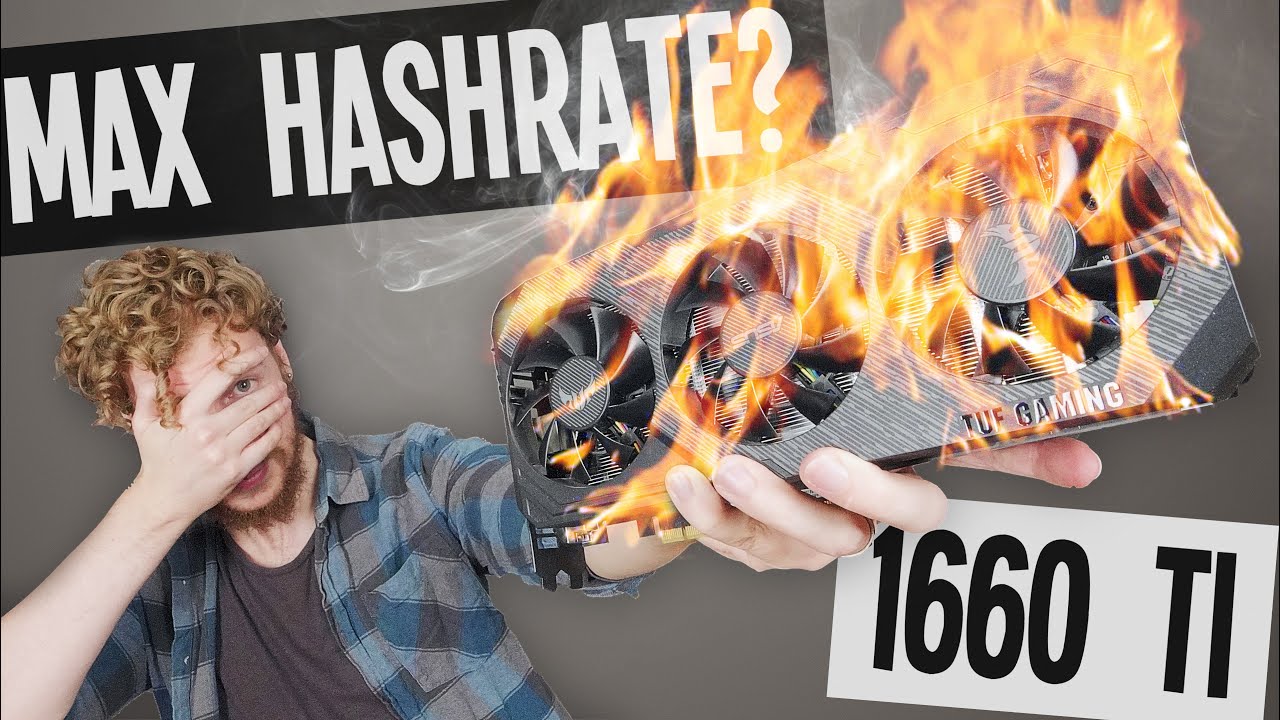
Asus GTX 1660 Ti Overclocking for Mining Ethereum (How to Maximize Hashrate) Sebs FinTech
video description
Date: 2022-04-19
Related videos



Comments and reviews: 10
Milan
The more and more I love this card (I have Gigabyte GTX 1660 Ti). Usually I am buying expensive GTX 1080 Ti, but right now I am falling in love with this one. First at all instead 180 - 220 W with 1080 Ti (and efficiency of about 200 kH/W) I got just 75W and efficiency of about 400 kH/W. With GTX 1080 Ti unable to get more than 42 MH/s (t-rex), but with your exact setting got 30.66 MH/s. Later will try to tune it even more. Thanks for the tutorial, it is very helpful!
reply
The more and more I love this card (I have Gigabyte GTX 1660 Ti). Usually I am buying expensive GTX 1080 Ti, but right now I am falling in love with this one. First at all instead 180 - 220 W with 1080 Ti (and efficiency of about 200 kH/W) I got just 75W and efficiency of about 400 kH/W. With GTX 1080 Ti unable to get more than 42 MH/s (t-rex), but with your exact setting got 30.66 MH/s. Later will try to tune it even more. Thanks for the tutorial, it is very helpful!
reply
Frank's
I picked up an EVGA 1660 Ti two days ago for only $375 US. My best tweak so far is PL = 65%, MemClock +880, with T-Rex setting the core at 1010 and stable!! My hash rate is 30.5MH/s (so far). EDIT: The memory is Micron. Definitely going to follow your lead and see what minimizing the PL gets me! Thanks again, Sebs!!! Further EDIT: PL = 60, lock core=990, lock memclock = 975, = 30.65MH/s. Mine will do no better. 74Watts, temp = 43C. Thanks again Sebs.
reply
I picked up an EVGA 1660 Ti two days ago for only $375 US. My best tweak so far is PL = 65%, MemClock +880, with T-Rex setting the core at 1010 and stable!! My hash rate is 30.5MH/s (so far). EDIT: The memory is Micron. Definitely going to follow your lead and see what minimizing the PL gets me! Thanks again, Sebs!!! Further EDIT: PL = 60, lock core=990, lock memclock = 975, = 30.65MH/s. Mine will do no better. 74Watts, temp = 43C. Thanks again Sebs.
reply
Tactics272
Seb!! I got a twin fan
Asus Tuff 1660ti.
Samsung mem
In Trex miner 24.7
I have to take the mem clock to +2000
CORE at - 340 ( 1065 )
Wild the mem slider is 100% up (full)
31.84 mhs 60w 55fan 55 power
What going on? Why is my memory slider at full up...
It's like opposite of hinx.
Any thoughts?
Love the vids bro and thankyou.
reply
Seb!! I got a twin fan
Asus Tuff 1660ti.
Samsung mem
In Trex miner 24.7
I have to take the mem clock to +2000
CORE at - 340 ( 1065 )
Wild the mem slider is 100% up (full)
31.84 mhs 60w 55fan 55 power
What going on? Why is my memory slider at full up...
It's like opposite of hinx.
Any thoughts?
Love the vids bro and thankyou.
reply
Daniel
Thx for the video Seb..
I run 2 card of 1660ti Tuf gaming .. with Samsung memorie chips.
I have 66mhs (33mhs per card)
With this setting
Core 0
Mem +1220mhz
Power limite 65%
Fan 74%
On Windows and t-rex miner
And i have at the wall 205watt for all system
45watt for mobo/cpu/ram
And stable for one week.
reply
Thx for the video Seb..
I run 2 card of 1660ti Tuf gaming .. with Samsung memorie chips.
I have 66mhs (33mhs per card)
With this setting
Core 0
Mem +1220mhz
Power limite 65%
Fan 74%
On Windows and t-rex miner
And i have at the wall 205watt for all system
45watt for mobo/cpu/ram
And stable for one week.
reply
Ehtesham
Hello, can u plz tell what are the hashrate of Nvidia PNY Gtx 1660ti (dual fan).. ?? I cant find anywhere else...all of them are showing the results of XLRB results...plus your thoughts .. an early reply would be appreciated as i have to make buying decision...thanks in advance.
reply
Hello, can u plz tell what are the hashrate of Nvidia PNY Gtx 1660ti (dual fan).. ?? I cant find anywhere else...all of them are showing the results of XLRB results...plus your thoughts .. an early reply would be appreciated as i have to make buying decision...thanks in advance.
reply
Pedro
Gigabyte 1660 TI OC (micron DDR6)
power limit 61% (power usage at around 73w, i checked on hwmonitor)
Temp Limit 69(nice) (runs at 55 while mining with a 75% speed fan, note: its not open case)
Core Clock -350
Memory +1145
getting 31.6 mh/s consistently
reply
Gigabyte 1660 TI OC (micron DDR6)
power limit 61% (power usage at around 73w, i checked on hwmonitor)
Temp Limit 69(nice) (runs at 55 while mining with a 75% speed fan, note: its not open case)
Core Clock -350
Memory +1145
getting 31.6 mh/s consistently
reply
ELIELSON
MY ASSUS TUF GAMING 1660TI (samsung memory), does not pass 28.22mh/s
your clock has not changed.
I use this
core clock 980
Memory Clock 1850
PL 69
RESULT
63 watts
28.2MH/s
WHAT CAN IT BE, CAN I REACH 31MH/S?
reply
MY ASSUS TUF GAMING 1660TI (samsung memory), does not pass 28.22mh/s
your clock has not changed.
I use this
core clock 980
Memory Clock 1850
PL 69
RESULT
63 watts
28.2MH/s
WHAT CAN IT BE, CAN I REACH 31MH/S?
reply
Sagar
I have used --lock-cclock feature in T-rex
Here are my Settings
--fan 65 --lock-cclock 800 --pl 60 --mclock 1100
I am getting 31.5mhs with 68Watt power draw(Total 63Mhs from 21660 Ti with 136Watt Power draw)
reply
I have used --lock-cclock feature in T-rex
Here are my Settings
--fan 65 --lock-cclock 800 --pl 60 --mclock 1100
I am getting 31.5mhs with 68Watt power draw(Total 63Mhs from 21660 Ti with 136Watt Power draw)
reply
Uchigatana
Hey Seb love your videos man you've been a great help to me. But I'm having a hard time getting 30 mhs whit my 2 1660 ti on Cudo miner it crashed almost every time, do you have any idea why?
reply
Hey Seb love your videos man you've been a great help to me. But I'm having a hard time getting 30 mhs whit my 2 1660 ti on Cudo miner it crashed almost every time, do you have any idea why?
reply
Matt
Funny, Ive came here to see what settings you would use and its literally the exact same overclock settings for an Asus Strix GTX 1660 ti OC making 30.78mh/s at 75w
reply
Funny, Ive came here to see what settings you would use and its literally the exact same overclock settings for an Asus Strix GTX 1660 ti OC making 30.78mh/s at 75w
reply
Add a review, comment
Other channel videos