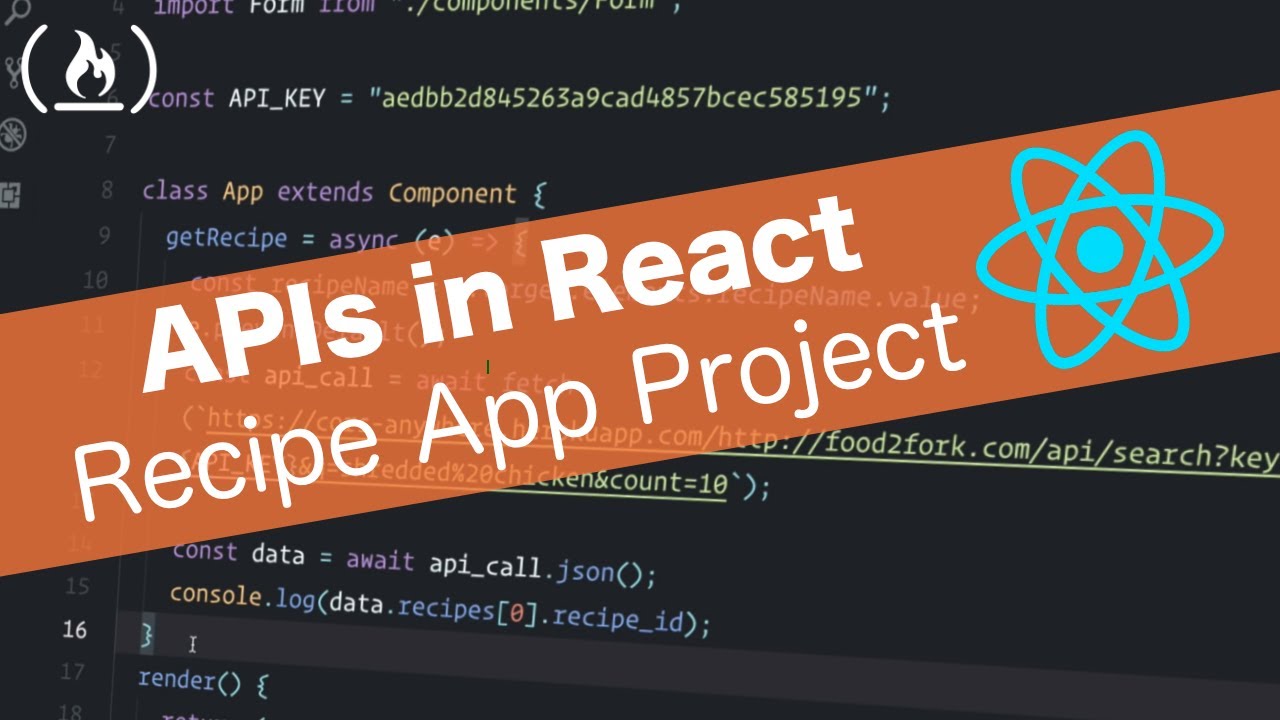
APIs in React Tutorial - Recipe App using React Router
video description
Date: 2022-03-14
Related videos


Comments and reviews: 10
Anil
Overall, great tutorial. Just for the benefit of beginners, my two cents in the video would be to handle the localStorage get in componentDidMount() method to avoid any unnecessary error when we test the starting page in a new window such as incognito or clear the localstorage key.
componentDidMount() -
-const json = localStorage.getItem('recipes');
-if (json) -
--const recipes = JSON.parse(json);
--this.setState(- recipes: recipes -);
--
-
Plus, before setting the recipes in the state, just throw an alert if the result for a search string didn't have any data back. This is to handle any search string say 'okra' that would not bring any results back. Providing some kind of feedback would be helpful to know what's really happened.
if (recipes.length === 0) -
-alert('No Recipes found for the given search item');
-
this.setState(-
-recipes: recipes,
-);
Lastly, if you could share how to best load some default recipes on page load the very first time (may be inside componentDidMount() method)?
reply
Overall, great tutorial. Just for the benefit of beginners, my two cents in the video would be to handle the localStorage get in componentDidMount() method to avoid any unnecessary error when we test the starting page in a new window such as incognito or clear the localstorage key.
componentDidMount() -
-const json = localStorage.getItem('recipes');
-if (json) -
--const recipes = JSON.parse(json);
--this.setState(- recipes: recipes -);
--
-
Plus, before setting the recipes in the state, just throw an alert if the result for a search string didn't have any data back. This is to handle any search string say 'okra' that would not bring any results back. Providing some kind of feedback would be helpful to know what's really happened.
if (recipes.length === 0) -
-alert('No Recipes found for the given search item');
-
this.setState(-
-recipes: recipes,
-);
Lastly, if you could share how to best load some default recipes on page load the very first time (may be inside componentDidMount() method)?
reply
supergaljoy1994
Good tutorial! Just finished today and I'm happy.
A few things:
1) I had to use a different API since the old one got somewhat shut down or whatever so I used Spoonacular instead. It was similar enough
2) Used react Hooks instead of class components because I saw a video on hooks and wanted to try it out -> lots of useEffect and useState hooks
3) Hardest part was understanding the equivalency between useEffect and componentDidMount/Update. If anyone is wondering how I got it working -> useEffect but empty dependencies list: [] == componentDidMount, then used a second useEffect hook for componentDidUpdate based on state.recipes as the dependency.
Both will run on first go or when heading back to the main page but localstorage stays filled because once state.recipes is filled the first time, it'll just keep passing that data back and forth between state.recipes and localstorage so the main page data isnt lost. At least that's how I understood it.
Anyway thanks again!
reply
Good tutorial! Just finished today and I'm happy.
A few things:
1) I had to use a different API since the old one got somewhat shut down or whatever so I used Spoonacular instead. It was similar enough
2) Used react Hooks instead of class components because I saw a video on hooks and wanted to try it out -> lots of useEffect and useState hooks
3) Hardest part was understanding the equivalency between useEffect and componentDidMount/Update. If anyone is wondering how I got it working -> useEffect but empty dependencies list: [] == componentDidMount, then used a second useEffect hook for componentDidUpdate based on state.recipes as the dependency.
Both will run on first go or when heading back to the main page but localstorage stays filled because once state.recipes is filled the first time, it'll just keep passing that data back and forth between state.recipes and localstorage so the main page data isnt lost. At least that's how I understood it.
Anyway thanks again!
reply
Bonnie
Hey man. Nice informative beginner friendly tutorial. Was able to follow along easily.
I used hooks instead of class based components, and the part where you do the localStorage stuff is not working for me.
Like the localStorage is working but the componentDidMount part is not working.
And I have no idea on how to implement componentDidMount using Hooks.
I tried googleing, but can't seem to find a solution that works for me.
Thanks in advance!!
reply
Hey man. Nice informative beginner friendly tutorial. Was able to follow along easily.
I used hooks instead of class based components, and the part where you do the localStorage stuff is not working for me.
Like the localStorage is working but the componentDidMount part is not working.
And I have no idea on how to implement componentDidMount using Hooks.
I tried googleing, but can't seem to find a solution that works for me.
Thanks in advance!!
reply
Jonathan
Sorry if this is a dumb question, but my Recipes component wants to render even when the Form component hasn't been filled in yet. Because the Form component is empty, my props are null and my code breaks. Not sure what I'm doing wrong. How do I prevent the Recipes component from rendering until the Form is completed?
reply
Sorry if this is a dumb question, but my Recipes component wants to render even when the Form component hasn't been filled in yet. Because the Form component is empty, my props are null and my code breaks. Not sure what I'm doing wrong. How do I prevent the Recipes component from rendering until the Form is completed?
reply
dumi
This will never be a production app because he stores the API keys on the client side if you want to create a production app you don't do it like this you need to use node.js as an example...I don't really understand the purpose of the tutorial. Correct me if I am wrong.
reply
This will never be a production app because he stores the API keys on the client side if you want to create a production app you don't do it like this you need to use node.js as an example...I don't really understand the purpose of the tutorial. Correct me if I am wrong.
reply
dedZombie
Great tutorial, I love the way you explain those small details about React and how it works.
Correct me if I'm wrong, but aren't you supposed not to show your API keys? Those should be private, at least those I was using.
reply
Great tutorial, I love the way you explain those small details about React and how it works.
Correct me if I'm wrong, but aren't you supposed not to show your API keys? Those should be private, at least those I was using.
reply
intorek
I started to get the error -Uncaught TypeError: Cannot read property 'map' of null- near the end of the video before realizing that I had hit the API's limit of 50 uses.
reply
I started to get the error -Uncaught TypeError: Cannot read property 'map' of null- near the end of the video before realizing that I had hit the API's limit of 50 uses.
reply
Gabriel
Hi, good job is done here with on-point clear explanations but currently the site you used as a backend is down, can you please update the tutorial backend API?
reply
Hi, good job is done here with on-point clear explanations but currently the site you used as a backend is down, can you please update the tutorial backend API?
reply
itech
Towards the end, if the localStorage is empty the app will crash. A check should be included in ComponentDidMount to skip setState if this is the case.
reply
Towards the end, if the localStorage is empty the app will crash. A check should be included in ComponentDidMount to skip setState if this is the case.
reply
Ritik
Actually in fetching the api with cors-anywhere is showing following response - -cors anywhere herokuapp missing required request header-
reply
Actually in fetching the api with cors-anywhere is showing following response - -cors anywhere herokuapp missing required request header-
reply
Add a review, comment
Other channel videos