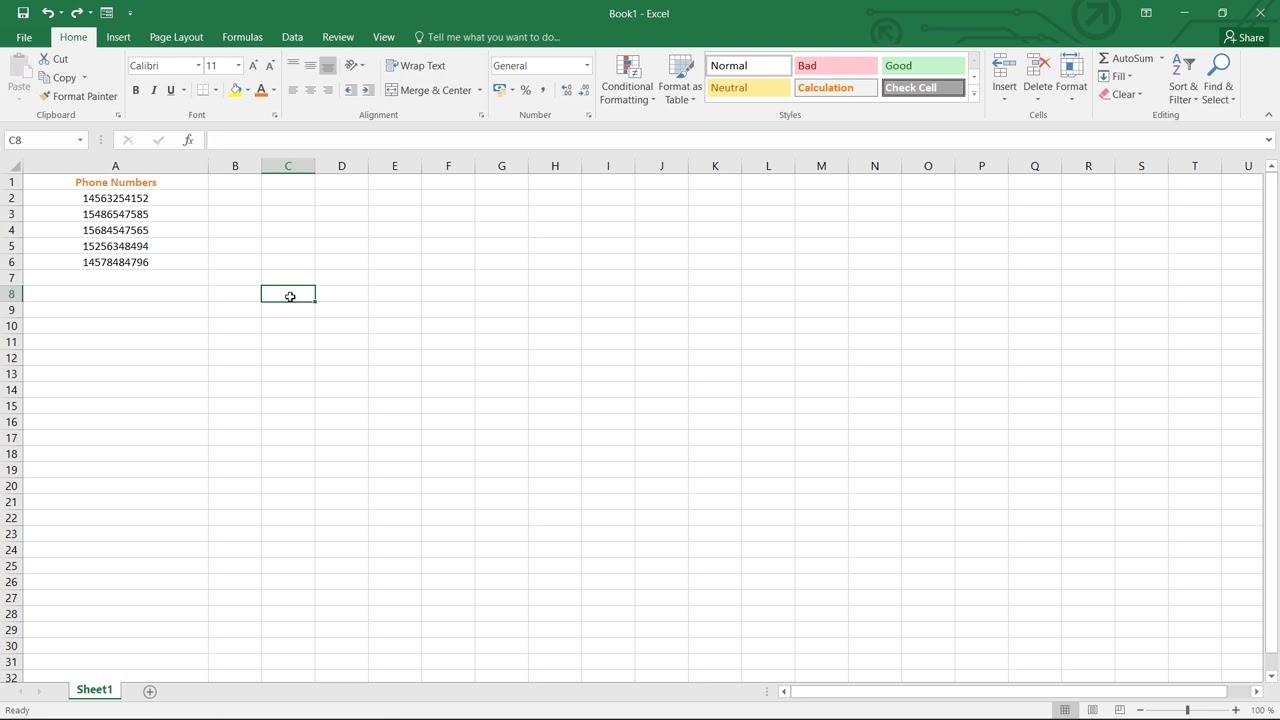
How to Format Phone Numbers in Excel Create a Custom Number Format in Excel
FBTwitterReddit
video description
Rating: 4.0; Vote: 1
well show you How to Format Phone Numbers in Excel.
Every country has a different country code and format of writing phone numbers. Sometimes getting phone numbers to display correctly in Excel can be tricky, but with number formatting these issues can be resolved.
Lets do this!
1) Open your Excel file and select the numbers you want to format.
2) Go to the home tab and Click the drop-down arrow in the Number area of the ribbon.
3) Select the Number tab, then choose Special from the list of options.
4) In the Type section on the right, select the Phone Number option and click OK.
5) If youd like a different format for these numbers, select them and right-click the selection.
6) Click on the Format Cells option, then select Custom.
7) Enter the format you want. When youre done, click OK.
This is how we can format our contacts!
James: I have an excel question. Im working on a budget. I have a checkbox in Cell A1. B1 contains a number, 100. In a 3rd cell (B15) I have a sum of all my number, lets say they equal 1000. I want to be able to check the checkbox in A1 and it takes B15 total and subtracts the number in B1 automatically changing it to 900. Bonus points if you can get it to change to a color once checked. Can that be done? Date: 2023-07-08