Insert and Delete Columns, Rows, and Cells in Microsoft Excel Full Overview - The Teacher
FBTwitterReddit
video description
Rating: 4.0; Vote: 1
Insert and Delete Columns, Rows, and Cells in Microsoft Excel Full Overview - The Teacher
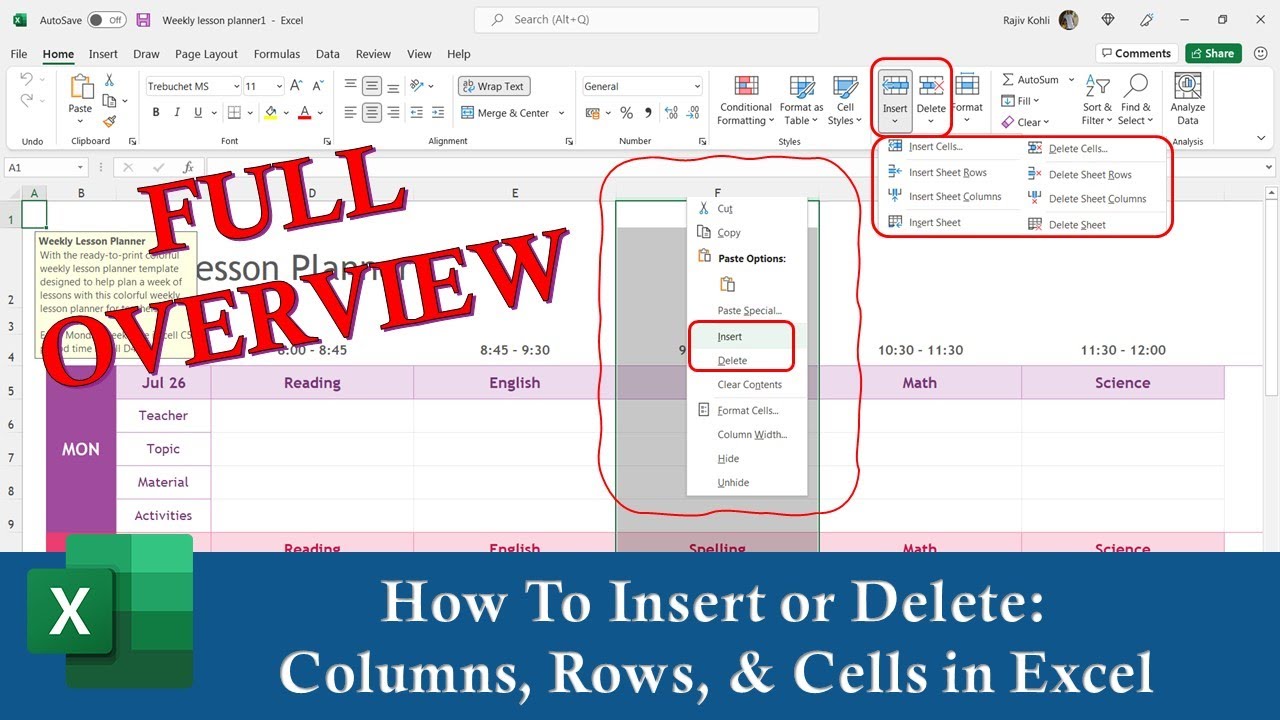
In this Microsoft Excel 2016 Tutorial video, you will learn how to Insert and Delete Columns, Rows, and Cells. It is a common practice that while working with Excel Worksheets, we usually require to Insert new columns and sometimes delete those that are not required. In other cases, you might need to delete a particular cell and shift the rest of the cells to the left or to the top.
You can find both the Insert and Delete commands in the Cells section of the Home tab. The Insert and Delete both drop-down menus give you the option to Insert Cells, Insert Sheet Rows, and Insert Sheet Columns or Delete Cells, Delete Sheet Columns, and Delete Sheet Rows.
It also gives you the option to insert new worksheets into the current workbook. This topic has been discussed in the recommended video below
Alpha: Good Video..but..PLEASE LEAVE OUT the MUSIC!! I cant even focus on what the -Teacher- is saying...Why oh Why is everyone adding background music to a tutorial??? Its the third time I am listening to this as I am already tired after a long day at work. My plea : Keep it simple! Date: 2022-03-31




 7:32
7:32