In this tutorial you will learn the best way to backup your Skydrive files.
In this tutorial you will learn the best way to backup your Skydrive files
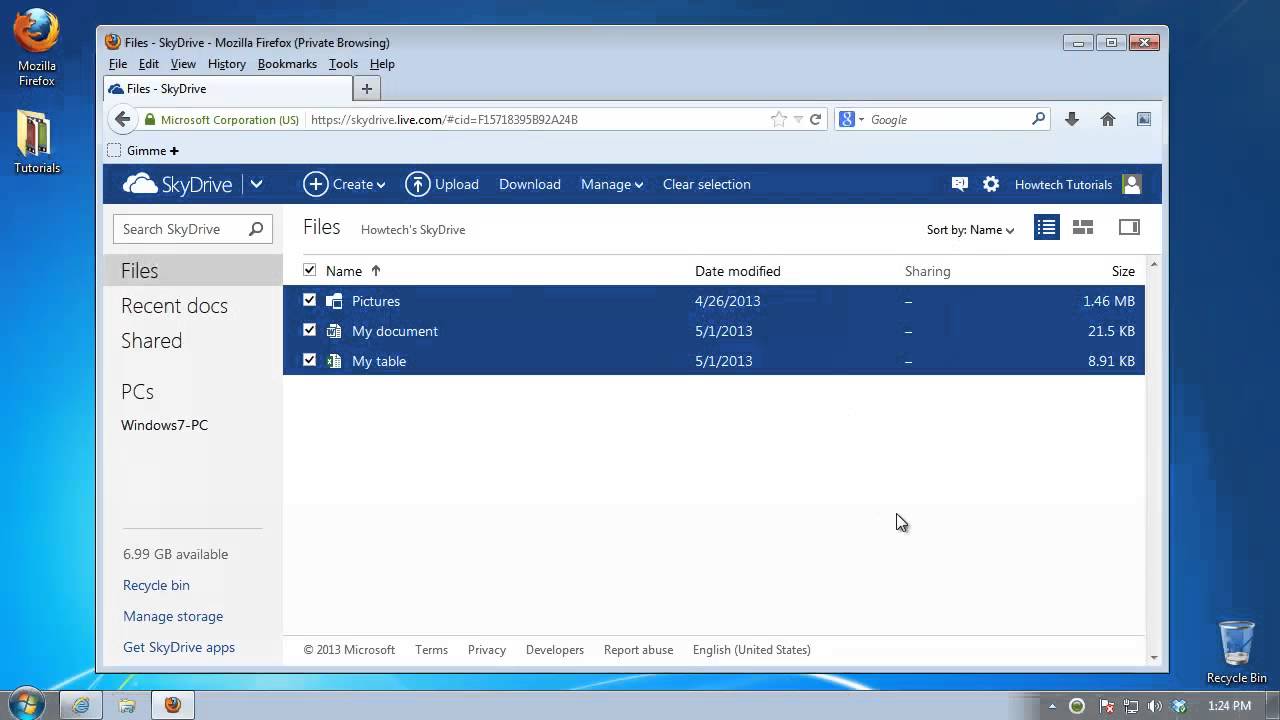
Step 1. Open up a browser window and log in to your Skydrive account at:
skydrive. live. com.
Step 2. Click the Files tab on the left, and select the Details view from the upper right.
Step 3. Click the uppermost box near the Name' tag: it should select all your files.
Step 4. Right-click on any of them, and select 'Download'.
Skydrive will compress all your files and folders into one archive and send it to you to download. You can back up this file on any external system. We copied it in a backup folder.
Result: You have successfully backed up your Skydrive files and folders Date: 2023-07-08