you will learn how to use Excel as a full mortgage calculator.
Prerequisites: Microsoft Excel.
Step 1. Launch Excel, and select File -- New
Step 2. Choose Office Templates.
Step 3. In the search box, type:
Mortgage
And see the results.
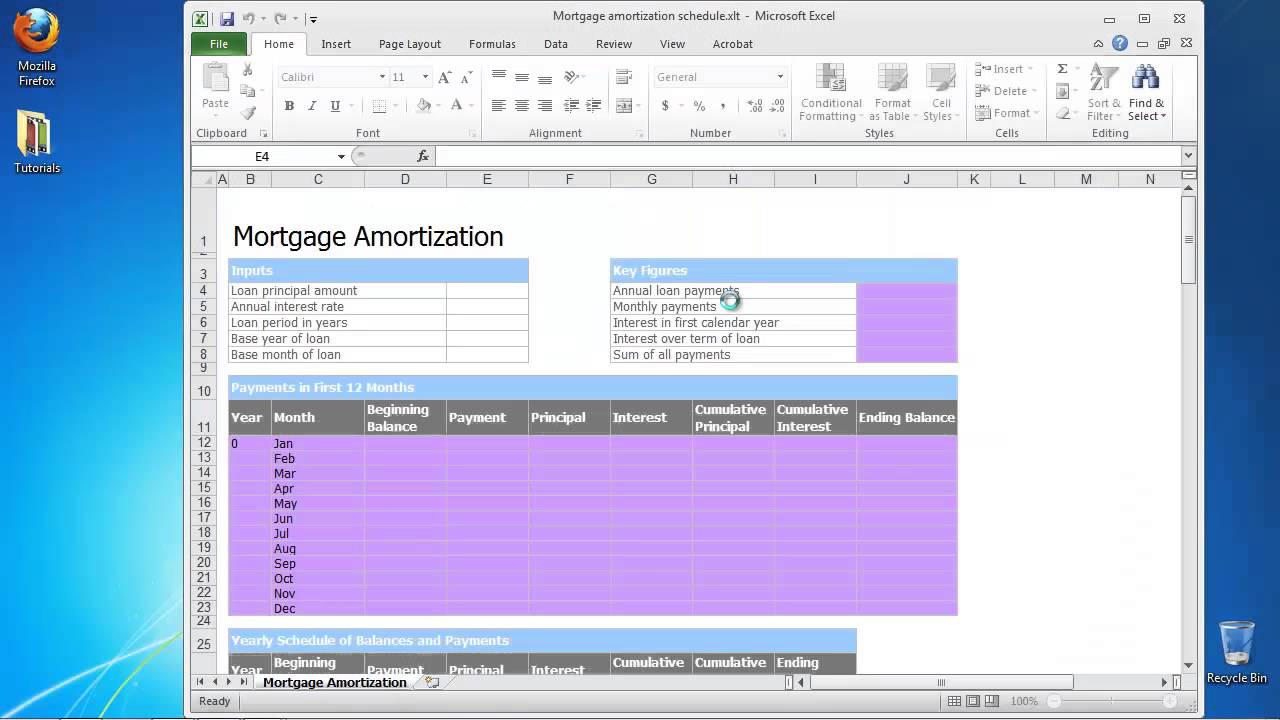
Step 4. Excel is connecting to its server and showing you all the templates from the server. Choose Mortgage Amortization Schedule.
Click Download. A full template for mortgage calculation is opened.
Step 5: Fill in the upper fields with the details of your mortgage. Excel will do the rest.
Result: Congratulations, you have learnt how to us Excel as a full mortgage calculator Date: 2023-07-08