How to Calculate Standard Deviation in Excel How to Use the STDEV Function in Excel
FBTwitterReddit
video description
Rating: 4.0; Vote: 1
we will show you how to use the standard deviation function in Excel.
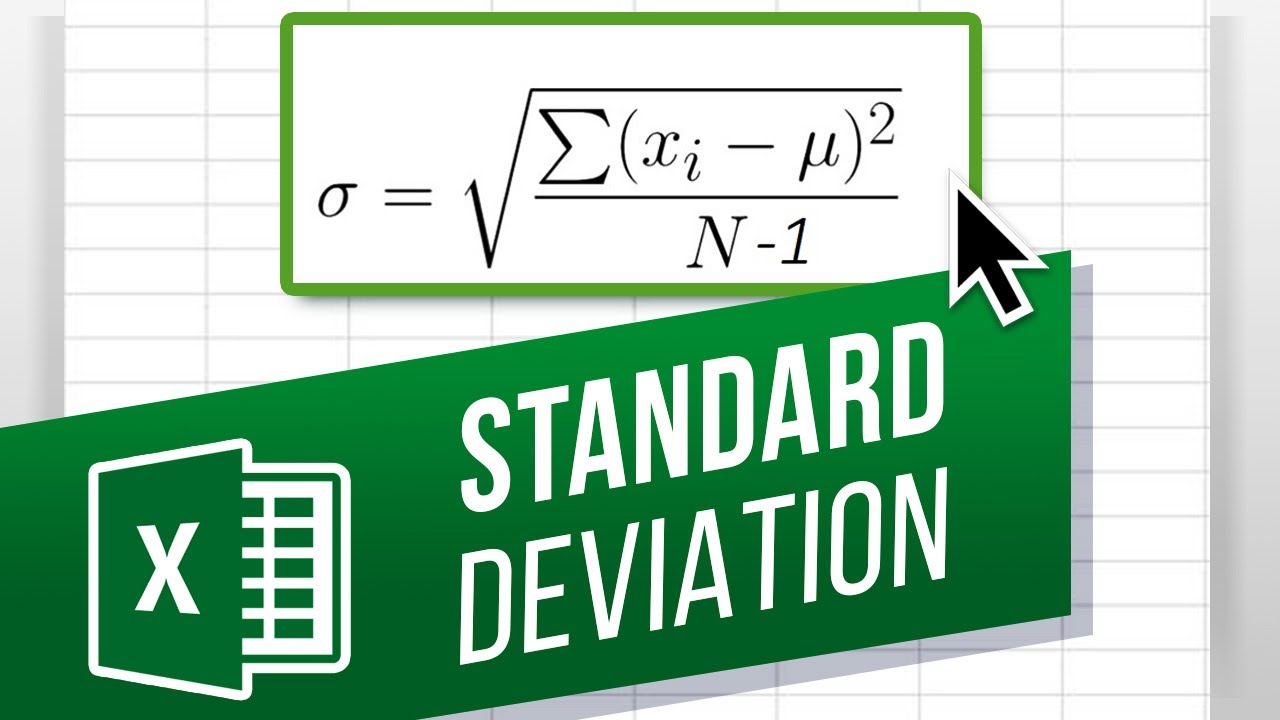
Standard deviation allows you to analyze how spread out the data is in a particular set from the mean.
Over here, we have the data set for 13 machines and the total duration for which each of those machines were used for production during the day. Now lets say we want to calculate the standard deviation for the production time, for that day.
Now if there were 13 machines being used in total, the standard deviation would be of the population. But lets say if we had a total of 100 machines, and we had to calculate standard deviation with this particular data, we would use the standard deviation sample formula.
The difference between the two is in the denominator that we divide by in our calculation. Excel automatically does that through the formula, but in case of population, the denominator would be the total number of machines. For sample however, the denominator would be one less the total sample size we have.
To calculate the standard deviation for the entire population, we start by entering the equals to sign. After that we will type in STDEV dot P followed by parenthesis. Now lets simply click on the cell and drag the cursor through the range, which we want to be included. You can see here that excel has automatically added the range of cells in the formula here. Once we hit enter, you can see the standard deviation for the entire population.
To calculate the standard deviation for the sample, we will type in STDEV followed by parenthesis. We can also use STDEV dot S and it will produce the same result. Lets select the cells and hit enter. And you can see that the standard deviation for the sample is a slightly bigger number than the standard deviation for the entire population. This is because when calculating standard deviation for the sample, we reduce the sample size, or the denominator, to account for the fact that we dont have the complete data set.
What would you like to know about Excel functions? Date: 2023-07-08