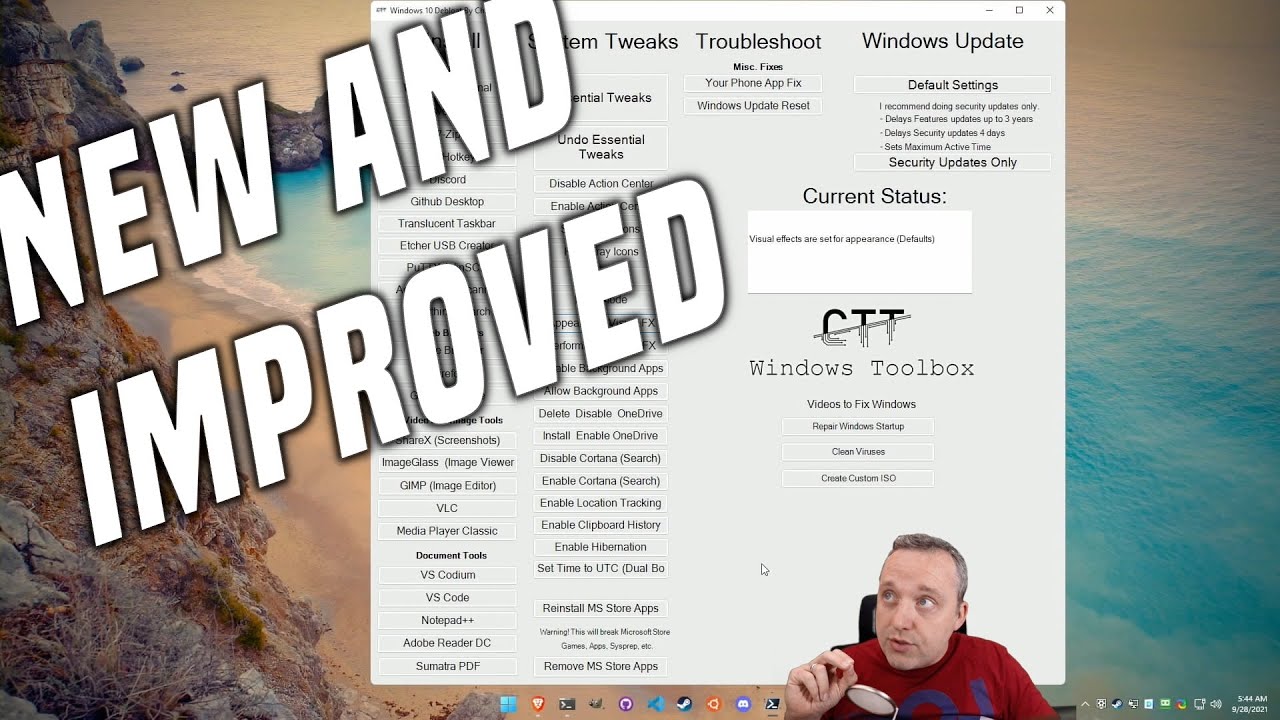
The Ultimate Windows Utility Upgrade - Chris Titus Tech
video description
Date: 2022-03-21
Related videos


Comments and reviews: 9
Ricky
Hello Chris and community, I ran the Essential Tweaks and Security Updates Only, I found that I was unable to change some of the settings around and am getting -some settings are hidden or managed by your organization-. Could I just run Default Settings to revert? The reason being is that I found I am having some issues with the xbox app and launching games using the app. Also not sure if these are correlated. Considering a clean install to fix as well. Thanks in advance!
reply
Hello Chris and community, I ran the Essential Tweaks and Security Updates Only, I found that I was unable to change some of the settings around and am getting -some settings are hidden or managed by your organization-. Could I just run Default Settings to revert? The reason being is that I found I am having some issues with the xbox app and launching games using the app. Also not sure if these are correlated. Considering a clean install to fix as well. Thanks in advance!
reply
Novantico
Just did the essential tweaks and it took out 60-70 processes or so it would appear, however I've already found one thing that bugs me about it. Edge (shut up, it's a good browser these days) no longer shows suggestions and history when typing in the address bar, and if I try to re-enable suggestions and the like in the program's settings it's grayed out and tells me that these settings are managed by my organization. What the shit?
reply
Just did the essential tweaks and it took out 60-70 processes or so it would appear, however I've already found one thing that bugs me about it. Edge (shut up, it's a good browser these days) no longer shows suggestions and history when typing in the address bar, and if I try to re-enable suggestions and the like in the program's settings it's grayed out and tells me that these settings are managed by my organization. What the shit?
reply
PecikCZ
Hello, please, I have a question! I have tried this and I have found one problem till now. When I use screenshot Win + Shift + S, select an area and after that it doesnt open the tool for editing and saving as it did before. Do you have an idea what exactly from Essential Tweaks is causing this and how to make it working without giving all tweaks back because otherwise it is working pretty fine :)
reply
Hello, please, I have a question! I have tried this and I have found one problem till now. When I use screenshot Win + Shift + S, select an area and after that it doesnt open the tool for editing and saving as it did before. Do you have an idea what exactly from Essential Tweaks is causing this and how to make it working without giving all tweaks back because otherwise it is working pretty fine :)
reply
Jishnu
-Chris Titus Tech I would really appreciate it if you added an option to install Ms Store ( Not the apps but the store itself) because i have been facing a problem where i am not able to open the ms store, it immediately closes as soon as i open it.
I have tried various fixes from other videos but none have worked. Even a video would be ok if it is tough for you to make it one click.
thanks
reply
-Chris Titus Tech I would really appreciate it if you added an option to install Ms Store ( Not the apps but the store itself) because i have been facing a problem where i am not able to open the ms store, it immediately closes as soon as i open it.
I have tried various fixes from other videos but none have worked. Even a video would be ok if it is tough for you to make it one click.
thanks
reply
Alan
I think perhaps the GUI somehow changes its size in different screen resolutions. On most of my screens it-s too big. On a large screen with 1920 x 1080 its not too bad. I expect that 1920 x 1080 screen resolution is what Chris uses or sometimes he uses even higher, so he doesn-t notice that for most of us the thing is too damm big
reply
I think perhaps the GUI somehow changes its size in different screen resolutions. On most of my screens it-s too big. On a large screen with 1920 x 1080 its not too bad. I expect that 1920 x 1080 screen resolution is what Chris uses or sometimes he uses even higher, so he doesn-t notice that for most of us the thing is too damm big
reply
Carlos
I formatted my gaming laptop and tried this. The best thing i've done to it. Although it's a powerfull machine, this made it considerably more faster when it comes to the Windows feel and interface. SSD and processor temperatures went down like for 5c or even 7c after running the script. You're truly a genius, thanks.
reply
I formatted my gaming laptop and tried this. The best thing i've done to it. Although it's a powerfull machine, this made it considerably more faster when it comes to the Windows feel and interface. SSD and processor temperatures went down like for 5c or even 7c after running the script. You're truly a genius, thanks.
reply
Travels
why dont you make a custom iso for gamers? i only use windows because linux wont run escape from tarkov... so for people that just want a slimmed down windows iso solely for gaming.. i wish i could get my ram down to 1.5 gb and cps steady and windows to stop sending stuff that slows me down
reply
why dont you make a custom iso for gamers? i only use windows because linux wont run escape from tarkov... so for people that just want a slimmed down windows iso solely for gaming.. i wish i could get my ram down to 1.5 gb and cps steady and windows to stop sending stuff that slows me down
reply
Vladislav
Great utility, Chris!
For whatever reason, however, window freezes when I click on -Security Updates Only-. In the powershell it is also empty. After a while, it seems it looks like fixed, but still it feels, like it is just frozen window.
Otherwise, thank you for sharing it!
reply
Great utility, Chris!
For whatever reason, however, window freezes when I click on -Security Updates Only-. In the powershell it is also empty. After a while, it seems it looks like fixed, but still it feels, like it is just frozen window.
Otherwise, thank you for sharing it!
reply
Forrest In The Desert
Dude! I *really* like what you have done with this utility. You made it as unintrusive as possible and passed that decision on to the person using it to tweak their system. The sheer broad spectrum of mods you have included is nothing short of amazing. I just ran Bloatynosy v.1.1 which calls your Windows Utility v.23.11.28. When it finished running I reviewed the changes Bloatynosy made by default, and they were minimal. I then perused through your v.23.11.28 and was amazed at how much thought you put into this to help minimize completely screwing up a system unless the end user so chooses to bite off more than he or she should have. I will follow you on YouTube to stay abreast of any further tweaks or changes you make down the road.
Forrest In The Desert
reply
Dude! I *really* like what you have done with this utility. You made it as unintrusive as possible and passed that decision on to the person using it to tweak their system. The sheer broad spectrum of mods you have included is nothing short of amazing. I just ran Bloatynosy v.1.1 which calls your Windows Utility v.23.11.28. When it finished running I reviewed the changes Bloatynosy made by default, and they were minimal. I then perused through your v.23.11.28 and was amazed at how much thought you put into this to help minimize completely screwing up a system unless the end user so chooses to bite off more than he or she should have. I will follow you on YouTube to stay abreast of any further tweaks or changes you make down the road.
Forrest In The Desert
reply
Add a review, comment
Other channel videos