Git Basics: Merge and Rebase - Envato
video description
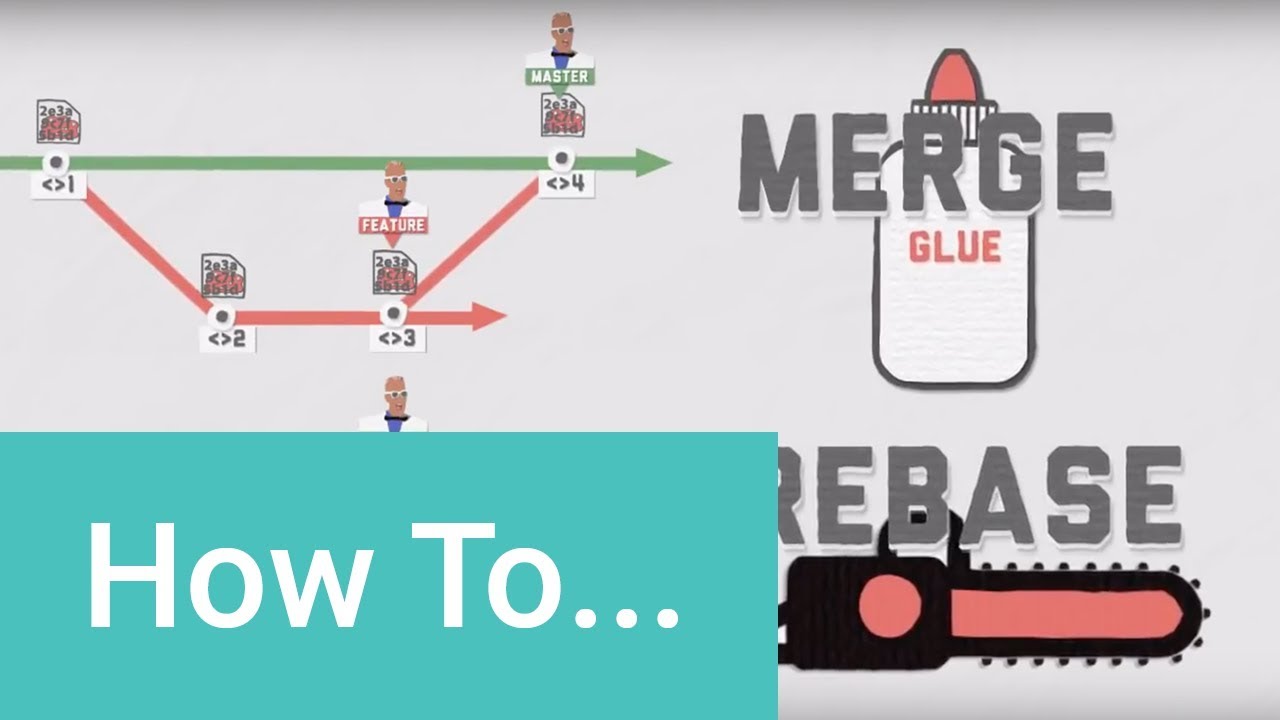
illustration starting around 1: 55 is not correct. The rebase operation does
NOT change the master. It DOES recreate commits on the branch, so it
is true that the hashes on the branch change. But the master is unaffected by
the rebase operation.
The script below demonstrates. After running the script, compare
masterlog1. txt to masterlog2. txt: they are identical. I've used the
--first-parent option of git log, for simplification. Modify the test however
you like, for exploratory purposes.
The script uses windows powershell features but is easily changed to whatever
shell you like. The referenced script touch. ps1 just adds a line to the
specified file: create your own version of this, or just run all the steps
manually.
# test the result (as reflected in git log) of a rebase operation.
if (test-path \rebasetest) remove-item \rebasetest -force -recurse
md \rebasetest
cd \rebasetest
git init
\temp\touch. ps1 file1. txt
git add file1. txt
git commit -m commit on master
\temp\touch. ps1 file1. txt
git commit -am 2nd commit on master
git checkout -b branch
\temp\touch. ps1 file2. txt
git add file2. txt
git commit -m commit on branch
\temp\touch. ps1 file2. txt
git commit -am 2nd commit on branch
git checkout master
\temp\touch. ps1 file1. txt
git commit -am commit on master
git log --oneline --graph --first-parent master >\temp\masterlog1. txt
git log --oneline --graph --first-parent branch >\temp\branchlog1. txt
git checkout branch
git rebase master
git log --oneline --graph --first-parent master >\temp\masterlog2. txt
git log --oneline --graph --first-parent branch >\temp\branchlog2. txt
cd \temp
Date: 2022-09-19
Related videos


Comments and reviews: 12
No
Let me give one example and please tell me did I write well. I have some bugs on my project. I create a new branch bugFix. I started to work on that bug from bugFix branch. I have i. g. 4 commits. I found a bug, tested it and I last time committed a total of 5 commits. Now I don't want to merge with the master branch. If I git merge bugFix I will have in history in master branch 5 commits from bugFix, right? But if rebase I will have in history on master only the last one commit (no. 5) from bugFix, right?
reply
Let me give one example and please tell me did I write well. I have some bugs on my project. I create a new branch bugFix. I started to work on that bug from bugFix branch. I have i. g. 4 commits. I found a bug, tested it and I last time committed a total of 5 commits. Now I don't want to merge with the master branch. If I git merge bugFix I will have in history in master branch 5 commits from bugFix, right? But if rebase I will have in history on master only the last one commit (no. 5) from bugFix, right?
reply
Grzegorz
Very good video, thank you!
But I've got also a constructive criticism. I understand that Envato is a company that concentrates on design and VFXs but (and maybe because of that) the look of the video could be better. I mean, it is supposed to look fancy, this kind of shaking screen but there are so few fps that it makes it look unpleasant and distracting. For the future videos consider maybe changing the style of the video or adding more fps. or whatever.
But in summary, very good video! :)
reply
Very good video, thank you!
But I've got also a constructive criticism. I understand that Envato is a company that concentrates on design and VFXs but (and maybe because of that) the look of the video could be better. I mean, it is supposed to look fancy, this kind of shaking screen but there are so few fps that it makes it look unpleasant and distracting. For the future videos consider maybe changing the style of the video or adding more fps. or whatever.
But in summary, very good video! :)
reply
tacklemcclean
Regarding public/private branches. Does this mean that if you want maximum transparency, say you should have a feature branch tied to a JIRA issue or similar, you should always prefer merges over rebasing? Since you want maximum backtrack ability to go with your issue handling?
Private and public can mean so many things it's confusing in this context.
For a private repo we could rule that all branches are public for all developers. Yet private to the world. So what is meant?
reply
Regarding public/private branches. Does this mean that if you want maximum transparency, say you should have a feature branch tied to a JIRA issue or similar, you should always prefer merges over rebasing? Since you want maximum backtrack ability to go with your issue handling?
Private and public can mean so many things it's confusing in this context.
For a private repo we could rule that all branches are public for all developers. Yet private to the world. So what is meant?
reply
LifeInGen
Wow Ive watched other tutorials about merge and rebase and by far this is the most easy to understand! Thank you, just one question when rebasing, it sort looking like from Master->feature1-> feature2 that they are folding back from feature2 back to master. If I understand it correctly, let say f1 & f2 are done, you go to checkout feature1 then rebase master then checkout feature2 then rebase master is this correct?
reply
Wow Ive watched other tutorials about merge and rebase and by far this is the most easy to understand! Thank you, just one question when rebasing, it sort looking like from Master->feature1-> feature2 that they are folding back from feature2 back to master. If I understand it correctly, let say f1 & f2 are done, you go to checkout feature1 then rebase master then checkout feature2 then rebase master is this correct?
reply
Alejandro
You are clearly confusing Fast Forward and Rebase. Git would try to perform fast forward merges by default, so in the case you are showing both branches would look the same at the end. Unless you specify -no-ff (no fast foward) or if you are using some application where the -no-ff is the default (like github web interface.
reply
You are clearly confusing Fast Forward and Rebase. Git would try to perform fast forward merges by default, so in the case you are showing both branches would look the same at the end. Unless you specify -no-ff (no fast foward) or if you are using some application where the -no-ff is the default (like github web interface.
reply
Zachary
A MERGEis useful for combining branches that are already PUBLIC. a REBASE is used for combining PRIVATE branches. NEVER FOR PUBLIC ONES. That right there makes so much sense to me, I love it!
reply
A MERGEis useful for combining branches that are already PUBLIC. a REBASE is used for combining PRIVATE branches. NEVER FOR PUBLIC ONES. That right there makes so much sense to me, I love it!
reply
Mike
Thats not a true rebase, its just a fast forward because there were no commits on master after commit the branch it was based on. So the branch didnt need to be rebased.
reply
Thats not a true rebase, its just a fast forward because there were no commits on master after commit the branch it was based on. So the branch didnt need to be rebased.
reply
Cedric
2: 40 why is it not
git checkout branch
git rebase master
git merge master
?
i thought you wanted to bring master to the same level as branch now
reply
2: 40 why is it not
git checkout branch
git rebase master
git merge master
?
i thought you wanted to bring master to the same level as branch now
reply
Chunky
This might sound weird but I love your voice. You should do audio book recordings and ASMR videos. Also, great tutorial on Rebase vs. Merge!
reply
This might sound weird but I love your voice. You should do audio book recordings and ASMR videos. Also, great tutorial on Rebase vs. Merge!
reply
utubemoi
It took a 3 minutes videos for me to grasp this concept that I have been trying to understand for hours. Good job and thanks!
reply
It took a 3 minutes videos for me to grasp this concept that I have been trying to understand for hours. Good job and thanks!
reply
Khaled
That was incredibely clear, direct and to the point to the extent that I'm beginning to doubt others capability as tutors. :D
reply
That was incredibely clear, direct and to the point to the extent that I'm beginning to doubt others capability as tutors. :D
reply
NoSoyElPeluca
Im a little confused at 2: 25, In no other tutorial have I seen someone doing step 3 and 4, I don't understand
reply
Im a little confused at 2: 25, In no other tutorial have I seen someone doing step 3 and 4, I don't understand
reply
Add a review, comment
Other channel videos