A Secret Blend Mode for Compositing in Photoshop
video description
Date: 2022-07-19
Related videos


Comments and reviews: 18
Firebrand
Too much jargon -- I didn't understand this video very well. I could play around with it, but I feel like I'm not understanding because of the jargon (language) & because the example had too many elements going on. It would be better to limit Real World examples to very small complexities, not multiple multiple multiple layers, because my brain is trying to figure out what's going on searching every aspect, instead of clearly understanding the message, if there was only 2 or 3 factors we were looking at. I think in the beginning you tried to explain it more simply, but that was a Conceptual Example, not a Real World example, and it was still too technical/abstract. I believe a simplified Real World example might be helpful to see a functional pattern. I don't think anyone can understand this video who isn't mid-level to advanced photoshop -- but I believe the concept could be a beginner concept if the language was less jargony & one or two more simple examples were given so that our brains could see a pattern. As is, I believe I will need to watch it 2 or 3 more times & look up some terminology. Anyway, as always, appreciate your excellent videos. I'm not blaming you for my misunderstanding. You are truly expert.
reply
Too much jargon -- I didn't understand this video very well. I could play around with it, but I feel like I'm not understanding because of the jargon (language) & because the example had too many elements going on. It would be better to limit Real World examples to very small complexities, not multiple multiple multiple layers, because my brain is trying to figure out what's going on searching every aspect, instead of clearly understanding the message, if there was only 2 or 3 factors we were looking at. I think in the beginning you tried to explain it more simply, but that was a Conceptual Example, not a Real World example, and it was still too technical/abstract. I believe a simplified Real World example might be helpful to see a functional pattern. I don't think anyone can understand this video who isn't mid-level to advanced photoshop -- but I believe the concept could be a beginner concept if the language was less jargony & one or two more simple examples were given so that our brains could see a pattern. As is, I believe I will need to watch it 2 or 3 more times & look up some terminology. Anyway, as always, appreciate your excellent videos. I'm not blaming you for my misunderstanding. You are truly expert.
reply
Harun
I made a photo, composed photo, and it's all good and that, but something is missing, like depth or something to look more realistc, but I can't figure what is problem. I can't contact Unmesh, so if anyone can help, please leave a comment here, so I can give a link to the picture I've made. Thanks: )
reply
I made a photo, composed photo, and it's all good and that, but something is missing, like depth or something to look more realistc, but I can't figure what is problem. I can't contact Unmesh, so if anyone can help, please leave a comment here, so I can give a link to the picture I've made. Thanks: )
reply
Matt
This video answered so many problems I have run across when merging groups in the past. Thank you! Now if only I could figure out why when I create a stamp visible layer at the top of all my layers it will sometimes look different.
reply
This video answered so many problems I have run across when merging groups in the past. Thank you! Now if only I could figure out why when I create a stamp visible layer at the top of all my layers it will sometimes look different.
reply
Basheer
After watching every video from you I am learned ng something new. Thank you Master. Good will bless you. I working with on a photo to remove it's red color stain after watching you video I have confident that I will finish it.
reply
After watching every video from you I am learned ng something new. Thank you Master. Good will bless you. I working with on a photo to remove it's red color stain after watching you video I have confident that I will finish it.
reply
Jason
I've tried listening to several of your videos and I'm sure the information is good but I can't get past the absolute constant smacking of your dry mouth so I click away. Please take a drink before, and during these tutorials.
reply
I've tried listening to several of your videos and I'm sure the information is good but I can't get past the absolute constant smacking of your dry mouth so I click away. Please take a drink before, and during these tutorials.
reply
Cisko
Came across this at a perfect time. Making a poster with a group of people all shot in the ame lighting. Now I can make a group and adjust everyone with single adjustment layers instead of one for every single person. Nice!
reply
Came across this at a perfect time. Making a poster with a group of people all shot in the ame lighting. Now I can make a group and adjust everyone with single adjustment layers instead of one for every single person. Nice!
reply
ANYTHING
can you make a complete photo editing step by step, mean sharpening images, popping up colour, usually for sports photography! hi pass! to create a more rich photography than usual! movie poster photographic treatment!
reply
can you make a complete photo editing step by step, mean sharpening images, popping up colour, usually for sports photography! hi pass! to create a more rich photography than usual! movie poster photographic treatment!
reply
Anna
Hallo, Thanks for all the good videos. Me and my girlfriend see your video and want learn with the same picture. Some of the picture are easy too load down. But some will be in format like. rar. How does I open that file?
reply
Hallo, Thanks for all the good videos. Me and my girlfriend see your video and want learn with the same picture. Some of the picture are easy too load down. But some will be in format like. rar. How does I open that file?
reply
Miss
Im totally confused. He grouped everything and then changed the blending mode (back) to Normal to limit the adjustments to the layers in the group. We start out in Normal, though. What am I missing?
reply
Im totally confused. He grouped everything and then changed the blending mode (back) to Normal to limit the adjustments to the layers in the group. We start out in Normal, though. What am I missing?
reply
lyrastar999
this doesn't seem to work for me. even with the group set to normal i still am having the solid color layer apply the overlay effect. hmmm. ..
reply
this doesn't seem to work for me. even with the group set to normal i still am having the solid color layer apply the overlay effect. hmmm. ..
reply
Gursimran
Can you please share which software are you using to record your tutorial? Audio quality is so amazing and great explanation.
reply
Can you please share which software are you using to record your tutorial? Audio quality is so amazing and great explanation.
reply
Sakthi
Very useful tutorial for me, u r teaching well, easy to learn, somebody are teaching very faster and u only teaching like slowly
reply
Very useful tutorial for me, u r teaching well, easy to learn, somebody are teaching very faster and u only teaching like slowly
reply
A. D.
This guy does the best PS tutorials. Thank you for all these videos, they have really helped me become a much better editor
reply
This guy does the best PS tutorials. Thank you for all these videos, they have really helped me become a much better editor
reply
Peach
Without you, I would not have made it past the first year in uni. Thankyou endlessly until forever! Love from Australia
reply
Without you, I would not have made it past the first year in uni. Thankyou endlessly until forever! Love from Australia
reply
Naitik
yaar India se hu. hindi me kahoge ki pass through kya hota hai aur kis liye use hota hai!
baki sab accha tha.
reply
yaar India se hu. hindi me kahoge ki pass through kya hota hai aur kis liye use hota hai!
baki sab accha tha.
reply
NuclearDivide
I'm late to the party but this is a total game changer for me. been relying on clipping masks forever O_O
reply
I'm late to the party but this is a total game changer for me. been relying on clipping masks forever O_O
reply
Mehwish
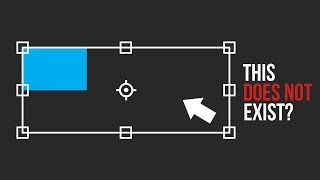
I am using adobe Photoshop 2018 cc. There is no option of Pass Through in blend modes. Where do I find this?
reply
I am using adobe Photoshop 2018 cc. There is no option of Pass Through in blend modes. Where do I find this?
reply
Luis
What's the advantage of using blend modes in groups compared to turning the group into a smart object?
reply
What's the advantage of using blend modes in groups compared to turning the group into a smart object?
reply
Add a review, comment
Other channel videos