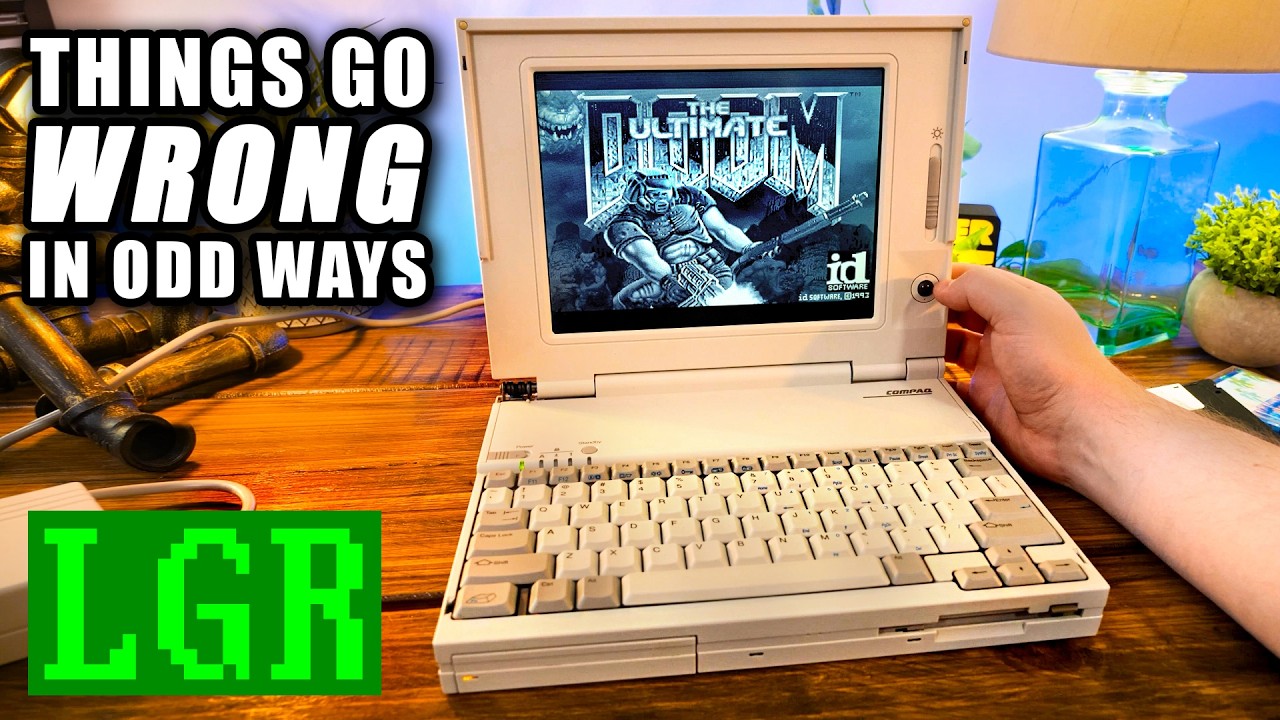
$3, 000 Midlife Crisis Laptop from 1993: Compaq LTE Lite 4/25E Monochrome
video description
Date: 2026-07-10
Related videos





Comments and reviews: 20
Mark-Lebowitz
2: 50, trackball - Ah, yes, that's what laptops had for a built-in pointing device. If they had anything at all, that is. Not all laptops came with Windows in 1993, and since laptops of that era were nearly all bought by businesses, even if a laptop came with Windows, it might just be used with MS-DOS, possibly with the purchasing company's proprietary user interface running on top of it. I'm an IT consultant whose career started a few years prior to when this laptop was introduced. Every so often, I'll set up a laptop for a client, and that laptop will have a TrackPoint (Lenovo, PointStick (HP, or Dual Point keyboard (Dell's keyboard with a similar device, and the client will ask what that thing is and why it's there. And I will explain about early laptops and how trackballs were the pointing devices built into most laptops at the time, how they were fairly well-hated because people weren't used to then, and how I often heard people call them the greasy marble. Never mind that it really wasn't possible to design a svelte laptop as long as engineers had to leave room for a trackball. Then I tell them about how IBM introduced the TrackPoint on their ThinkPad laptops in the mid 1990s, and for awhile, most laptop manufacturers came out with their own versions of it. But TrackPoint and its variants turned out to be one of the most polarizing laptop features ever invented. People either loved them or hated them; there seemed to be no in-between. Personally, I loved my TrackPoint, but even I have to admit that at this point, that feature has outlived its purpose, as touchpads now have settings that let it take over for the way I used TrackPoints. I definitely don't miss trackballs on laptops, though. Half the battle for designers was figuring out where to put them, and there just didn't seem to be a good place. The palmrest, where a touchpad goes now, was ideal for making it reachable, but that also put it in the way of many users' palms while typing. The upper right corner of the keyboard - sometimes the upper right corner - was another common location, but many users didn't find it intuitive to reach for a trackball there. Compaq's implementation on this laptop probably would have driven me crazy and had me running around with an external mouse, because I just don't see myself reaching for the screen when I want to use a pointing device (I don't use a touchscreen laptop, either. But Compaq's design should have at least some advantage in helping to keep the trackball cleaner. But I do have to agree that from the standpoint of retro computing and historic context, the lid-situated trackball is very cool.
reply
2: 50, trackball - Ah, yes, that's what laptops had for a built-in pointing device. If they had anything at all, that is. Not all laptops came with Windows in 1993, and since laptops of that era were nearly all bought by businesses, even if a laptop came with Windows, it might just be used with MS-DOS, possibly with the purchasing company's proprietary user interface running on top of it. I'm an IT consultant whose career started a few years prior to when this laptop was introduced. Every so often, I'll set up a laptop for a client, and that laptop will have a TrackPoint (Lenovo, PointStick (HP, or Dual Point keyboard (Dell's keyboard with a similar device, and the client will ask what that thing is and why it's there. And I will explain about early laptops and how trackballs were the pointing devices built into most laptops at the time, how they were fairly well-hated because people weren't used to then, and how I often heard people call them the greasy marble. Never mind that it really wasn't possible to design a svelte laptop as long as engineers had to leave room for a trackball. Then I tell them about how IBM introduced the TrackPoint on their ThinkPad laptops in the mid 1990s, and for awhile, most laptop manufacturers came out with their own versions of it. But TrackPoint and its variants turned out to be one of the most polarizing laptop features ever invented. People either loved them or hated them; there seemed to be no in-between. Personally, I loved my TrackPoint, but even I have to admit that at this point, that feature has outlived its purpose, as touchpads now have settings that let it take over for the way I used TrackPoints. I definitely don't miss trackballs on laptops, though. Half the battle for designers was figuring out where to put them, and there just didn't seem to be a good place. The palmrest, where a touchpad goes now, was ideal for making it reachable, but that also put it in the way of many users' palms while typing. The upper right corner of the keyboard - sometimes the upper right corner - was another common location, but many users didn't find it intuitive to reach for a trackball there. Compaq's implementation on this laptop probably would have driven me crazy and had me running around with an external mouse, because I just don't see myself reaching for the screen when I want to use a pointing device (I don't use a touchscreen laptop, either. But Compaq's design should have at least some advantage in helping to keep the trackball cleaner. But I do have to agree that from the standpoint of retro computing and historic context, the lid-situated trackball is very cool.
reply
lazygamereviews
My first laptop -- that like the nerd I am I started lugging to class in 8th grade IIRC (1997-8) was a Compaq LTE Elite 4/40CX which I think was the successor to yours and a bit more polished/rounded industrial design -- and entered my paws after my dad's employer retired it.
The trackball was easily it's best feature, but the docking station (with motorized load/eject) and SCSI, and real expansion slots was amazing. I think the Elite series may have even had a PCI slot in addition to ISA but I might be misremembering.
I did in fact use the PC speaker driver for WAV playback and it was serviceable for the time but definitely nothing you'd want to listen to for extended periods of time.
Had a couple batteries but even on that it wouldn't get through a full day without me strategically plugging in where possible; lasted through the middle of 9th grade when it became the first LCD screen I ever cracked thanks to a short drop to a concrete bench and the sharp edge of one of the spare battery packs being unfortunately placed relative to the screen in my bag.
Back when Compaq made real hardware for real users. ah, the memories.
reply
My first laptop -- that like the nerd I am I started lugging to class in 8th grade IIRC (1997-8) was a Compaq LTE Elite 4/40CX which I think was the successor to yours and a bit more polished/rounded industrial design -- and entered my paws after my dad's employer retired it.
The trackball was easily it's best feature, but the docking station (with motorized load/eject) and SCSI, and real expansion slots was amazing. I think the Elite series may have even had a PCI slot in addition to ISA but I might be misremembering.
I did in fact use the PC speaker driver for WAV playback and it was serviceable for the time but definitely nothing you'd want to listen to for extended periods of time.
Had a couple batteries but even on that it wouldn't get through a full day without me strategically plugging in where possible; lasted through the middle of 9th grade when it became the first LCD screen I ever cracked thanks to a short drop to a concrete bench and the sharp edge of one of the spare battery packs being unfortunately placed relative to the screen in my bag.
Back when Compaq made real hardware for real users. ah, the memories.
reply
k7a
Holy crap, this was actually the first computer I owned as a kid! My uncle passed it on to me in like 1999 and I had no idea it was such a high-end thing in its day. Mine had the 320mb hard drive and upgrade to 12mb RAM as well. I always joked about it being such a POS because it was in such rough shape by the time I got mine. The hinges had completely broken free of the case and my fix was to jam a coat hanger in the back to hold the screen up. The battery latch was broken too and I fixed it with duct tape and a popsicle stick. The screen on mine was actually its worst feature, as on mine you had about an hour of use before the outside edges started to sort of singe and burn inward like a weird inverse of the Bonanza intro until you eventually just had a bubble of visible pixels in the middle. (EDIT: Literally as I was typing this Clint got the exact same tunnel vision. So it wasn't just me. Hah) Damned if I didn't try REALLY hard to play Duke 3D in a tiny 10 fps keyhole in said middle area. Duke on a 486SL/25 is a desperation move in the best of conditions.
reply
Holy crap, this was actually the first computer I owned as a kid! My uncle passed it on to me in like 1999 and I had no idea it was such a high-end thing in its day. Mine had the 320mb hard drive and upgrade to 12mb RAM as well. I always joked about it being such a POS because it was in such rough shape by the time I got mine. The hinges had completely broken free of the case and my fix was to jam a coat hanger in the back to hold the screen up. The battery latch was broken too and I fixed it with duct tape and a popsicle stick. The screen on mine was actually its worst feature, as on mine you had about an hour of use before the outside edges started to sort of singe and burn inward like a weird inverse of the Bonanza intro until you eventually just had a bubble of visible pixels in the middle. (EDIT: Literally as I was typing this Clint got the exact same tunnel vision. So it wasn't just me. Hah) Damned if I didn't try REALLY hard to play Duke 3D in a tiny 10 fps keyhole in said middle area. Duke on a 486SL/25 is a desperation move in the best of conditions.
reply
Mark-Lebowitz
5: 15, docking station connector - Yep, makes sense. Since pretty much all laptops of that era were intended for businesses (who else was shelling out that kind of money for a computer, especially one with less than half the power of a desktop in the same price range, a docking station was an option that at least had to be available. Most of the people using a laptop this expensive were executives, and executives didn't have the interest or the time to deal with cables. They needed to be able to just take their computer and go, and then plug it back into the external monitor, keyboard, mouse, printer and network (if there was one) in one shot when they got back to the office. Every manufacturer of the time had its own proprietary dock socket. It seems to me that Compaq's was beefier than most. I think IBM was the company that really got it right at the time.
reply
5: 15, docking station connector - Yep, makes sense. Since pretty much all laptops of that era were intended for businesses (who else was shelling out that kind of money for a computer, especially one with less than half the power of a desktop in the same price range, a docking station was an option that at least had to be available. Most of the people using a laptop this expensive were executives, and executives didn't have the interest or the time to deal with cables. They needed to be able to just take their computer and go, and then plug it back into the external monitor, keyboard, mouse, printer and network (if there was one) in one shot when they got back to the office. Every manufacturer of the time had its own proprietary dock socket. It seems to me that Compaq's was beefier than most. I think IBM was the company that really got it right at the time.
reply
moomah5929
I had two Siemens-Nixdorf PCD-4ND laptops, 486 DX4-75 systems, which also used such flat pcmcia looking RAM cards and its maximum was 24MB but came with a 4MB card for a total of 8MB. It had detachable floppy drives and in these bays (it had 2 at the front) you could plug in different things into them, like dual batteries instead of a battery and a floppy drive. It came with two of them and none worked as the rubber belts had disintragrated.
One of these laptops came with a passive grayscale display and the other one with a active colour one. It was really easy to actually switch these displays as you only had to loosen like 2 screws and unplug it (not cable. Quite awesome design.
Sadly one didn't display anything even though both screens were working and while taking it apart was quite easy, I couldn't find any obvious fault.
reply
I had two Siemens-Nixdorf PCD-4ND laptops, 486 DX4-75 systems, which also used such flat pcmcia looking RAM cards and its maximum was 24MB but came with a 4MB card for a total of 8MB. It had detachable floppy drives and in these bays (it had 2 at the front) you could plug in different things into them, like dual batteries instead of a battery and a floppy drive. It came with two of them and none worked as the rubber belts had disintragrated.
One of these laptops came with a passive grayscale display and the other one with a active colour one. It was really easy to actually switch these displays as you only had to loosen like 2 screws and unplug it (not cable. Quite awesome design.
Sadly one didn't display anything even though both screens were working and while taking it apart was quite easy, I couldn't find any obvious fault.
reply
JackWse
I almost feel like the quality of that writing should be high school level. But I feel like if it were nowadays that would be college level, but I kind of am a little curious like. if we're talking to a high school kid, that's it's not terrible actually like. But I'm wondering what the bar of that is and how low it has lowered in the modern age as far as referencing your arguments and and went like there's a lot of assumptions made, but at least it's using source material to try to justify its more compressed statements. I don't know I'm sure somebody's done studies on this but. like if that's high school, I bet they did all right. If that's college. well then I guess it was already bad to begin with oh well. And I do know that I have seen so much worse in college level writing so it's like we're all effed at this point now.
reply
I almost feel like the quality of that writing should be high school level. But I feel like if it were nowadays that would be college level, but I kind of am a little curious like. if we're talking to a high school kid, that's it's not terrible actually like. But I'm wondering what the bar of that is and how low it has lowered in the modern age as far as referencing your arguments and and went like there's a lot of assumptions made, but at least it's using source material to try to justify its more compressed statements. I don't know I'm sure somebody's done studies on this but. like if that's high school, I bet they did all right. If that's college. well then I guess it was already bad to begin with oh well. And I do know that I have seen so much worse in college level writing so it's like we're all effed at this point now.
reply
briangoldberg4439
Clint, if you decide to bake the display, please get yourself a good digital thermometer to check your oven first. All consumer ovens will be a little off, and they will also have hot spots. By doing a test run without the laptop first, you can figure out what temperature you need to set your oven at for it to actually register 100C, and what spot to put it in. Another good tactic is to increase the thermal mass inside the oven by putting a bunch of oven bricks inside the oven on the bottom and moving the rack to the top. The increase in mass will allow the oven to maintain a steady temperature better, but it will also make it take longer to heat up.
reply
Clint, if you decide to bake the display, please get yourself a good digital thermometer to check your oven first. All consumer ovens will be a little off, and they will also have hot spots. By doing a test run without the laptop first, you can figure out what temperature you need to set your oven at for it to actually register 100C, and what spot to put it in. Another good tactic is to increase the thermal mass inside the oven by putting a bunch of oven bricks inside the oven on the bottom and moving the rack to the top. The increase in mass will allow the oven to maintain a steady temperature better, but it will also make it take longer to heat up.
reply
SkiBumMSP
I remember when that machine was brand new and I wanted one so bad, but no way I could afford that nearly $4K price tag on one, not being somebody that was still pretty fresh out of college at the time and starting out as a software engineer. I forgot just how nice that display was at the time, as active matrix was indeed the new thing. Crazy to think that thing was the same price as the MacBook Pro M4 Max I bought just this past autumn (although I managed to get mine as an open-box/refurb, so actually paid slightly less than $3, 200 it.
reply
I remember when that machine was brand new and I wanted one so bad, but no way I could afford that nearly $4K price tag on one, not being somebody that was still pretty fresh out of college at the time and starting out as a software engineer. I forgot just how nice that display was at the time, as active matrix was indeed the new thing. Crazy to think that thing was the same price as the MacBook Pro M4 Max I bought just this past autumn (although I managed to get mine as an open-box/refurb, so actually paid slightly less than $3, 200 it.
reply
Mark-Lebowitz
6: 10, midlife crisis purchase, .a laptop in a bag is cheaper than an affair or a sports car, and it's almost as impressive to show your friends. - Hmm, I don't know about that last part, but the rest of it is certainly true. I would also add that if you had the income to support such a purchase, it was also easier to explain to the wife than an affair or a sports car. (I didn't experience a real midlife crisis, so I don't know how important it is to guys who go through it to explain themselves to their wives)
reply
6: 10, midlife crisis purchase, .a laptop in a bag is cheaper than an affair or a sports car, and it's almost as impressive to show your friends. - Hmm, I don't know about that last part, but the rest of it is certainly true. I would also add that if you had the income to support such a purchase, it was also easier to explain to the wife than an affair or a sports car. (I didn't experience a real midlife crisis, so I don't know how important it is to guys who go through it to explain themselves to their wives)
reply
lazygamereviews
Wow, something on LGR that I actually did get to use back in the day. I had access to it through a visual impairement program at school and I used that laptop quite extensively. In fact, to this day, that is my favorite mouse implementation on a laptop. I was very disappointed to get future laptops that were considerably worse to use mouse wise. And yes, it was a beautiful screen, and I played lots of Doom on it. It was a tank too, back then. One of the more robust laptops I’ve ever used.
reply
Wow, something on LGR that I actually did get to use back in the day. I had access to it through a visual impairement program at school and I used that laptop quite extensively. In fact, to this day, that is my favorite mouse implementation on a laptop. I was very disappointed to get future laptops that were considerably worse to use mouse wise. And yes, it was a beautiful screen, and I played lots of Doom on it. It was a tank too, back then. One of the more robust laptops I’ve ever used.
reply
lazygamereviews
In the mid 90's my uncle gave me a laptop with a monochrome screen but not a Compaq. It was a 486 SX25 with a dark grey shell. The CPU was removable, under a vented lid above the keyboard. It also had a trackball mouse that was removable, that was above the keyboard on the right. I used to take it to my friends house to play games over serial port and transfer files with interlnk. exe.
Does anyone know what brand laptop this might have been My inner child wants to know
reply
In the mid 90's my uncle gave me a laptop with a monochrome screen but not a Compaq. It was a 486 SX25 with a dark grey shell. The CPU was removable, under a vented lid above the keyboard. It also had a trackball mouse that was removable, that was above the keyboard on the right. I used to take it to my friends house to play games over serial port and transfer files with interlnk. exe.
Does anyone know what brand laptop this might have been My inner child wants to know
reply
davidebucci8171
I have an Apple PB180 that has the same tunnel vision problem. The screen is magnificent, but after a while the corners start to fade, exactly like on the Compaq. At one moment, a large vertical section of pixels was corrupted, and I had to change the driver (SMD soldering with hot air) and now it works again. But I would definitely be interested into trying something about the tunnel vision. I haven't dared trying to bake the display yet.
reply
I have an Apple PB180 that has the same tunnel vision problem. The screen is magnificent, but after a while the corners start to fade, exactly like on the Compaq. At one moment, a large vertical section of pixels was corrupted, and I had to change the driver (SMD soldering with hot air) and now it works again. But I would definitely be interested into trying something about the tunnel vision. I haven't dared trying to bake the display yet.
reply
retrosonichero7995
I have a powerbook 180 with an active matrix 16 color grayscale LCD very similar to that one. As you said, it's from the same manufacturer and so unfortunately it has the same vignetting problem. To my knowledge a solution hasn't been found, but it goes away after the laptop has been off for awhile.
Ironically, the cheaper powerbook models with passive matrix LCDs from that same era don't have this issue at all.
reply
I have a powerbook 180 with an active matrix 16 color grayscale LCD very similar to that one. As you said, it's from the same manufacturer and so unfortunately it has the same vignetting problem. To my knowledge a solution hasn't been found, but it goes away after the laptop has been off for awhile.
Ironically, the cheaper powerbook models with passive matrix LCDs from that same era don't have this issue at all.
reply
hobbified
I was in a similar bind with a Toshiba T-1200, the floppy drive wasn't quite dead but it was super unreliable, probably out of alignment. I didn't think about bootstrapping something like laplink over serial, so I put 6 copies of Kermit KERLITE. EXE on a single 720k floppy, and thankfully one of them read. I used Kermit to copy Qmodem off of my Linux machine to the T-1200's hard drive, and Qmodem to copy more goodies.
reply
I was in a similar bind with a Toshiba T-1200, the floppy drive wasn't quite dead but it was super unreliable, probably out of alignment. I didn't think about bootstrapping something like laplink over serial, so I put 6 copies of Kermit KERLITE. EXE on a single 720k floppy, and thankfully one of them read. I used Kermit to copy Qmodem off of my Linux machine to the T-1200's hard drive, and Qmodem to copy more goodies.
reply
SirShadeSquamous
I had this exact model in the 2000s my parent got used. The idea was it was good enough for typing my class notes in middle school, but to be honest I mostly just played Ken's labyrinth and Catacombs 3d on it. There is a pretty cool(and huge) docking station you can get for these that basically turns it into a desktop. Wish I still had mine, I would have donated the docking station at least: /
reply
I had this exact model in the 2000s my parent got used. The idea was it was good enough for typing my class notes in middle school, but to be honest I mostly just played Ken's labyrinth and Catacombs 3d on it. There is a pretty cool(and huge) docking station you can get for these that basically turns it into a desktop. Wish I still had mine, I would have donated the docking station at least: /
reply
jeff2space983
I remember getting an IBM L40-SX computer from my boss’s boss at work. It was the first laptop that IBM made and it was strictly a business computer. Originally it was well over $10k new because it was configured with the maximum amount of RAM (18 MB) and the biggest hard drive available (60 MB.
He just gave it away to me! I was so happy, even though it was just a 386 processor.
reply
I remember getting an IBM L40-SX computer from my boss’s boss at work. It was the first laptop that IBM made and it was strictly a business computer. Originally it was well over $10k new because it was configured with the maximum amount of RAM (18 MB) and the biggest hard drive available (60 MB.
He just gave it away to me! I was so happy, even though it was just a 386 processor.
reply
dr. oliebol
When I was 10, the father of a friend of mine got one of these. He had a previous model with a passive monochrome screen and playing games on it was possible but not a great experience. Got the best demo including the enthousiasm from her dad and a wow moment that Commander Keen was now playing so much better. Thanks for remembering that day as both of them are no longer with us.
reply
When I was 10, the father of a friend of mine got one of these. He had a previous model with a passive monochrome screen and playing games on it was possible but not a great experience. Got the best demo including the enthousiasm from her dad and a wow moment that Commander Keen was now playing so much better. Thanks for remembering that day as both of them are no longer with us.
reply
deathventure
Compaqs seem to be aging worse than others I've dealt with. I have an HP that is aging very poorly as well and it was early 2000's vintage. I would endeavor to say using a little heat from a blow dryer or temperature controlled heat gun can help without destroying the plastics. It should give enough maluability to the plastics to at least get the screws out.
reply
Compaqs seem to be aging worse than others I've dealt with. I have an HP that is aging very poorly as well and it was early 2000's vintage. I would endeavor to say using a little heat from a blow dryer or temperature controlled heat gun can help without destroying the plastics. It should give enough maluability to the plastics to at least get the screws out.
reply
alexgayer85
Love these old Compaqs. For Gotek support, see if the OpenFlops-W1D project would work for you. it’s a super clean Gotek kit with no case modifying. I use it on my LTE Elite 4/50. I wrote a neat little web app on GitLab that zips up retro games spanning floppy images with pkware to use with your Gotek. I’ll drop a link if anyone’s interested.
reply
Love these old Compaqs. For Gotek support, see if the OpenFlops-W1D project would work for you. it’s a super clean Gotek kit with no case modifying. I use it on my LTE Elite 4/50. I wrote a neat little web app on GitLab that zips up retro games spanning floppy images with pkware to use with your Gotek. I’ll drop a link if anyone’s interested.
reply
moin1234-HD
Maybe the Vignetting on the display is caused by heat. i don't know for sure, because I haven't seen this, but the symptoms might suggest this. It's getting stronger the longer you use it and lesser, the longer you've turned it off. It just sounds like a heat or warmth issue. I hope this thought of mine is helpful.
This Machine is awesome!
reply
Maybe the Vignetting on the display is caused by heat. i don't know for sure, because I haven't seen this, but the symptoms might suggest this. It's getting stronger the longer you use it and lesser, the longer you've turned it off. It just sounds like a heat or warmth issue. I hope this thought of mine is helpful.
This Machine is awesome!
reply
Add a review, comment
Other channel videos