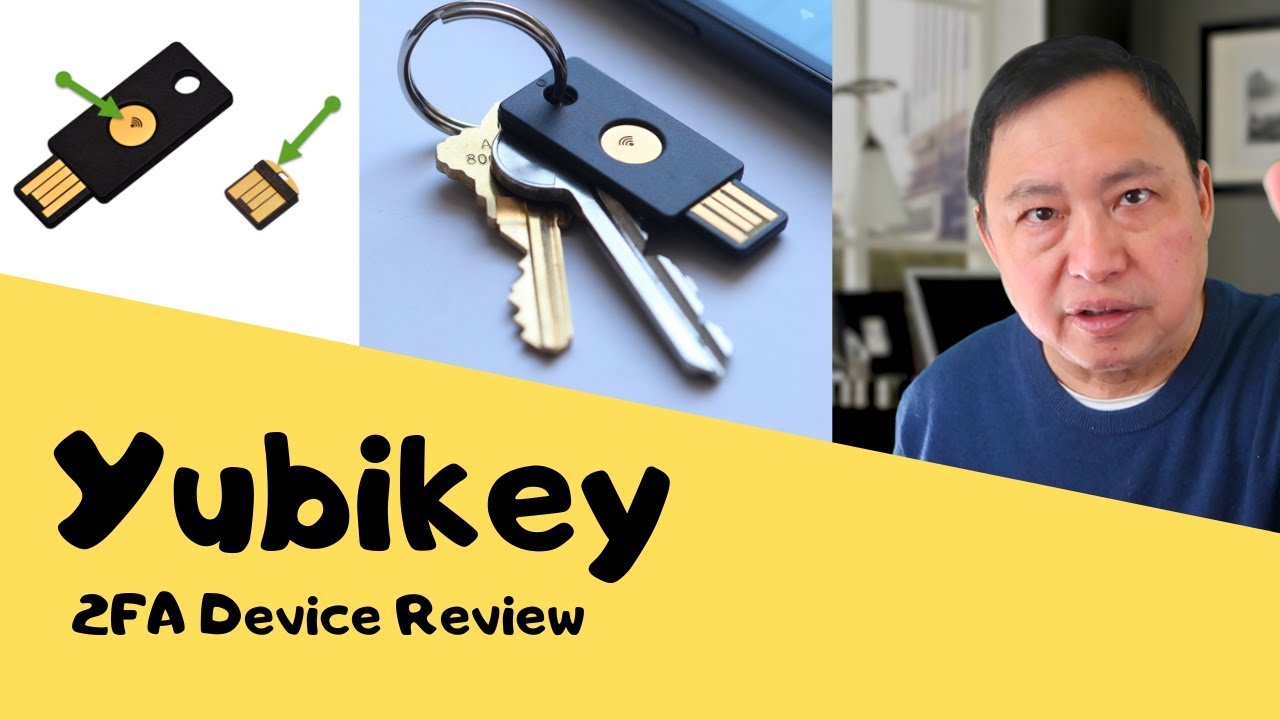
Yubikey 5 - a Hardware 2FA - Is it Useful? - Review - Rob Braxman Tech
video description
Date: 2022-03-20
Related videos




Comments and reviews: 10
EG
Do you know if consumers can use the 5C FIPS series keys? I'm wondering if the regular 5 NFC series differs from the 5 FIPS series other than the added level of security on the FIPS. I ask because I'm wondering if let's say you want to secure your gmail account with the regular 5 series, can you also do it with the 5 FIPS series? Or are most accounts the average user utilizes only compatible with the regular 5 series and not the FIPS series? If I can still use the FIPS series that has government level 3 encryption vs. the regular 5 series, which only has level 1 encryption, than I'd rather just make the investment and pay slightly more for the FIPS version and get added security but I'm not sure if it's ONLY for government use or can regular consumers use it to and for the most part it would still function like the regular 5 series but with the added protection? Thanks for making your content, it's valuable in today's digital world --
reply
Do you know if consumers can use the 5C FIPS series keys? I'm wondering if the regular 5 NFC series differs from the 5 FIPS series other than the added level of security on the FIPS. I ask because I'm wondering if let's say you want to secure your gmail account with the regular 5 series, can you also do it with the 5 FIPS series? Or are most accounts the average user utilizes only compatible with the regular 5 series and not the FIPS series? If I can still use the FIPS series that has government level 3 encryption vs. the regular 5 series, which only has level 1 encryption, than I'd rather just make the investment and pay slightly more for the FIPS version and get added security but I'm not sure if it's ONLY for government use or can regular consumers use it to and for the most part it would still function like the regular 5 series but with the added protection? Thanks for making your content, it's valuable in today's digital world --
reply
Stella
Rob, your video was the best one I found on the yubikey. I found that the static password works great for lastpass master but you can also add your own unique portion you type and then long press the yubikey to have the static fill in the rest of it. then short press for the 2fa from the yubikey. i got the nano based off your review and it's amazing on a laptop. i got the yubikey 5 nfc as my alternate and works great on anything including a lightning to usb adaptor
i already had from apple. and nfc to my iphone XR. these are cooler than you think because they allow you to stay logged out of password manager and log in quickly when desired.
reply
Rob, your video was the best one I found on the yubikey. I found that the static password works great for lastpass master but you can also add your own unique portion you type and then long press the yubikey to have the static fill in the rest of it. then short press for the 2fa from the yubikey. i got the nano based off your review and it's amazing on a laptop. i got the yubikey 5 nfc as my alternate and works great on anything including a lightning to usb adaptor
i already had from apple. and nfc to my iphone XR. these are cooler than you think because they allow you to stay logged out of password manager and log in quickly when desired.
reply
Andrew
the other thing i'd add is I agree don't buy two - the marketing is that if you lose your first one you're stuffed - but if you're concerned and want to start out exactly where you left off - these are factory produced things, so all you do is with Yubikey #1 - get the hexadecimal crypto stuff from the manager, print it off and shove it under your floorboards and hope you never need it - but if you do, just buy another one and put the same hex data in. pwSafe is a good password management option to use with, it'll do PK authentication so with your long password in the regular box it's pretty much unbreakable as it's 256AES
reply
the other thing i'd add is I agree don't buy two - the marketing is that if you lose your first one you're stuffed - but if you're concerned and want to start out exactly where you left off - these are factory produced things, so all you do is with Yubikey #1 - get the hexadecimal crypto stuff from the manager, print it off and shove it under your floorboards and hope you never need it - but if you do, just buy another one and put the same hex data in. pwSafe is a good password management option to use with, it'll do PK authentication so with your long password in the regular box it's pretty much unbreakable as it's 256AES
reply
Andrew
love your videos, I more or less figured out quite a few of the same concepts myself over the years- the only thing i'd say is there's a lack of open source since I think the 3 - neo, and for all the RF stuff they offer, i'm sure a capable chap such as yourself could brush past a phone with near field switched on (for these keys and their convenience) and steal a bunch of creds from the phone concerned. If you build one of those and go to a concert you can walk out a millionaire. Other than that, I do like the things, just switch off NF on your phone.
reply
love your videos, I more or less figured out quite a few of the same concepts myself over the years- the only thing i'd say is there's a lack of open source since I think the 3 - neo, and for all the RF stuff they offer, i'm sure a capable chap such as yourself could brush past a phone with near field switched on (for these keys and their convenience) and steal a bunch of creds from the phone concerned. If you build one of those and go to a concert you can walk out a millionaire. Other than that, I do like the things, just switch off NF on your phone.
reply
Lance
Thanks for the video! I have tested a USB A to USB C adapter and it worked on my Galaxy phone just fine for use with Yubico Authenticator. I could also use NFC of course but it is a pain to always have to turn on NFC and try to find just the right spot on the back of the phone that will read the key. Also the Static Password is super easy to set up and use with a user defined password, just choose the Scan Code button in the menu instead of Advanced, choose your keyboard type and then enter your desired password then write to key.
reply
Thanks for the video! I have tested a USB A to USB C adapter and it worked on my Galaxy phone just fine for use with Yubico Authenticator. I could also use NFC of course but it is a pain to always have to turn on NFC and try to find just the right spot on the back of the phone that will read the key. Also the Static Password is super easy to set up and use with a user defined password, just choose the Scan Code button in the menu instead of Advanced, choose your keyboard type and then enter your desired password then write to key.
reply
icepod
Rob, you can sync multiple yubikeys when you first set them up. Using the personalization tool, you basically make as many copies as you want. Yubikey has instructions. I have an nfc, a nano, and a backup all synced. They all work identically, but you have to copy them before first use, you can't do it after. Thanks for all you do! Any chance you can review Wire messenger? It doesn't require a phone# or Google services, so it runs on grapheneOS.
reply
Rob, you can sync multiple yubikeys when you first set them up. Using the personalization tool, you basically make as many copies as you want. Yubikey has instructions. I have an nfc, a nano, and a backup all synced. They all work identically, but you have to copy them before first use, you can't do it after. Thanks for all you do! Any chance you can review Wire messenger? It doesn't require a phone# or Google services, so it runs on grapheneOS.
reply
Flo
Is there a way to protect your crypto if you've made a mistake and used a wallet from a wallet provider who are the scammers themselves? Is there a way a Yubikey can protect you in this case? I don't think they stole my crypto using a Trojan keylogger to gain access to my password for the wallet, but if the wallet providers themselves just randomly steal from the wallet user base, can a hardware device like still help?
reply
Is there a way to protect your crypto if you've made a mistake and used a wallet from a wallet provider who are the scammers themselves? Is there a way a Yubikey can protect you in this case? I don't think they stole my crypto using a Trojan keylogger to gain access to my password for the wallet, but if the wallet providers themselves just randomly steal from the wallet user base, can a hardware device like still help?
reply
Liar
Hi Rob, I have the yubikey 5C and 5NFC. THE YUBIKEY 5NFC works fine on my laptop but the Yubikey 5 C does not work on my Samsung Tab A nor my Samsung A40 Smart phone, it either takes too long to load or does not recognise my Yubikey 5c at all. I am a disabled person who uses social media often and I desperately want to use Yubikey on all my devices. Best wishes from UK.
reply
Hi Rob, I have the yubikey 5C and 5NFC. THE YUBIKEY 5NFC works fine on my laptop but the Yubikey 5 C does not work on my Samsung Tab A nor my Samsung A40 Smart phone, it either takes too long to load or does not recognise my Yubikey 5c at all. I am a disabled person who uses social media often and I desperately want to use Yubikey on all my devices. Best wishes from UK.
reply
waydav1s
I don't know about a PC, but I AM able to use USB-A to Micro converter for the Yubikey 5 on my Samsung 10 tablet. -->CableCreation Micro USB 2. 0 OTG Cable Flat On The Go Adapter Micro USB Male to USB Female for Samsung S7 S6 Edge S4 S3 Android or Other Smart Phones Tablets with OTG Function 6 Inch, Black ON AMAZON
reply
I don't know about a PC, but I AM able to use USB-A to Micro converter for the Yubikey 5 on my Samsung 10 tablet. -->CableCreation Micro USB 2. 0 OTG Cable Flat On The Go Adapter Micro USB Male to USB Female for Samsung S7 S6 Edge S4 S3 Android or Other Smart Phones Tablets with OTG Function 6 Inch, Black ON AMAZON
reply
Fred
If you said most systems default to email or text when you loose the key then how safe is the key if email or text can be hacked? I would think it should be key or backup key or nothing. Please let me know how to protect against a hacker that can claim they lost their yubikey?
reply
If you said most systems default to email or text when you loose the key then how safe is the key if email or text can be hacked? I would think it should be key or backup key or nothing. Please let me know how to protect against a hacker that can claim they lost their yubikey?
reply
Add a review, comment
Other channel videos