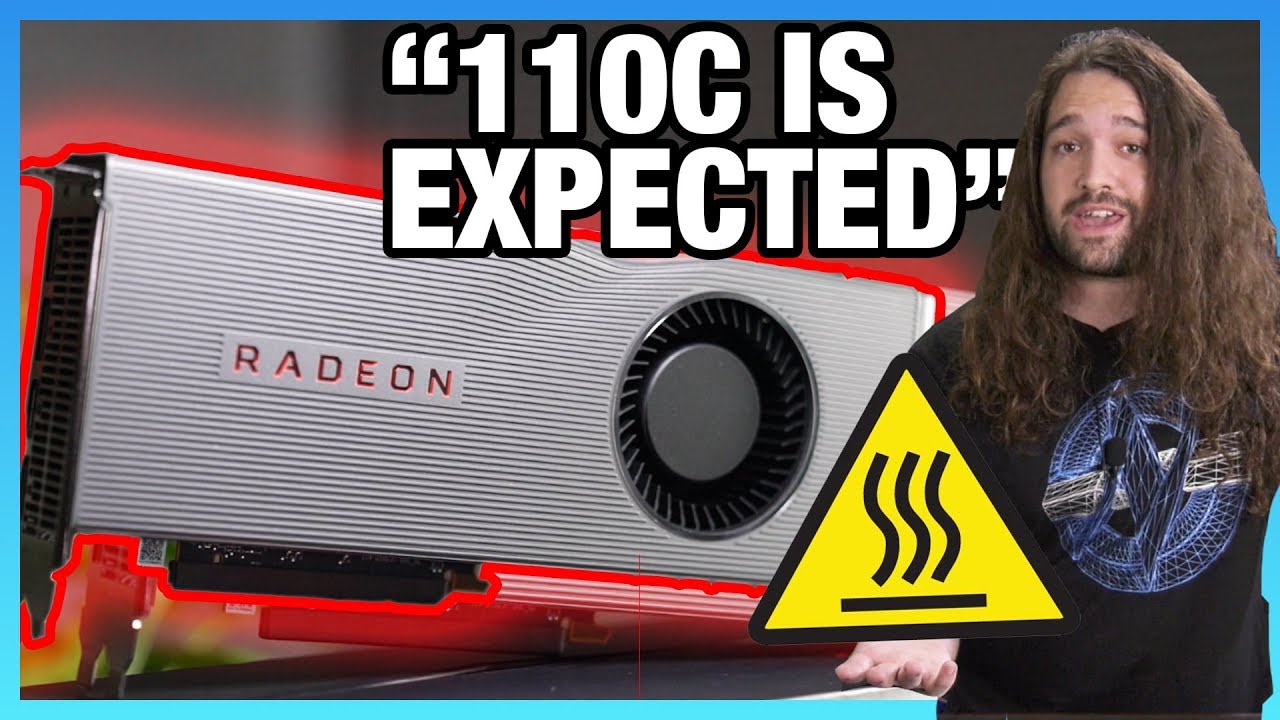
Explaining Navi 5700 XT Junction Temperature 110 C is Not Expected
video description
Date: 2020-05-06
Related videos





Comments and reviews: 10
bluesy92
While it is true the cooler does not perform well, thermally or acoustically, it is worth mentioning the performance gaming crowd overestimates the effect of thermal degredation on graphics cards. While the junction temps are lower on other coolers, the 80-84c range is what is expected of blowers, and close to what you'd get on edge temps on Navi. So it's not any worse than any previous blowers. The memory temps aren't as close to the 95c tCase thermals as you'd think, as AMD has revealed that the memory temperature is also junction, not edge. All workstation GPUs - both Quadro and Radeon Pro - are sold only as blower coolers, and those are expected to have long life. Quadros have been known to hit 88c edge temps, hotter than Navi shows, and they are sold to professionals who require longevity, and unlike the gaming market, are more likely to keep cards beyond 2 generations and run them extensively under full load, those cards take serious abuse and turn out fine. It's also worth mentioning that silicon degrades with both temperature and voltage, and are much less abused than CPUs. Navi uses 1. 025v for the 5700, and 1. 2v for the 5700xt, which is much less than someone overclocking a 3900x will dump into 7nm. And we aren't even aware of how the differences in current draw affect in a GPU affect lifespan relative to a CPU, it may be more voltage tolerant. Either way, a GPU has locked parameters. This is why sliders in overclocking software max out. A CPU can be pushed outside the safe confines of the chip by the user, at which point thermals become much more important (look at the voltages of LN2 overclocked chips. those would die instantly without sub-ambient cooling) I'm not saying these coolers are good in any way, but I am saying that the effect of thermals on GPU longevity is largely exaggerated by the gaming community. If blower coolers and 80+ temps were unsafe. they wouldn't be used for Enterprise products, even disregarding the fact that they better suited for low airflow situations. The tradeoff wouldn't be worth it, especially in a situation where a short MTBF causing a problem grows exponentially. Such as multi-GPU supercomputing applications. These coolers suck. These temps aren't as low as they can be. None of that I'll deny. But they won't kill a card. Especially not a gaming card, which typically is utilized less than 3 years before being replaced.
reply
While it is true the cooler does not perform well, thermally or acoustically, it is worth mentioning the performance gaming crowd overestimates the effect of thermal degredation on graphics cards. While the junction temps are lower on other coolers, the 80-84c range is what is expected of blowers, and close to what you'd get on edge temps on Navi. So it's not any worse than any previous blowers. The memory temps aren't as close to the 95c tCase thermals as you'd think, as AMD has revealed that the memory temperature is also junction, not edge. All workstation GPUs - both Quadro and Radeon Pro - are sold only as blower coolers, and those are expected to have long life. Quadros have been known to hit 88c edge temps, hotter than Navi shows, and they are sold to professionals who require longevity, and unlike the gaming market, are more likely to keep cards beyond 2 generations and run them extensively under full load, those cards take serious abuse and turn out fine. It's also worth mentioning that silicon degrades with both temperature and voltage, and are much less abused than CPUs. Navi uses 1. 025v for the 5700, and 1. 2v for the 5700xt, which is much less than someone overclocking a 3900x will dump into 7nm. And we aren't even aware of how the differences in current draw affect in a GPU affect lifespan relative to a CPU, it may be more voltage tolerant. Either way, a GPU has locked parameters. This is why sliders in overclocking software max out. A CPU can be pushed outside the safe confines of the chip by the user, at which point thermals become much more important (look at the voltages of LN2 overclocked chips. those would die instantly without sub-ambient cooling) I'm not saying these coolers are good in any way, but I am saying that the effect of thermals on GPU longevity is largely exaggerated by the gaming community. If blower coolers and 80+ temps were unsafe. they wouldn't be used for Enterprise products, even disregarding the fact that they better suited for low airflow situations. The tradeoff wouldn't be worth it, especially in a situation where a short MTBF causing a problem grows exponentially. Such as multi-GPU supercomputing applications. These coolers suck. These temps aren't as low as they can be. None of that I'll deny. But they won't kill a card. Especially not a gaming card, which typically is utilized less than 3 years before being replaced.
reply
Matt
Meant to say I was avging 65. took me adding extra fans specifically for the card after flashing it, to get that hotspot temp reading to drop back to something tolerable int he mid/low 50's. Still will hit 65max which is horrible to be fair. Some of us post benchmark settings that u can actually play on 24/7 can't get into the top 5 on most lists (another topic that needs addressed) unless you use mickeymouse tactics that work for 10-15mins with a crew to help out. So some of us overclockers pride ourselves on maintaining reasonable temps, which is doable even with the new navi cards u can keep ALL three temps sub 65 avg. my current setup which is doable by yourself, everyday all day np gives ya 40/44/56 in 25-28 C ambient room gpu/junct/hotspot at 144fps on air only rad in my system is the 240 on my processor. Yea there are guys posting 2k Cb15 Scores with my processor. but u can actually play video games all night with my 1960score (2700nonx) and with my list marks on the 1660ti/5700. Fans, case size they matter. These new navi cards are well just silly as fk but u can tame them without having to mickeymouse your setup like the cheesers that eat up the records. again can't stress enough need seperate fantasy lists for fantasy setups and actual records for water/air that people who actually want to game at overclocked settings can maintain. Ps, if you want to hit 144frames at high/ultra settings on bvf /apex 1080p with a 2700 non X, hit me up. Stock is horrible. all core OC also poor choice. 480-499 Cpuz single thread scores are doable on cheap aio like mine. Check me out On the lists any spot u see me in is something u can do. Soon as I get a 3600 n eventually 3700 i'll be posting setups for them as well.
reply
Meant to say I was avging 65. took me adding extra fans specifically for the card after flashing it, to get that hotspot temp reading to drop back to something tolerable int he mid/low 50's. Still will hit 65max which is horrible to be fair. Some of us post benchmark settings that u can actually play on 24/7 can't get into the top 5 on most lists (another topic that needs addressed) unless you use mickeymouse tactics that work for 10-15mins with a crew to help out. So some of us overclockers pride ourselves on maintaining reasonable temps, which is doable even with the new navi cards u can keep ALL three temps sub 65 avg. my current setup which is doable by yourself, everyday all day np gives ya 40/44/56 in 25-28 C ambient room gpu/junct/hotspot at 144fps on air only rad in my system is the 240 on my processor. Yea there are guys posting 2k Cb15 Scores with my processor. but u can actually play video games all night with my 1960score (2700nonx) and with my list marks on the 1660ti/5700. Fans, case size they matter. These new navi cards are well just silly as fk but u can tame them without having to mickeymouse your setup like the cheesers that eat up the records. again can't stress enough need seperate fantasy lists for fantasy setups and actual records for water/air that people who actually want to game at overclocked settings can maintain. Ps, if you want to hit 144frames at high/ultra settings on bvf /apex 1080p with a 2700 non X, hit me up. Stock is horrible. all core OC also poor choice. 480-499 Cpuz single thread scores are doable on cheap aio like mine. Check me out On the lists any spot u see me in is something u can do. Soon as I get a 3600 n eventually 3700 i'll be posting setups for them as well.
reply
Thanny
3: 30 You keep saying in reality when what you should be saying is in the very limited set of circumstances we have tested with our significantly less than state of the art measuring equipment. You quite simply don't know what the hell you're talking about. The GPU clocks will boost when both temperature and power limits allow. If you reach the power limits before reaching the temperature limits, you can't say the ignorant things you've been saying here. It's quite possible to reach the temperature limits before the power limits with a high ambient temperature and/or a case with poor airflow. You guys always use fairly low ambient temperatures, and test with an open-air bench. In other words, you have done zero tests that are even capable of providing the bare minimum of information required to hold a strong opinion on this issue. That you felt confident enough to spout of all the same is something you should be worried about. It's a pretty good example of the Dunning-Kruger effect. And if you're the least bit tempted to say that the OEM cards with lower temperatures do boost a bit more, take a beat and think first. In particular, about how temperature affects power consumption in semi-conductor devices.
reply
3: 30 You keep saying in reality when what you should be saying is in the very limited set of circumstances we have tested with our significantly less than state of the art measuring equipment. You quite simply don't know what the hell you're talking about. The GPU clocks will boost when both temperature and power limits allow. If you reach the power limits before reaching the temperature limits, you can't say the ignorant things you've been saying here. It's quite possible to reach the temperature limits before the power limits with a high ambient temperature and/or a case with poor airflow. You guys always use fairly low ambient temperatures, and test with an open-air bench. In other words, you have done zero tests that are even capable of providing the bare minimum of information required to hold a strong opinion on this issue. That you felt confident enough to spout of all the same is something you should be worried about. It's a pretty good example of the Dunning-Kruger effect. And if you're the least bit tempted to say that the OEM cards with lower temperatures do boost a bit more, take a beat and think first. In particular, about how temperature affects power consumption in semi-conductor devices.
reply
WuShu101
Why isn't anybody Addressing the real problem with the Vbios that only ramps the fans up to 40% at full load, I have to set my settings in MSI after burner to goto max fan speed at 80c/100%fan and it keeps my temps below 85c at 4800rpms(sounds like a jet taking of) but my temps are decent at full load, why is the bios wrongly programmed for this card, I have asked AMD over and over to send me a proper vbios to fix this, and i just get canned responses, this has been going on for too long, somebody should address AMD directly. Any of the AIB partners should recommend to amd tu update that major flaw, because Wattman just resets everytime I reboot, and MSI AB is the only program that Reliably does what it is supposed to do, but I shouldn't have to resort to a third party app for my Silicone to be safe? Sorry, this really pisses me off about AMD Lax attitude towards this launch, and I have the Lisa Su edition, if she knew what was released in her name she'd probably shit her pants. Thank Steve, always informative.
reply
Why isn't anybody Addressing the real problem with the Vbios that only ramps the fans up to 40% at full load, I have to set my settings in MSI after burner to goto max fan speed at 80c/100%fan and it keeps my temps below 85c at 4800rpms(sounds like a jet taking of) but my temps are decent at full load, why is the bios wrongly programmed for this card, I have asked AMD over and over to send me a proper vbios to fix this, and i just get canned responses, this has been going on for too long, somebody should address AMD directly. Any of the AIB partners should recommend to amd tu update that major flaw, because Wattman just resets everytime I reboot, and MSI AB is the only program that Reliably does what it is supposed to do, but I shouldn't have to resort to a third party app for my Silicone to be safe? Sorry, this really pisses me off about AMD Lax attitude towards this launch, and I have the Lisa Su edition, if she knew what was released in her name she'd probably shit her pants. Thank Steve, always informative.
reply
Jeffrey
The proper wording of the 110 temp is that it is within spec, nothing else. Within spec on these means that it will run at that temperature, and depending on the spec sheet that temperature would be rated for it to run a certain amount of time, or indefinitely and the chip would be expected to last for the rated life, I would think probably 3-5 years at maybe 8 hours per day would be the rated life which would likely be translated to just the number of hours and like I said the spec sheet for the chip might just have a max temp, or it might have a peak and a continuous max and the peak would have a certain amount of time that it is rated to run at that temperature. Both peak and max are within spec, and if you want longer life out of the parts you generally have to run them cooler.
reply
The proper wording of the 110 temp is that it is within spec, nothing else. Within spec on these means that it will run at that temperature, and depending on the spec sheet that temperature would be rated for it to run a certain amount of time, or indefinitely and the chip would be expected to last for the rated life, I would think probably 3-5 years at maybe 8 hours per day would be the rated life which would likely be translated to just the number of hours and like I said the spec sheet for the chip might just have a max temp, or it might have a peak and a continuous max and the peak would have a certain amount of time that it is rated to run at that temperature. Both peak and max are within spec, and if you want longer life out of the parts you generally have to run them cooler.
reply
Baron
Just let it go man lol. The r9 290 ran hot as hell as well and that had no issues with those temps. The issue with that one was the noise not the fact that it ran at 90 degrees. And most of them are still going. I used a dozen of them to mine for 2 years and after that some went in families computers and they still work fine. I am sure that navi cards will still be chugging along 4 years from now on stock coolers. People will be deaf; ) but the gpu will be just fine. People knew what they where getting into when they bought a blower card from amd, and the people who bought them i asume are fine with the issues the card has, otherwise they would not have bought it. You are making it into a way bigger issue then it is imho.
reply
Just let it go man lol. The r9 290 ran hot as hell as well and that had no issues with those temps. The issue with that one was the noise not the fact that it ran at 90 degrees. And most of them are still going. I used a dozen of them to mine for 2 years and after that some went in families computers and they still work fine. I am sure that navi cards will still be chugging along 4 years from now on stock coolers. People will be deaf; ) but the gpu will be just fine. People knew what they where getting into when they bought a blower card from amd, and the people who bought them i asume are fine with the issues the card has, otherwise they would not have bought it. You are making it into a way bigger issue then it is imho.
reply
Right
Answer is at 13: 30. The fact that better coolers are available doesn't mean that running near Tjunction isn't acceptable. If I don't want to pay 10 more for no more performance then the partners didn't do good work, they are selling better for the sake of better, not for real benefit. You're right, but you never explained why. Buy a better cooled card, and slow the fans until it runs at 100+C, as long as you have a 10% headroom for load spikes, acceptable is acceptable. The reason for a better cooler is ACOUSTICS, NOT Thermals. But if you always wear headphones and don't care about noise, the cooler is shit is no reason to pay more.
reply
Answer is at 13: 30. The fact that better coolers are available doesn't mean that running near Tjunction isn't acceptable. If I don't want to pay 10 more for no more performance then the partners didn't do good work, they are selling better for the sake of better, not for real benefit. You're right, but you never explained why. Buy a better cooled card, and slow the fans until it runs at 100+C, as long as you have a 10% headroom for load spikes, acceptable is acceptable. The reason for a better cooler is ACOUSTICS, NOT Thermals. But if you always wear headphones and don't care about noise, the cooler is shit is no reason to pay more.
reply
Jazur
AMD Adrenalin 19. 9. 3 Wattman fan curve settings are not applying my settings properly. For example I set the highest dot into 80 degreeses and fan speed to 70%. After I click apply, the fan speed skyrockets out of the roof and jumps into 95% or higher. Slowly comes down about to 85%, maybe. It would be nice to be able to play games without the need to listen to an airplane right next to me and have decent temperatures instead of having +80 degreeses (gpu itself) & +92 degreeses on junction ( hot spot. It is either +85% fan speed with good temperatures,
reply
AMD Adrenalin 19. 9. 3 Wattman fan curve settings are not applying my settings properly. For example I set the highest dot into 80 degreeses and fan speed to 70%. After I click apply, the fan speed skyrockets out of the roof and jumps into 95% or higher. Slowly comes down about to 85%, maybe. It would be nice to be able to play games without the need to listen to an airplane right next to me and have decent temperatures instead of having +80 degreeses (gpu itself) & +92 degreeses on junction ( hot spot. It is either +85% fan speed with good temperatures,
reply
Alyx
Silicon transistors have curves over how much current they can pass with a given temperature, typically that current is 0 at around 175c and causes instant failure, but silicon will degrade at high temperature i have had silicon mosfets in power inverters i feel fine running at 100c but when things start approaching 120c i start reducing the estimated lifespan of the product, i would be very cautious designing a product that runs at 110c unless you can get the temperature of every single transistor on that die if you expect it to last for years
reply
Silicon transistors have curves over how much current they can pass with a given temperature, typically that current is 0 at around 175c and causes instant failure, but silicon will degrade at high temperature i have had silicon mosfets in power inverters i feel fine running at 100c but when things start approaching 120c i start reducing the estimated lifespan of the product, i would be very cautious designing a product that runs at 110c unless you can get the temperature of every single transistor on that die if you expect it to last for years
reply
Rancidtimes
But. but. but lets be clear here. AMD is the first to show this junction temp, they didn't have to, like Nvidia still hasn't shown it. AMD now has this burden to keep the junction temp, when they didn't even to have show it. What if they were like Nvidia and didn't show it or talk about it. Hmm. Then it would be a non issue. At least AMD is letting people know what's going on their GPU's, and not cooking them like Nvidia, which kills the cards life span. Again, AMD choose to show us Junction temp, they didn't have to. What say you Steve
reply
But. but. but lets be clear here. AMD is the first to show this junction temp, they didn't have to, like Nvidia still hasn't shown it. AMD now has this burden to keep the junction temp, when they didn't even to have show it. What if they were like Nvidia and didn't show it or talk about it. Hmm. Then it would be a non issue. At least AMD is letting people know what's going on their GPU's, and not cooking them like Nvidia, which kills the cards life span. Again, AMD choose to show us Junction temp, they didn't have to. What say you Steve
reply
Add a review, comment
Other channel videos