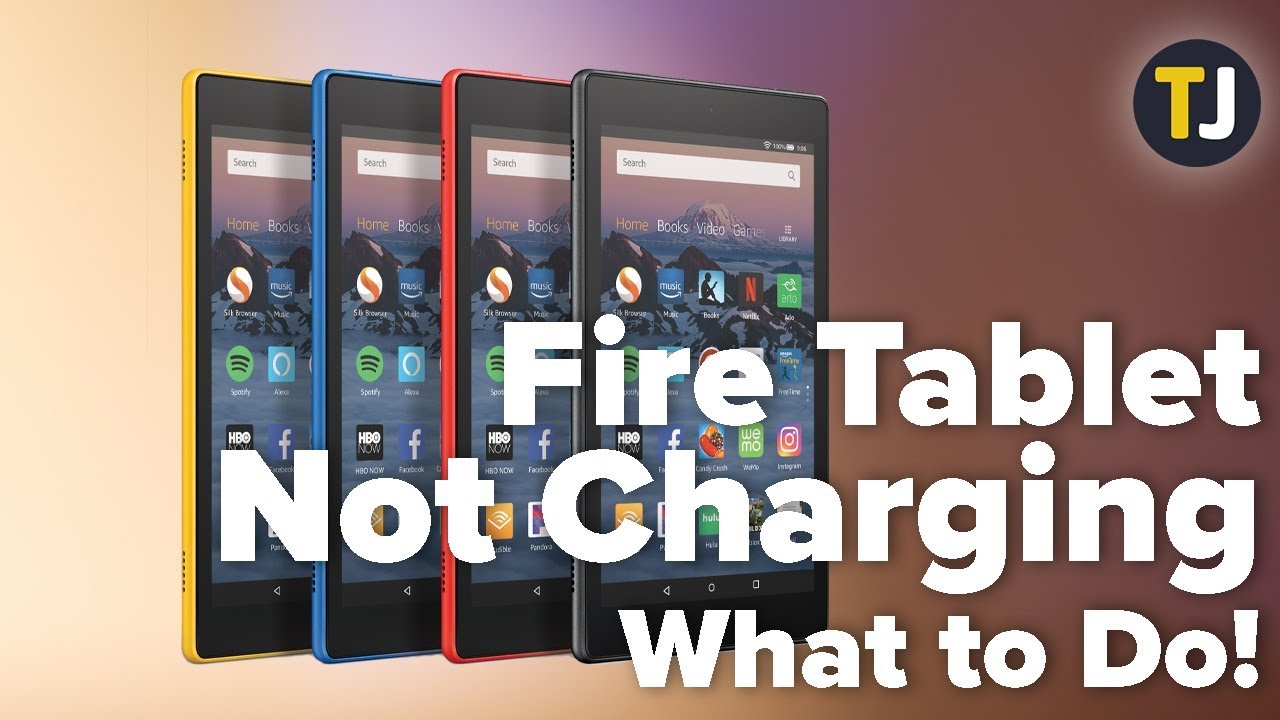
Your Fire Tablet Won't Charge-What to Do! - TechJunkie
video description
Date: 2022-03-28
Related videos



Comments and reviews: 10
RAN
--- on this video, and --- on Amazon for making such a horrible charging port. This video blames the usb charger?! Haa!!! My daughter has two of these. We bought one for home and one for travel, and they BOTH stopped charging. The charging port won't even allow a good strong fit anymore for the connection. It's loose and doesn't hold position. Even tablets I've owned several more years still fit the connection and charge. Ridiculous. I can charge them, but it takes extremely difficult maneuvering, tinkering and placement. I have to pull the connection to the side and place a shoe underneath it and another shoe on top of it to hold the connection in place. And mostly, it still pops out of place and stops charging. The cheapest, worst charging port in electronics products today!!
reply
--- on this video, and --- on Amazon for making such a horrible charging port. This video blames the usb charger?! Haa!!! My daughter has two of these. We bought one for home and one for travel, and they BOTH stopped charging. The charging port won't even allow a good strong fit anymore for the connection. It's loose and doesn't hold position. Even tablets I've owned several more years still fit the connection and charge. Ridiculous. I can charge them, but it takes extremely difficult maneuvering, tinkering and placement. I have to pull the connection to the side and place a shoe underneath it and another shoe on top of it to hold the connection in place. And mostly, it still pops out of place and stops charging. The cheapest, worst charging port in electronics products today!!
reply
VanAvatar
These tablets are garbage. The charging port keeps failing and failing. I have gone through 4 of these tablets so far, and the last one destroyed the USB port in my desk that has charged my phone successfully a thousand times. Here is what happened. I finished charging my phone, and then decided that I would try to fix my latest malfunctioned tablet that was not powering up anymore, so I tried to fix it by plugging it into my USB port and trying that button push technique, but it didn't work. Now the port doesn't work anymore and I can't even use it to charge my phone anymore! So yes, I am quite sure that Amazon's Fire tablet destroyed my USB port. You guys, be careful that the same thing doesn't happen to you.
reply
These tablets are garbage. The charging port keeps failing and failing. I have gone through 4 of these tablets so far, and the last one destroyed the USB port in my desk that has charged my phone successfully a thousand times. Here is what happened. I finished charging my phone, and then decided that I would try to fix my latest malfunctioned tablet that was not powering up anymore, so I tried to fix it by plugging it into my USB port and trying that button push technique, but it didn't work. Now the port doesn't work anymore and I can't even use it to charge my phone anymore! So yes, I am quite sure that Amazon's Fire tablet destroyed my USB port. You guys, be careful that the same thing doesn't happen to you.
reply
--
ITS NOT THE CABLE SO
the table is dead.
How do I take it apart warranty isn't going to happen.
And if people can't charge their phone how is it you're giving us direction to use the tablet to go to links? Are you not listening I can't charge it if it's not charged I can't open it I cannot go to the links that you're telling me to try out I wish I could.
NOW how do I open the back off of my fire tablet to see if something got knocked out of place.
It fell off a small table to the floor and that was the end nothing looks broken it was brand new only a month old.
Please can you help I loved this tablet I want it to work.
Thank you
reply
ITS NOT THE CABLE SO
the table is dead.
How do I take it apart warranty isn't going to happen.
And if people can't charge their phone how is it you're giving us direction to use the tablet to go to links? Are you not listening I can't charge it if it's not charged I can't open it I cannot go to the links that you're telling me to try out I wish I could.
NOW how do I open the back off of my fire tablet to see if something got knocked out of place.
It fell off a small table to the floor and that was the end nothing looks broken it was brand new only a month old.
Please can you help I loved this tablet I want it to work.
Thank you
reply
Maggie
When my three year old Fire refused to charge anymore two years ago, I bought a smaller Fire tablet and bought the charging dock that goes with it. No more plug ins. It works like a charm. Every morning I put it in the stand and within half an hour it is completely charged. The Fire's weakest point is that darned plug-in charger. I used to buy new charging cords every three months. In two years I haven't had an issue with my Kindle Fire. So, if you have to get a new one, go with the one that uses the charging dock.
reply
When my three year old Fire refused to charge anymore two years ago, I bought a smaller Fire tablet and bought the charging dock that goes with it. No more plug ins. It works like a charm. Every morning I put it in the stand and within half an hour it is completely charged. The Fire's weakest point is that darned plug-in charger. I used to buy new charging cords every three months. In two years I haven't had an issue with my Kindle Fire. So, if you have to get a new one, go with the one that uses the charging dock.
reply
Yelesom
I'm never buying one again, we have had a problem with every Amazon tablet I have bought. They all seem to have numerous issues then after warranty they die completely and Amazon won't help you anymore. I have literally had this happen 3 times now. Bought an iPad and it's an all round better device and worth the extra price.
reply
I'm never buying one again, we have had a problem with every Amazon tablet I have bought. They all seem to have numerous issues then after warranty they die completely and Amazon won't help you anymore. I have literally had this happen 3 times now. Bought an iPad and it's an all round better device and worth the extra price.
reply
Hasini
Tysm! This happens a lot for me and this time for a day it went on without charging or turing on (it was dead) i tried moving the cable then holding the power button and volume up button and it worked! Thx again -
reply
Tysm! This happens a lot for me and this time for a day it went on without charging or turing on (it was dead) i tried moving the cable then holding the power button and volume up button and it worked! Thx again -
reply
CCCringeLord
Uhm my tablet hasn-t been used for 2 years because this started happening and no matter what I do it won-t get fixed I-ve done everything even professionally cleaning the charger port
reply
Uhm my tablet hasn-t been used for 2 years because this started happening and no matter what I do it won-t get fixed I-ve done everything even professionally cleaning the charger port
reply
Steve
Piece of shit charger doesn-t let you know if you-ve put the socket in the wrong way !! Try it again and charging wording shows on bottom of screen. Absolute crap engineering from Amazon
reply
Piece of shit charger doesn-t let you know if you-ve put the socket in the wrong way !! Try it again and charging wording shows on bottom of screen. Absolute crap engineering from Amazon
reply
Madison
Easy way:just unplug your charger wait a bit and plug it and just hold with your finger under the charger thingy and then it charges :/ works for me :>
reply
Easy way:just unplug your charger wait a bit and plug it and just hold with your finger under the charger thingy and then it charges :/ works for me :>
reply
Jen
I have to constant hold down the power button for 40 seconds to get it to charge. Is there anyway to fix this to make it just charge automatically?
reply
I have to constant hold down the power button for 40 seconds to get it to charge. Is there anyway to fix this to make it just charge automatically?
reply
Add a review, comment
Other channel videos