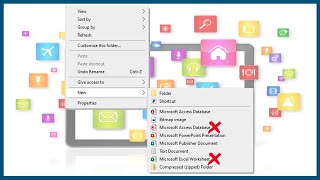
Edit the Right Click - New Menu Items in Windows - OnlineComputerTips
video description
Date: 2022-03-31
Related videos


Comments and reviews: 2
Piniel
Thanks Boss for the explanation but I still have a question. How to you add-New File- to the right click option on file exploror context menu. Lets say you just want an open end new file-without a specific file extension. Lets say you want to type in a custom file extension later on but for now you just need to create a new (extensionless) file. How do we add this -New File- option
reply
Thanks Boss for the explanation but I still have a question. How to you add-New File- to the right click option on file exploror context menu. Lets say you just want an open end new file-without a specific file extension. Lets say you want to type in a custom file extension later on but for now you just need to create a new (extensionless) file. How do we add this -New File- option
reply
Flash
Just EXACTLY what I was looking for.
I am really irritated by the -NEW- menu options that I never needed, especially all that Microsoft -(Office app-name here)
Sometime i just want to make a new plain text file and missclick the menu because all of that microsoft shit.
Thank you so much!
reply
Just EXACTLY what I was looking for.
I am really irritated by the -NEW- menu options that I never needed, especially all that Microsoft -(Office app-name here)
Sometime i just want to make a new plain text file and missclick the menu because all of that microsoft shit.
Thank you so much!
reply
Add a review, comment
Other channel videos