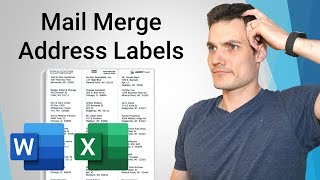
How to Mail Merge Address Labels - Office 365 - Kevin Stratvert
video description
Date: 2022-03-15
Related videos


Comments and reviews: 10
Seth
Here is a fun issue for you to figure out. I have a list of names and addresses I need to place on a label. I have my excel document made with all of the info. I have followed your instructions and when I finish and start looking at my pages the file does something frustrating on the rest of the pages. On page 2 the address labels start with the second name and address on page 1 and repeat until the last label where it moves on to the next name on the list finally. It does this for page 3 it starts with the second name on page 2 and proceeds with the same names except for the last name where it moves on to the next name. It does this cycle all the way through until I have no more names and addresses. I cannot for the life of me figure out why or how it is doing this to make this not do that. Any help would be appreciated.
reply
Here is a fun issue for you to figure out. I have a list of names and addresses I need to place on a label. I have my excel document made with all of the info. I have followed your instructions and when I finish and start looking at my pages the file does something frustrating on the rest of the pages. On page 2 the address labels start with the second name and address on page 1 and repeat until the last label where it moves on to the next name on the list finally. It does this for page 3 it starts with the second name on page 2 and proceeds with the same names except for the last name where it moves on to the next name. It does this cycle all the way through until I have no more names and addresses. I cannot for the life of me figure out why or how it is doing this to make this not do that. Any help would be appreciated.
reply
KAP
do you have a video on how to get export a group distribution from outlook contacts (holiday cards list) to an excel document exactly like the one you already have set up here for mailing labels? Just the name and address, no phone numbers, emails etc? It seems like it should be an easy thing to do and we struggle every year with this. thanks so much
reply
do you have a video on how to get export a group distribution from outlook contacts (holiday cards list) to an excel document exactly like the one you already have set up here for mailing labels? Just the name and address, no phone numbers, emails etc? It seems like it should be an easy thing to do and we struggle every year with this. thanks so much
reply
maddogmcrae
Why does the mail merge default to double spacing? I need to print labels using the Avery 5160 address labels and I need single spacing. No matter what I do, the final merge is always double spaced. How can I force this thing to make labels that are single spaced???
reply
Why does the mail merge default to double spacing? I need to print labels using the Avery 5160 address labels and I need single spacing. No matter what I do, the final merge is always double spaced. How can I force this thing to make labels that are single spaced???
reply
Marianne
Thank you. I don't make labels often so every time is like a first time! This was clear and I followed you step by step, stopping the video and doing the same step in Word. I am looking forward to Windows 11 which should require less back and forth!
reply
Thank you. I don't make labels often so every time is like a first time! This was clear and I followed you step by step, stopping the video and doing the same step in Word. I am looking forward to Windows 11 which should require less back and forth!
reply
george
I am trying to make label including picture. I include picture in my Excel file for each product line. Every thing transfer over from excel to word except the picture. Any idea or solution for this problem? Please help!
reply
I am trying to make label including picture. I include picture in my Excel file for each product line. Every thing transfer over from excel to word except the picture. Any idea or solution for this problem? Please help!
reply
Selina
I keep getting duplicate names. I-ve done it several times following each of your steps and I-m getting duplicate labels. I checked my excel spreadsheet and the names are not duplicated. Help??
reply
I keep getting duplicate names. I-ve done it several times following each of your steps and I-m getting duplicate labels. I checked my excel spreadsheet and the names are not duplicated. Help??
reply
Michelle
Did you not notice the -0-s missing from your zip codes. Would have been helpful to know why and how that happens, especially since you are an employee of Microsoft.
reply
Did you not notice the -0-s missing from your zip codes. Would have been helpful to know why and how that happens, especially since you are an employee of Microsoft.
reply
Joanna
Thanks for the video. I have mine listed as company then attn: tom Jones. My issue is attn is on the top line then company is on the next like. How do I fix that?
reply
Thanks for the video. I have mine listed as company then attn: tom Jones. My issue is attn is on the top line then company is on the next like. How do I fix that?
reply
Eric
For whatever reason the text on my labels after merge is cut off on the top and bottom. How would I decrease the space in the address lines to fit the label?
reply
For whatever reason the text on my labels after merge is cut off on the top and bottom. How would I decrease the space in the address lines to fit the label?
reply
John
Been using Word to print labels - even though l enter the code and they look fine on screen they never align properly and the bottom row doesn't print ---
reply
Been using Word to print labels - even though l enter the code and they look fine on screen they never align properly and the bottom row doesn't print ---
reply
Add a review, comment
Other channel videos