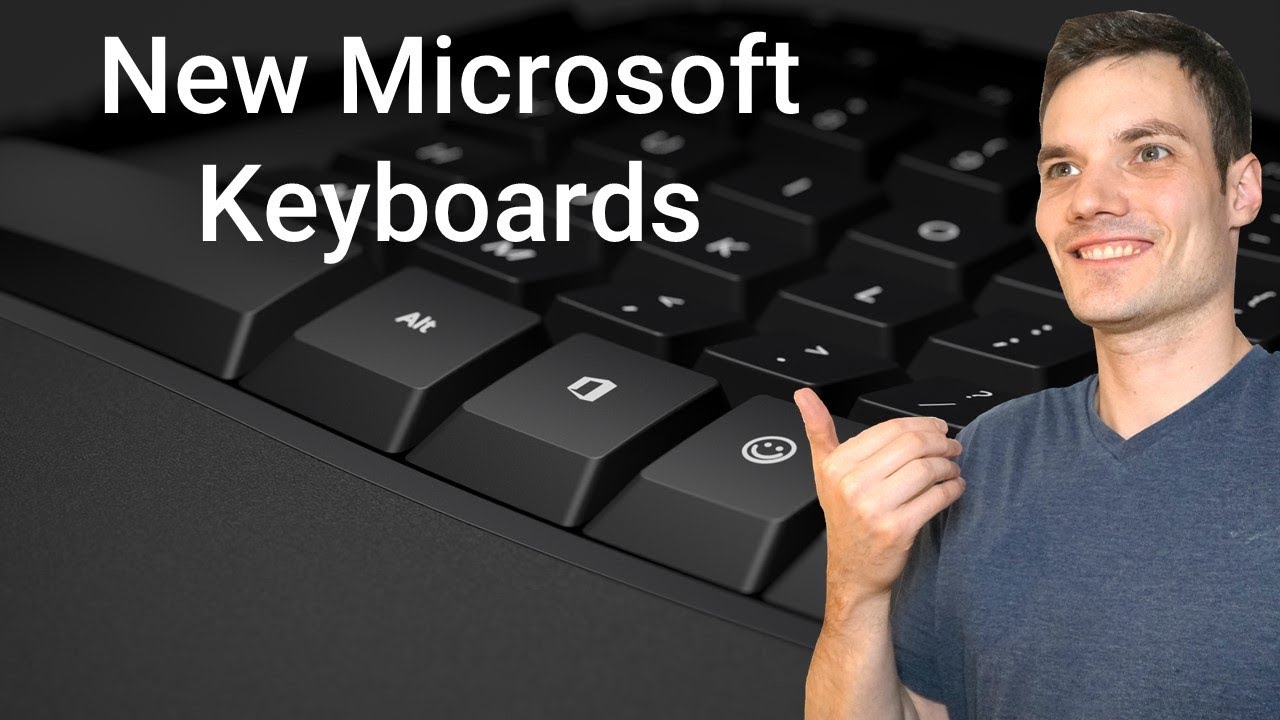
First Look at New Microsoft Keyboards - including Office & Emoji keys - Kevin Stratvert
video description
Date: 2022-03-15
Related videos



Comments and reviews: 10
itech
I just purchased the larger key board to replace Naturalizer ergo-4000. The best keyboard ever IMO. This is like 5th one because there wear out in 2 or 3 years. Anyway my question is can I just plug the new keyboard and use my keyboard macros from my 4000. I know the keys are a little different but I think most of them could work because they appear to do the same things, maybe. It says this new keyboard supports the macros. I hope this makes sense as to what I am trying to say and I am just trying to not have to remake the macros I have. Great video BTW. Thanks for it and hopefully some help :)
reply
I just purchased the larger key board to replace Naturalizer ergo-4000. The best keyboard ever IMO. This is like 5th one because there wear out in 2 or 3 years. Anyway my question is can I just plug the new keyboard and use my keyboard macros from my 4000. I know the keys are a little different but I think most of them could work because they appear to do the same things, maybe. It says this new keyboard supports the macros. I hope this makes sense as to what I am trying to say and I am just trying to not have to remake the macros I have. Great video BTW. Thanks for it and hopefully some help :)
reply
Boni
Hi Kevin, I've got the same Microsoft Bluetooth keyboard here (model QSZ-00017) and it doesn't have the PrtScn key that'll automatically save the screenshots in the designated folder (Snipping tool is not as convenient, you know). The F12 snipping key is even more troublesome that I have to open up Paint or a word doc whatever to 'Paste'. I've been trying every shortcut combination (Fn+window+space or shift+window+S neither works) to figure out if this keyboard does anything as efficient as the PrtScn key (for instance when I want to take notes in a zoom meeting) but I HAVE NO IDEA...
reply
Hi Kevin, I've got the same Microsoft Bluetooth keyboard here (model QSZ-00017) and it doesn't have the PrtScn key that'll automatically save the screenshots in the designated folder (Snipping tool is not as convenient, you know). The F12 snipping key is even more troublesome that I have to open up Paint or a word doc whatever to 'Paste'. I've been trying every shortcut combination (Fn+window+space or shift+window+S neither works) to figure out if this keyboard does anything as efficient as the PrtScn key (for instance when I want to take notes in a zoom meeting) but I HAVE NO IDEA...
reply
tmjr
I would have hoped it had keys like the ergonomic surface keyboard. That is hands down the best keyboard I have ever used when it comes to ergonomic keyboards. Only problem is that it does not come in the nordic layout, but since I use touch to type, its not that big of an issue ;) The new Logitech looks more like the Surface ergonomic one.
reply
I would have hoped it had keys like the ergonomic surface keyboard. That is hands down the best keyboard I have ever used when it comes to ergonomic keyboards. Only problem is that it does not come in the nordic layout, but since I use touch to type, its not that big of an issue ;) The new Logitech looks more like the Surface ergonomic one.
reply
Chase
Pause the video at 3:43. I want this keyboard so bad but all that oil build-up is so crazy so quick!! Kevin, do you remember how long you used this keyboard upon making a video on it? I hope it's just bad quality control because I really don't want to get a keyboard that's going to have oil build up so quick. PLEASE RESPOND
reply
Pause the video at 3:43. I want this keyboard so bad but all that oil build-up is so crazy so quick!! Kevin, do you remember how long you used this keyboard upon making a video on it? I hope it's just bad quality control because I really don't want to get a keyboard that's going to have oil build up so quick. PLEASE RESPOND
reply
Kevin
New shortcut keys:
Office Key + W = Word-
Office Key + X = Excel-
Office Key + P = PowerPoint-
Office Key + O = Outlook-
Office Key + T = Teams-
Office Key + D = OneDrive-
Office Key + N = OneNote (Universal app)-
Office Key + L = LinkedIn (via browser)-
Office Key + Y = Yammer (via browser)
reply
New shortcut keys:
Office Key + W = Word-
Office Key + X = Excel-
Office Key + P = PowerPoint-
Office Key + O = Outlook-
Office Key + T = Teams-
Office Key + D = OneDrive-
Office Key + N = OneNote (Universal app)-
Office Key + L = LinkedIn (via browser)-
Office Key + Y = Yammer (via browser)
reply
itech
How is the sound of pressing the space bar? Louder than the other keys? I've read that the prior -classic- ergonomic keyboard had a louder sound from pressing spacebar on account of it being the same long single bar (as it appears to be the same on the new EG) with the switch only being in the center.
reply
How is the sound of pressing the space bar? Louder than the other keys? I've read that the prior -classic- ergonomic keyboard had a louder sound from pressing spacebar on account of it being the same long single bar (as it appears to be the same on the new EG) with the switch only being in the center.
reply
BrianRoys
Thanks. I just received my LXM-00001 (the bigger ergo keyboard) but there is no manual and I could find no documentation on-line. In particular I'm trying to replicate the (I think it was called) F-Lock but it made key combinations like Alt-F4 work. Could you share a link to such docs?
reply
Thanks. I just received my LXM-00001 (the bigger ergo keyboard) but there is no manual and I could find no documentation on-line. In particular I'm trying to replicate the (I think it was called) F-Lock but it made key combinations like Alt-F4 work. Could you share a link to such docs?
reply
mark99k
So, is the 'Application' key (formerly between the right Windows key and the right Control key), which for decades pretty universally equated to a mouseless right-click, is gone? If so, these won't be going on my wish list. Or is that what Microsoft is calling the 'Office' key?
reply
So, is the 'Application' key (formerly between the right Windows key and the right Control key), which for decades pretty universally equated to a mouseless right-click, is gone? If so, these won't be going on my wish list. Or is that what Microsoft is calling the 'Office' key?
reply
Alan
Thank you for your clear and concise video. I recently bought the smaller MS BlueTooth keyboard in your review.. Is there a key functionality list somewhere for this keyboard including shortcut keys? There is no obvious labelled single PRT SCN key for example.
reply
Thank you for your clear and concise video. I recently bought the smaller MS BlueTooth keyboard in your review.. Is there a key functionality list somewhere for this keyboard including shortcut keys? There is no obvious labelled single PRT SCN key for example.
reply
Marek
I'm interested in buying Bluetooth keyboard to my work, but I'm little bit afraid of missing PrintScreen key. I guess as there is no NumLock, the numpad produces only numbers, correct? I like that move, I've never used numpad other than for numbers.
reply
I'm interested in buying Bluetooth keyboard to my work, but I'm little bit afraid of missing PrintScreen key. I guess as there is no NumLock, the numpad produces only numbers, correct? I like that move, I've never used numpad other than for numbers.
reply
Add a review, comment
Other channel videos