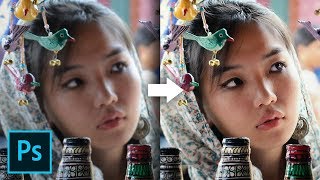
I Applied Adobe's New Super Resolution 5 Times! Works?
video description
Date: 2022-07-19
Related videos



Comments and reviews: 20
R2Arts
I just completed the same test using a downloaded image of a facade of an old building. The free account of the AI Image Enlarger does not allow photos biger that 5MB. I had the same image with 2 sizes. 1600 x 1300 px 2MB. and 3000x 2500 px 6MB. I used the smaller photo with both. The free account of the AI Image Enlarger at 4x the resolution and Photoshop. The result from the web had a better resolution, but Photoshop preserved the colours better. Since the free account does not accept large images, and I had a larger than 5 MB image. Photoshop got the best final resolution and the best colour. Since I already pay for Photoshop and my images are normally large I dont see the need for a free limited account of a web Ai image enhancer.
reply
I just completed the same test using a downloaded image of a facade of an old building. The free account of the AI Image Enlarger does not allow photos biger that 5MB. I had the same image with 2 sizes. 1600 x 1300 px 2MB. and 3000x 2500 px 6MB. I used the smaller photo with both. The free account of the AI Image Enlarger at 4x the resolution and Photoshop. The result from the web had a better resolution, but Photoshop preserved the colours better. Since the free account does not accept large images, and I had a larger than 5 MB image. Photoshop got the best final resolution and the best colour. Since I already pay for Photoshop and my images are normally large I dont see the need for a free limited account of a web Ai image enhancer.
reply
veggiet2009
Ok so, I get the point of saying Adobe you can do better I think that's quite obvious.
BUT, I think doing something that is pretty clear that Adobe doesn't support, and then saying you can do better isn't very fair to Adobe. Because Adobe attempts to stop you from enhancing beyond 2x. suggests to me that they know their upscaler isn't very good, so they aren't over selling their software here. I'd do the test again with only 2x for both sides, then compare the resulting image. If it turns out that imglarger still out performs Adobe at 2x, THEN honestly say Adobe you can do better
reply
Ok so, I get the point of saying Adobe you can do better I think that's quite obvious.
BUT, I think doing something that is pretty clear that Adobe doesn't support, and then saying you can do better isn't very fair to Adobe. Because Adobe attempts to stop you from enhancing beyond 2x. suggests to me that they know their upscaler isn't very good, so they aren't over selling their software here. I'd do the test again with only 2x for both sides, then compare the resulting image. If it turns out that imglarger still out performs Adobe at 2x, THEN honestly say Adobe you can do better
reply
Harrison
I am sure this has been addressed but, what would it look like with just upping the size with the 'images size' option. Straight from say 500px X 500px to 2500px X 2500px. Maybe without all the steps that enhance forces you to do, the direct approach may work better.
reply
I am sure this has been addressed but, what would it look like with just upping the size with the 'images size' option. Straight from say 500px X 500px to 2500px X 2500px. Maybe without all the steps that enhance forces you to do, the direct approach may work better.
reply
Laura
Thank you so much for this! I often have to work with very low-resolution images, and there aren't a lot of tips out there for truly low res images. I work in higher ed where images of research are such a struggle, but often can't be replaced with stock imagery
reply
Thank you so much for this! I often have to work with very low-resolution images, and there aren't a lot of tips out there for truly low res images. I work in higher ed where images of research are such a struggle, but often can't be replaced with stock imagery
reply
piximperfect
Oh what a suprise, Adobe is just sitting back and collecting money rather than doing anything innovative or cutting edge. Its not like AI upscaling is brand new or anything, its been available for years. Adobe can't even catch up to that.
reply
Oh what a suprise, Adobe is just sitting back and collecting money rather than doing anything innovative or cutting edge. Its not like AI upscaling is brand new or anything, its been available for years. Adobe can't even catch up to that.
reply
Tim
by far the best image enhancer is still Waifu2x. And in 2nd in my opinion is Pixelmator. Pixelmator even uses Machine learning which is more true to life and not marketing nonsense like AI since there is not a single true AI in existing.
reply
by far the best image enhancer is still Waifu2x. And in 2nd in my opinion is Pixelmator. Pixelmator even uses Machine learning which is more true to life and not marketing nonsense like AI since there is not a single true AI in existing.
reply
AssassinGamer5_
Adobe being outdone by some random online website is like a King's greatest warrior being beaten by some random civilian with a wooden sword. It's not that the civilian was amazing, the warrior was just less than average.
reply
Adobe being outdone by some random online website is like a King's greatest warrior being beaten by some random civilian with a wooden sword. It's not that the civilian was amazing, the warrior was just less than average.
reply
Vladimir
Adobe is a Nokia of software. They used to be the best but now Adobe is just a memory. While Adobe is milking us with heavy buggy unusable behemoths of the past, new apps are already exist in the next AI age.
reply
Adobe is a Nokia of software. They used to be the best but now Adobe is just a memory. While Adobe is milking us with heavy buggy unusable behemoths of the past, new apps are already exist in the next AI age.
reply
Nef
i have Camera Raw 12. 4 and every time i right click there's no Super Resolution just an option called enhance details and when i click it, it shows a message saying jpeg is not supported. WTH? Please help?
reply
i have Camera Raw 12. 4 and every time i right click there's no Super Resolution just an option called enhance details and when i click it, it shows a message saying jpeg is not supported. WTH? Please help?
reply
Gretchen
I am only about 1: 44 in, and I'm wondering how a jpeg, after being opened in PS, becomes a dng? I'm obviously not experienced but it seems like a jpeg can't go backwards into being a raw photo.
reply
I am only about 1: 44 in, and I'm wondering how a jpeg, after being opened in PS, becomes a dng? I'm obviously not experienced but it seems like a jpeg can't go backwards into being a raw photo.
reply
Siegfried
I would have compared the 4x with the 4x and not how you did it, you compared the 4x with the 5x, I guess this makes a difference because that last step is huge, it doubles the 4x
reply
I would have compared the 4x with the 4x and not how you did it, you compared the 4x with the 5x, I guess this makes a difference because that last step is huge, it doubles the 4x
reply
sarfaraz
Excellent comparison. In your view which online service to use/ best according to you for AI image enhancer (not enlarger. I have few old pics restoration work. Thanks in advance.
reply
Excellent comparison. In your view which online service to use/ best according to you for AI image enhancer (not enlarger. I have few old pics restoration work. Thanks in advance.
reply
fixitright
Maybe Adobe owns all those online AI companies? I mean they offered you it's 'kind of almost' super resolution and it made you look. it's like leading the herd.
reply
Maybe Adobe owns all those online AI companies? I mean they offered you it's 'kind of almost' super resolution and it made you look. it's like leading the herd.
reply
Gaming
6: 33 ai need to run huge cpus and gpus when its about to process.
they can make adobe online ai kind of things, if they gave ai we cant handle all those
reply
6: 33 ai need to run huge cpus and gpus when its about to process.
they can make adobe online ai kind of things, if they gave ai we cant handle all those
reply
Alan
I sure wish you had warned about the software you used. I tried to download the same one and got a bunch of questions and a ton of spam! Thanks loads.
reply
I sure wish you had warned about the software you used. I tried to download the same one and got a bunch of questions and a ton of spam! Thanks loads.
reply
ssdigitals
sir what u shown in video i change settings. after opening it is showning enhance details not supported to jpeg photos. solution please
reply
sir what u shown in video i change settings. after opening it is showning enhance details not supported to jpeg photos. solution please
reply
sincerely
when i want to enhance my picture, which has the jpeg format just like yours, it says that it does not support jpeg images what do I do?
reply
when i want to enhance my picture, which has the jpeg format just like yours, it says that it does not support jpeg images what do I do?
reply
Daniel
I don't have enhance option when right clicking and I am using the latest version of PS. Is it because I've opened a jpeg in camera raw?
reply
I don't have enhance option when right clicking and I am using the latest version of PS. Is it because I've opened a jpeg in camera raw?
reply
itech
Adobe is still better. ai image enlarger works on very small resolution files. but photoshop will enhance without questioning. love adobe
reply
Adobe is still better. ai image enlarger works on very small resolution files. but photoshop will enhance without questioning. love adobe
reply
Toni
Please, don't resave JPEGs as JPEGs hour intermediate steps, it's painful to watch. And also a possible source of artifacts, of course.
reply
Please, don't resave JPEGs as JPEGs hour intermediate steps, it's painful to watch. And also a possible source of artifacts, of course.
reply
Add a review, comment
Other channel videos