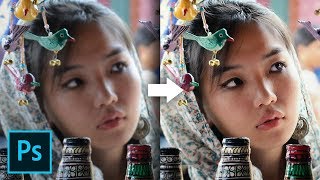
Photoshop's Color Balance is a SCAM!
video description
Date: 2022-07-19
Related videos




Comments and reviews: 20
chlls
i tried something like this comparing Lr HSL panel and Ps Selective Color adjustment layer, with lots of surprise. I created a scale of the base 3 primary colors, and also the 8 main colors of Lightroom HSL panel (red, orange, yellow, green, cyan, blue, purple, pink) with solid color HSB values hue-shifted from 0 to 360 degrees equally (+45 degrees increment, got different colors than Lr HSL, also not equally just like a color wheel, also variations with not 100% saturation and 100% brightness. Then I applied Selective Color adjustment layer on top of this color spectrum - turned out it has very surprising inconsistencies. Also, Hue/Saturation adjustment layer is not consistent: saturation and luminosity will alter different color ranges differently, not the same extent you would expect. Unmesh, I would love to see a video on this too!
reply
i tried something like this comparing Lr HSL panel and Ps Selective Color adjustment layer, with lots of surprise. I created a scale of the base 3 primary colors, and also the 8 main colors of Lightroom HSL panel (red, orange, yellow, green, cyan, blue, purple, pink) with solid color HSB values hue-shifted from 0 to 360 degrees equally (+45 degrees increment, got different colors than Lr HSL, also not equally just like a color wheel, also variations with not 100% saturation and 100% brightness. Then I applied Selective Color adjustment layer on top of this color spectrum - turned out it has very surprising inconsistencies. Also, Hue/Saturation adjustment layer is not consistent: saturation and luminosity will alter different color ranges differently, not the same extent you would expect. Unmesh, I would love to see a video on this too!
reply
Wayne
When I was teaching Photoshop I always told my students that doing things in Photoshop was like taking a trip from New York to Miami. There's many ways to go, one can fly, go by train, drive, take a horse or walk. One just had to choose the one that was the best and most efficient for them. The same with Photoshop. My personal opinion is Photoshop offers too many options some of which are absolutely awful, and others nowhere as efficient. Since I was a conventional Photographic Lab Technician LONG before Photoshop was even conceived in the mind of it's inventors, I understood curves because of quality control; therefore Curves was an easy option for me, who knew that, in my opinion it's also the best and most efficient.
reply
When I was teaching Photoshop I always told my students that doing things in Photoshop was like taking a trip from New York to Miami. There's many ways to go, one can fly, go by train, drive, take a horse or walk. One just had to choose the one that was the best and most efficient for them. The same with Photoshop. My personal opinion is Photoshop offers too many options some of which are absolutely awful, and others nowhere as efficient. Since I was a conventional Photographic Lab Technician LONG before Photoshop was even conceived in the mind of it's inventors, I understood curves because of quality control; therefore Curves was an easy option for me, who knew that, in my opinion it's also the best and most efficient.
reply
Bride
# How To Install & Get Pro Version On Adobe Premiere Pro Software Available Crack & Software
# How To Remove or Uninstall Any Adobe Products In The Computer Avilable Software
# How To Install & Get Pro Version On Adobe Photoshop Software Available Crack & Software
# How To Install & Get Pro Version On Adobe Lightroom Software Available Crack & Software
# How To Install & Get Pro Version On Adobe After Effect Software Available Crack & Software
# How To Install & Get Pro Version On Adobe Illustrator Software Available Crack & Software
# How To Install & Get Pro Version On Adobe Bridge Software Available Crack & Software
reply
# How To Install & Get Pro Version On Adobe Premiere Pro Software Available Crack & Software
# How To Remove or Uninstall Any Adobe Products In The Computer Avilable Software
# How To Install & Get Pro Version On Adobe Photoshop Software Available Crack & Software
# How To Install & Get Pro Version On Adobe Lightroom Software Available Crack & Software
# How To Install & Get Pro Version On Adobe After Effect Software Available Crack & Software
# How To Install & Get Pro Version On Adobe Illustrator Software Available Crack & Software
# How To Install & Get Pro Version On Adobe Bridge Software Available Crack & Software
reply
ba_Vinci
)shadows and midtones same thing, it's just that the shadows is of lesser intesity(Ed. in terms of value/brightness/light) than the midtone - that's a 100% correct statement, because it's exactly how visible light works and affects that what and how we see(I know in real life it works in a much more elaborate and intricate way(photons, light rays and their bounces etc, but it's just a simplifiaction of this theory and phenomenon only for clarification purposes. So yeah, it works quite like how it should to. ;)
reply
)shadows and midtones same thing, it's just that the shadows is of lesser intesity(Ed. in terms of value/brightness/light) than the midtone - that's a 100% correct statement, because it's exactly how visible light works and affects that what and how we see(I know in real life it works in a much more elaborate and intricate way(photons, light rays and their bounces etc, but it's just a simplifiaction of this theory and phenomenon only for clarification purposes. So yeah, it works quite like how it should to. ;)
reply
zi
The color balance and gradation set by Adobe, as well as the gradient printing and other tools are all for the use of novice users, the curve is more suitable for high-end users, because the curve is more difficult to use, other tools are relatively easy, but the curve The ability to deal with problems is the strongest. Familiar with the curve can greatly improve our work efficiency. The curve is known as the King of Toning. Everything behind it is mathematics and it is also a curve.
reply
The color balance and gradation set by Adobe, as well as the gradient printing and other tools are all for the use of novice users, the curve is more suitable for high-end users, because the curve is more difficult to use, other tools are relatively easy, but the curve The ability to deal with problems is the strongest. Familiar with the curve can greatly improve our work efficiency. The curve is known as the King of Toning. Everything behind it is mathematics and it is also a curve.
reply
Azog
Hi Unmesh, I have a question. My photos from camera show in properties 96 dpi. Once I open them in Photoshop and do nothing to them only save them right away as either jpeg ot TIFF they will have only 72 dpi shown in properties. Looked in right click on image - properties - detail. I did not really find and answer on internet. Why would Photoshop decrease the quality of an image?
reply
Hi Unmesh, I have a question. My photos from camera show in properties 96 dpi. Once I open them in Photoshop and do nothing to them only save them right away as either jpeg ot TIFF they will have only 72 dpi shown in properties. Looked in right click on image - properties - detail. I did not really find and answer on internet. Why would Photoshop decrease the quality of an image?
reply
Israel
Everything explained is only valid if you change only one value of the color balance, because if you change for example red and magenta with two different values, how do you match it with the opacity of the curve? It would be two different opacity values and you can't match it with two curves either because the upper one would affect the lower one.
reply
Everything explained is only valid if you change only one value of the color balance, because if you change for example red and magenta with two different values, how do you match it with the opacity of the curve? It would be two different opacity values and you can't match it with two curves either because the upper one would affect the lower one.
reply
dgrvisuals
Hi Unmesh, I truly hope you'll read this because I fell like you can help with a problem many people have.
When I do an edit with photoshop, I export it, put it on my phone and surprise, everything has changed. How can I make sure that when I export an edit, it will look the same on my computer and on my smartphone?
Thanks a lot!
reply
Hi Unmesh, I truly hope you'll read this because I fell like you can help with a problem many people have.
When I do an edit with photoshop, I export it, put it on my phone and surprise, everything has changed. How can I make sure that when I export an edit, it will look the same on my computer and on my smartphone?
Thanks a lot!
reply
Hieronymousse
Thank you for (yet another) very insightful tutorial video. As a PS user of twenty-eight years, I agree that Levels and Color Balance (and Brightness/Contrast) are handy tools when starting out in Photoshop, but Curves are the one-stop-shop which allows you to tweak Color Cast/ Grading, Exposure and Contrast all at the same time.
reply
Thank you for (yet another) very insightful tutorial video. As a PS user of twenty-eight years, I agree that Levels and Color Balance (and Brightness/Contrast) are handy tools when starting out in Photoshop, but Curves are the one-stop-shop which allows you to tweak Color Cast/ Grading, Exposure and Contrast all at the same time.
reply
Onur
Great video man. By the way people who are enthusiastic about in sound production loves to tweek with Parametric EQ's (they are the Curvy and more detailed ones) by that, Why photographers or painters doesn't prefer curves I couldn't understand. It is the Equalizer for nearly all the parameters.
reply
Great video man. By the way people who are enthusiastic about in sound production loves to tweek with Parametric EQ's (they are the Curvy and more detailed ones) by that, Why photographers or painters doesn't prefer curves I couldn't understand. It is the Equalizer for nearly all the parameters.
reply
Kendrick
Did photoshop get rid of the extensions tab? I was using beautify panel but when I updated to the lastest photoshop it went away. and I cant add it back because I dont see the extensions under windows dropdown menu.
reply
Did photoshop get rid of the extensions tab? I was using beautify panel but when I updated to the lastest photoshop it went away. and I cant add it back because I dont see the extensions under windows dropdown menu.
reply
TrueFilm
Awesome video! You confirmed what I suspected long ago. Color balance is not calibrated how it should be, to put it mildly. So I'll use curves instead. Thanks, as always, for sharing your skills and knowledge.
reply
Awesome video! You confirmed what I suspected long ago. Color balance is not calibrated how it should be, to put it mildly. So I'll use curves instead. Thanks, as always, for sharing your skills and knowledge.
reply
cyberswarup
Photoshop is all about shortcuts to CURVES. I knew that curve is so beautiful, but in photoshop too! I think by the next update, photoshop will delete the curve adjustment option.
reply
Photoshop is all about shortcuts to CURVES. I knew that curve is so beautiful, but in photoshop too! I think by the next update, photoshop will delete the curve adjustment option.
reply
micha
unmesh: help! i can't get women out of my head!
therapist: have you tried photoshop?
unmesh: what do you mean?
and that is kinds how the piximperfect was born.
reply
unmesh: help! i can't get women out of my head!
therapist: have you tried photoshop?
unmesh: what do you mean?
and that is kinds how the piximperfect was born.
reply
Andie
Photoshop is full of similar tools, everyone can find the most convenient ones. (To be honest, I don't like Curves, I use it very rarely. It's not convenient for me)
reply
Photoshop is full of similar tools, everyone can find the most convenient ones. (To be honest, I don't like Curves, I use it very rarely. It's not convenient for me)
reply
Romie
It seems to be about as good as any. I haven't tried it with a color checker yet. I've been doing global and global batch adjustments in Lr. & then moving to Ps.
reply
It seems to be about as good as any. I haven't tried it with a color checker yet. I've been doing global and global batch adjustments in Lr. & then moving to Ps.
reply
Gaming
Unmesh: I think color balance is a scam, I want you guys to disagree with me
me: I don't have enough knowledge, I can only agree with you, that's it.
reply
Unmesh: I think color balance is a scam, I want you guys to disagree with me
me: I don't have enough knowledge, I can only agree with you, that's it.
reply
S.
I learned to use color balance decades ago in a darkroom, printing color portraits from film. It's much more intuitive to me because of my background.
reply
I learned to use color balance decades ago in a darkroom, printing color portraits from film. It's much more intuitive to me because of my background.
reply
Brent
But why, when we have access to the color balance sliders. sure, curves an duplicate everything, but it's freehand approach takes too much time.
reply
But why, when we have access to the color balance sliders. sure, curves an duplicate everything, but it's freehand approach takes too much time.
reply
Nicholas
Definitely appreciate this video. The results differ if you check the Preserve Luminosity button, but I'm sure you've already noticed that.
reply
Definitely appreciate this video. The results differ if you check the Preserve Luminosity button, but I'm sure you've already noticed that.
reply
Add a review, comment
Other channel videos