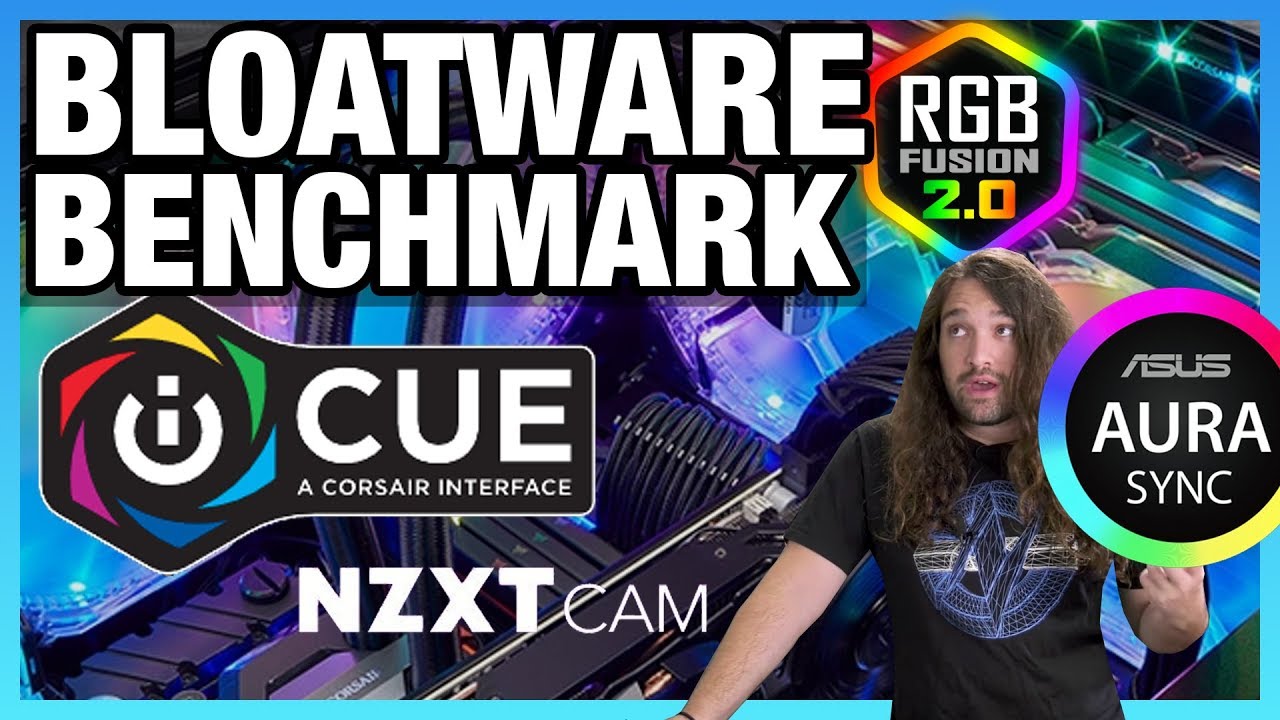
Bloatware Benchmark: RGB Software vs. Performance (iCUE, CAM, & More)
video description
Date: 2020-05-06
Related videos


Comments and reviews: 10
RJ
Just wondering, could you set everything like lighting and headset eq, etc, then just exit icue? (Oh and I use a H110i Pro, so would exiting icue change my fan and pump profiles (and lighting, or would it stay as is when I exit) Wondering if just exiting the app while gaming would work as well, and if your settings/profiles would stay the way it is after exiting and then the effect would go away. I also have an EVGA card, so I use Precision X1 (I also have a Aorus Master, but I always exit RGB fusion, and the profile stays set after exiting. Checking in task manager, there are no background tasks associated with RGB Fusion after exiting so I'm assuming that one is fine to just set and exit and you're good, which recently has an issue with Ghost Recon: Breakpoint. Checking on the forums for the game, others are having the same issue, even with Afterburner, etc. With Precision running w/ the game, there are some stuttering issues. Exit Precision and run the game, no stutter issues (and this is w/ G-Sync monitor on a 2080. So I just set the profile I want in Precision for my fans and LED, then exit, then play the game. It runs butter smooth like that. Probably the game's fault, it is still quite buggy, but for anyone experiencing issues, try exiting your GPU program and then play, it worked for me and a bunch of others. I just don't know if the fan profiles and overclock and all that stick after exiting, I never really checked: P Sorry, went off on a tangent, so I guess my question to GN is, would setting iCue profiles, then exiting, affect FPS less? And would the profiles you set (lights, headset eq, fans/pump, etc) stick after exiting the program? I'm simple, I set everything to one color (I hate Rainbow Puke, but I don't know how I'd do that without iCue. Just wondering if exiting would kind of be a workaround, affect FPS less while still letting the set profiles stick, even if the program is no longer running.
reply
Just wondering, could you set everything like lighting and headset eq, etc, then just exit icue? (Oh and I use a H110i Pro, so would exiting icue change my fan and pump profiles (and lighting, or would it stay as is when I exit) Wondering if just exiting the app while gaming would work as well, and if your settings/profiles would stay the way it is after exiting and then the effect would go away. I also have an EVGA card, so I use Precision X1 (I also have a Aorus Master, but I always exit RGB fusion, and the profile stays set after exiting. Checking in task manager, there are no background tasks associated with RGB Fusion after exiting so I'm assuming that one is fine to just set and exit and you're good, which recently has an issue with Ghost Recon: Breakpoint. Checking on the forums for the game, others are having the same issue, even with Afterburner, etc. With Precision running w/ the game, there are some stuttering issues. Exit Precision and run the game, no stutter issues (and this is w/ G-Sync monitor on a 2080. So I just set the profile I want in Precision for my fans and LED, then exit, then play the game. It runs butter smooth like that. Probably the game's fault, it is still quite buggy, but for anyone experiencing issues, try exiting your GPU program and then play, it worked for me and a bunch of others. I just don't know if the fan profiles and overclock and all that stick after exiting, I never really checked: P Sorry, went off on a tangent, so I guess my question to GN is, would setting iCue profiles, then exiting, affect FPS less? And would the profiles you set (lights, headset eq, fans/pump, etc) stick after exiting the program? I'm simple, I set everything to one color (I hate Rainbow Puke, but I don't know how I'd do that without iCue. Just wondering if exiting would kind of be a workaround, affect FPS less while still letting the set profiles stick, even if the program is no longer running.
reply
Sebastian
Thanks Steve for touching on this very real issue that is quite literally IGNORED by OEMs when we (the consumer/users) try to bring it to their attention for a solution. Personally I can confirm your results and even add to it a bit of how Corsair's iCUE caused a NOTICEABLE IMPACT on my rigs performance. This last weekend I bought a Corsair Harpoon RGB Pro gaming mouse and installed the latest iCUE software WHICH IS THE ONLY RGB or BLOATWARE I HAVE INSTALLED Almost immediately I started to notice its effect on performance. I'm running a Ryzen 5 1600 + Aorus X370 Gaming K5 + G. Skill FlareX DDR4-3200-CL14 (16 GB) + Sapphire Nitro+ RX-590 SE. After running CPU-Z, AIDA64 Benchmarks, Valley, Heaven, Cinebench r20 to compare against my baseline results I took prior to installing iCUE, I was quite shocked to see a significant difference between the before and after scores. In CPU-Z alone there was a 135+ point drop in Multithreaded score ( 3225 down to 3089) and 25+ for Single thread ( 412 down to 385) at stock frequency of 3. 40 GHz. All the aforementioned tests followed the same trend in their results that go along with exactly what your video proved. After uninstalling iCUE, low and behold all was back as it was prior to adding iCUE! And this is just for controlling the Corsair RGB on my Harpoon Pro mouse and its DPI and Corsairs Service in general. So i'm at a loss now and can't dial in my mouse's DPI or map the mouse buttons either, all i'm left with is the defaults and fixed DPI levels toggled between by the DPI button on the mouse itself.
reply
Thanks Steve for touching on this very real issue that is quite literally IGNORED by OEMs when we (the consumer/users) try to bring it to their attention for a solution. Personally I can confirm your results and even add to it a bit of how Corsair's iCUE caused a NOTICEABLE IMPACT on my rigs performance. This last weekend I bought a Corsair Harpoon RGB Pro gaming mouse and installed the latest iCUE software WHICH IS THE ONLY RGB or BLOATWARE I HAVE INSTALLED Almost immediately I started to notice its effect on performance. I'm running a Ryzen 5 1600 + Aorus X370 Gaming K5 + G. Skill FlareX DDR4-3200-CL14 (16 GB) + Sapphire Nitro+ RX-590 SE. After running CPU-Z, AIDA64 Benchmarks, Valley, Heaven, Cinebench r20 to compare against my baseline results I took prior to installing iCUE, I was quite shocked to see a significant difference between the before and after scores. In CPU-Z alone there was a 135+ point drop in Multithreaded score ( 3225 down to 3089) and 25+ for Single thread ( 412 down to 385) at stock frequency of 3. 40 GHz. All the aforementioned tests followed the same trend in their results that go along with exactly what your video proved. After uninstalling iCUE, low and behold all was back as it was prior to adding iCUE! And this is just for controlling the Corsair RGB on my Harpoon Pro mouse and its DPI and Corsairs Service in general. So i'm at a loss now and can't dial in my mouse's DPI or map the mouse buttons either, all i'm left with is the defaults and fixed DPI levels toggled between by the DPI button on the mouse itself.
reply
Нет
. is there a place where i can give y'all a one time donation? this video answered a question i've needed solving for nearly a year now. i will give money for having an answer finally. thank you so much. for details: i use my pc for digital art, i have an amd 990fx, 32gb of ram and a nvidia gtx 660 (art programmes don't use the gpu and i don't game. i use a wacom intuos 4, my main art programmes are krita and corel painter 2015. the problem was: i would get random phantom hang ups that would be completely invisible to anyone viewing. but the precision of an intuos 4 made the problem notably awful. it was actually beginning to depress me, because drawing and painting became a frustrating chore. i know what dropped frames looks like, and that was precisely what it felt like was happening, but why? my pc is overkill for my needs. draw a line, and it would come in a kind of choppy way. basically, it would get out of sync for a brief moment at random, and it ruins flow. this problem went away recently, and i didn't know why. not complaining, but i didn't know why. here is the thing: my corsair keyboard started double striking, the LEDs went haywire and i replaced it completely with an ibm model m because this is the second mechanical keyboard in two years to fail me like this. i also uninstalled corsair icue in the process. haven't had the weird fps hang up since and never linked the issue to that shit. THANK YOU for this video.
reply
. is there a place where i can give y'all a one time donation? this video answered a question i've needed solving for nearly a year now. i will give money for having an answer finally. thank you so much. for details: i use my pc for digital art, i have an amd 990fx, 32gb of ram and a nvidia gtx 660 (art programmes don't use the gpu and i don't game. i use a wacom intuos 4, my main art programmes are krita and corel painter 2015. the problem was: i would get random phantom hang ups that would be completely invisible to anyone viewing. but the precision of an intuos 4 made the problem notably awful. it was actually beginning to depress me, because drawing and painting became a frustrating chore. i know what dropped frames looks like, and that was precisely what it felt like was happening, but why? my pc is overkill for my needs. draw a line, and it would come in a kind of choppy way. basically, it would get out of sync for a brief moment at random, and it ruins flow. this problem went away recently, and i didn't know why. not complaining, but i didn't know why. here is the thing: my corsair keyboard started double striking, the LEDs went haywire and i replaced it completely with an ibm model m because this is the second mechanical keyboard in two years to fail me like this. i also uninstalled corsair icue in the process. haven't had the weird fps hang up since and never linked the issue to that shit. THANK YOU for this video.
reply
Greg
Honestly most bloatware isn't /that/ bad when it ships. It's when you've tried to uninstall it, but the broken uninstaller failed to remove the explorer integration. dll, meaning every time you boot it triggers a segfault, along with the corresponding automated event logging and problem reporting. Which sucks but the WORST thing -- and I've seen this happen to at least three or four victims -- bloatware can do is something like the above, except all of this is multiplied by eighty four, because every time a new release is made by your OEM, it's automatically re-installed as System by the OEM's pre-installed and non-removable via Programs and Features Task-Scheduler-based mechanism -- which detects the OEM's program as still installed due to the broken uninstaller's remnants, but, due to those remnants, causes the automatic upgrade to automatically try to roll back and repeatably fail, causing a proliferation of registry entries with names like BloatLoaderDLL, BloatLoaderDLL1, BloatLoaderDLL2, and so on, each generating its own out-of-process DCOM process spawn, segfault, event logs and problem report: )
reply
Honestly most bloatware isn't /that/ bad when it ships. It's when you've tried to uninstall it, but the broken uninstaller failed to remove the explorer integration. dll, meaning every time you boot it triggers a segfault, along with the corresponding automated event logging and problem reporting. Which sucks but the WORST thing -- and I've seen this happen to at least three or four victims -- bloatware can do is something like the above, except all of this is multiplied by eighty four, because every time a new release is made by your OEM, it's automatically re-installed as System by the OEM's pre-installed and non-removable via Programs and Features Task-Scheduler-based mechanism -- which detects the OEM's program as still installed due to the broken uninstaller's remnants, but, due to those remnants, causes the automatic upgrade to automatically try to roll back and repeatably fail, causing a proliferation of registry entries with names like BloatLoaderDLL, BloatLoaderDLL1, BloatLoaderDLL2, and so on, each generating its own out-of-process DCOM process spawn, segfault, event logs and problem report: )
reply
Paul
I just built a new computer for the first time in a few years back in august when the new ryzens came out. I was shocked at how hard it was to find stuff that ISN'T RGB. And I was very upset to find out that you have to install and run software like you are testing in order to NOT use the rgb. As in I had to install software for my video card, motherboard and aio in order to shut this crap off, or at least dim it down or get it out of rgb puke mode. I find this unacceptable and to be poor design. The motherboard could have easily been in the bios or pins on the board and the same with the video card. It could have been a simple switch or jumper pins to shut it off. I am not sure how ique works with other stuff but with the cooler at least it wasn't that bad. I installed it, made the choices I wanted for lighting and fan profiles and then removed the software. It remembered the settings and continues to use what I chose after rebooting even with the software removed. Not the case with my motherboard and nvidia 2070 video card.
reply
I just built a new computer for the first time in a few years back in august when the new ryzens came out. I was shocked at how hard it was to find stuff that ISN'T RGB. And I was very upset to find out that you have to install and run software like you are testing in order to NOT use the rgb. As in I had to install software for my video card, motherboard and aio in order to shut this crap off, or at least dim it down or get it out of rgb puke mode. I find this unacceptable and to be poor design. The motherboard could have easily been in the bios or pins on the board and the same with the video card. It could have been a simple switch or jumper pins to shut it off. I am not sure how ique works with other stuff but with the cooler at least it wasn't that bad. I installed it, made the choices I wanted for lighting and fan profiles and then removed the software. It remembered the settings and continues to use what I chose after rebooting even with the software removed. Not the case with my motherboard and nvidia 2070 video card.
reply
Ray
It would interesting to see a retest of Bloatware Benchmark with pinning the offending programs to the highest or non- preferred cores. I find that having iCue or Steam running will ping the CPU just hard enough to negatively impact the ability to reach max boost. Running the command powercfg /energy /output c: \temp\output. html /duration 5 to output a diagnostic report, seems to reveal programs that impact performance and sheds light that some background running programs are perhaps not being built with CPU efficiency. It also doesn't help that iCue is still a 32-bit program running on 64-bit platform and the additional overhead in that. This all leads to that 0. 5% to 1. 5% CPU utilization that seems to annoy a lot of people. Also when that happens on Ryzen preferred cores it can fight with gaming utilization (or other programs) that are also happening on preferred cores. One way to help control that is to pin iCue to your two highest cores/threads (if you have a lot of them) or two non- preferred cores.
reply
It would interesting to see a retest of Bloatware Benchmark with pinning the offending programs to the highest or non- preferred cores. I find that having iCue or Steam running will ping the CPU just hard enough to negatively impact the ability to reach max boost. Running the command powercfg /energy /output c: \temp\output. html /duration 5 to output a diagnostic report, seems to reveal programs that impact performance and sheds light that some background running programs are perhaps not being built with CPU efficiency. It also doesn't help that iCue is still a 32-bit program running on 64-bit platform and the additional overhead in that. This all leads to that 0. 5% to 1. 5% CPU utilization that seems to annoy a lot of people. Also when that happens on Ryzen preferred cores it can fight with gaming utilization (or other programs) that are also happening on preferred cores. One way to help control that is to pin iCue to your two highest cores/threads (if you have a lot of them) or two non- preferred cores.
reply
meenmeen1103
Nice topic, and very well covered, GN. I use a motospeed inflictor ck104 chinese special keyboard, with outemu switches. Has hardware controlled RGB that doesn't go through the PC at all, and colours/effects are set in its own memory so can be plugged into a different system and works the same. One of the few devices it is actually objectively useful to have lighting on at times, for when I draw a blank and need to look down to find a rarely used key. Only other RGB is the fans in my tower, Thermaltake's first Riing series that is not USB controlled but rather standalone controller plugged into 4-pin PWM, not addressable and clunky but only use it to set a certain colour and run with it until I want to change colour weeks/months later. The way these newer premium RGB products work from 'better' name brands and especially at their price points is one major caveat that makes altering my lighting setup absolutely not worth it.
reply
Nice topic, and very well covered, GN. I use a motospeed inflictor ck104 chinese special keyboard, with outemu switches. Has hardware controlled RGB that doesn't go through the PC at all, and colours/effects are set in its own memory so can be plugged into a different system and works the same. One of the few devices it is actually objectively useful to have lighting on at times, for when I draw a blank and need to look down to find a rarely used key. Only other RGB is the fans in my tower, Thermaltake's first Riing series that is not USB controlled but rather standalone controller plugged into 4-pin PWM, not addressable and clunky but only use it to set a certain colour and run with it until I want to change colour weeks/months later. The way these newer premium RGB products work from 'better' name brands and especially at their price points is one major caveat that makes altering my lighting setup absolutely not worth it.
reply
Joe
I have both CAM and iCue. I use an NZXT Kraken X62 cooler (CAM Software needed if I want to setup cool spiral LED) and Corsair RGB PRO ram with Corsair RGB LL140 & 120 fans (iCUE. I have been buying NZXT Cases and coolers since as far back as 2012 and Corsair Products since 1999. I have bought over 10 CPU coolers from Corsair, used so many of their ram modules, and this is how I am repaid? What's even worse was I was noticing INCREDIBLE Stuttering on my 2700x, 32 gig 3200 mhz (14-14-14-34) corsair ram, asus strix 2080 ti, samsung 850 pro ssd. You now what got rid of the NONSTOP BACK TO BACK GANGBANG stuttering every. 7 seconds of SLAMMING STUTTERING? I uninstall iCUE out of desperation and, WHOA! NO STUTTERING? I overpay for my over the top components with a dream to gain fps above my peers and I am rewarded with being crippled beneath them. ThAnK u CoRsAiR, SiNcErEly uR MoNeY SlAvE
reply
I have both CAM and iCue. I use an NZXT Kraken X62 cooler (CAM Software needed if I want to setup cool spiral LED) and Corsair RGB PRO ram with Corsair RGB LL140 & 120 fans (iCUE. I have been buying NZXT Cases and coolers since as far back as 2012 and Corsair Products since 1999. I have bought over 10 CPU coolers from Corsair, used so many of their ram modules, and this is how I am repaid? What's even worse was I was noticing INCREDIBLE Stuttering on my 2700x, 32 gig 3200 mhz (14-14-14-34) corsair ram, asus strix 2080 ti, samsung 850 pro ssd. You now what got rid of the NONSTOP BACK TO BACK GANGBANG stuttering every. 7 seconds of SLAMMING STUTTERING? I uninstall iCUE out of desperation and, WHOA! NO STUTTERING? I overpay for my over the top components with a dream to gain fps above my peers and I am rewarded with being crippled beneath them. ThAnK u CoRsAiR, SiNcErEly uR MoNeY SlAvE
reply
mark
After installing a Thermaltake Toughpower IRGB 1050W power supply and installing the associated TT DPS G App to monitor power supply functions, I could hear my 6TB Western Digital Black hard drive's heads were hunting at a 1hz rate. As soon as I exited the app from the taskbar, the hard drive got quiet again, so I know it was TT's software causing the hard drive heads to hammer. I have no idea what long term affect this could have on life expectancy for both mechanical HDs and SSDs, but I contacted Thermaltake via their website, and they said they'd look into it. I didn't see any results regarding the TT RGB Plus software (different from the TT DPS G APP for the PSU) that you had loaded during your tests, so should I assume that there was no impact on on the CPU which is why it wasn't listed in your result graphs?
reply
After installing a Thermaltake Toughpower IRGB 1050W power supply and installing the associated TT DPS G App to monitor power supply functions, I could hear my 6TB Western Digital Black hard drive's heads were hunting at a 1hz rate. As soon as I exited the app from the taskbar, the hard drive got quiet again, so I know it was TT's software causing the hard drive heads to hammer. I have no idea what long term affect this could have on life expectancy for both mechanical HDs and SSDs, but I contacted Thermaltake via their website, and they said they'd look into it. I didn't see any results regarding the TT RGB Plus software (different from the TT DPS G APP for the PSU) that you had loaded during your tests, so should I assume that there was no impact on on the CPU which is why it wasn't listed in your result graphs?
reply
coolburn83
iCue is a huge performance hog on my system. I can't remember exactly when it started, maybe around a few months ago, but I suddenly started getting very anoying stuttering in all my games and even in the windows desktop. The only fix I found for this was to just disable iCue startup. There is a service running in the background doing its thing like controlling the RGB and fan speeds etc. But it has no effect on performance at all. Only when the application of iCue is started will it cause this issue. I even did 3dmark benchmarks on my system with all the stuttering and compared it to benchmarks from before the stuttering. My CPU score dropped with like a quarter of its normal score because of the stuttering.
reply
iCue is a huge performance hog on my system. I can't remember exactly when it started, maybe around a few months ago, but I suddenly started getting very anoying stuttering in all my games and even in the windows desktop. The only fix I found for this was to just disable iCue startup. There is a service running in the background doing its thing like controlling the RGB and fan speeds etc. But it has no effect on performance at all. Only when the application of iCue is started will it cause this issue. I even did 3dmark benchmarks on my system with all the stuttering and compared it to benchmarks from before the stuttering. My CPU score dropped with like a quarter of its normal score because of the stuttering.
reply
Add a review, comment
Other channel videos


 21:17
21:17