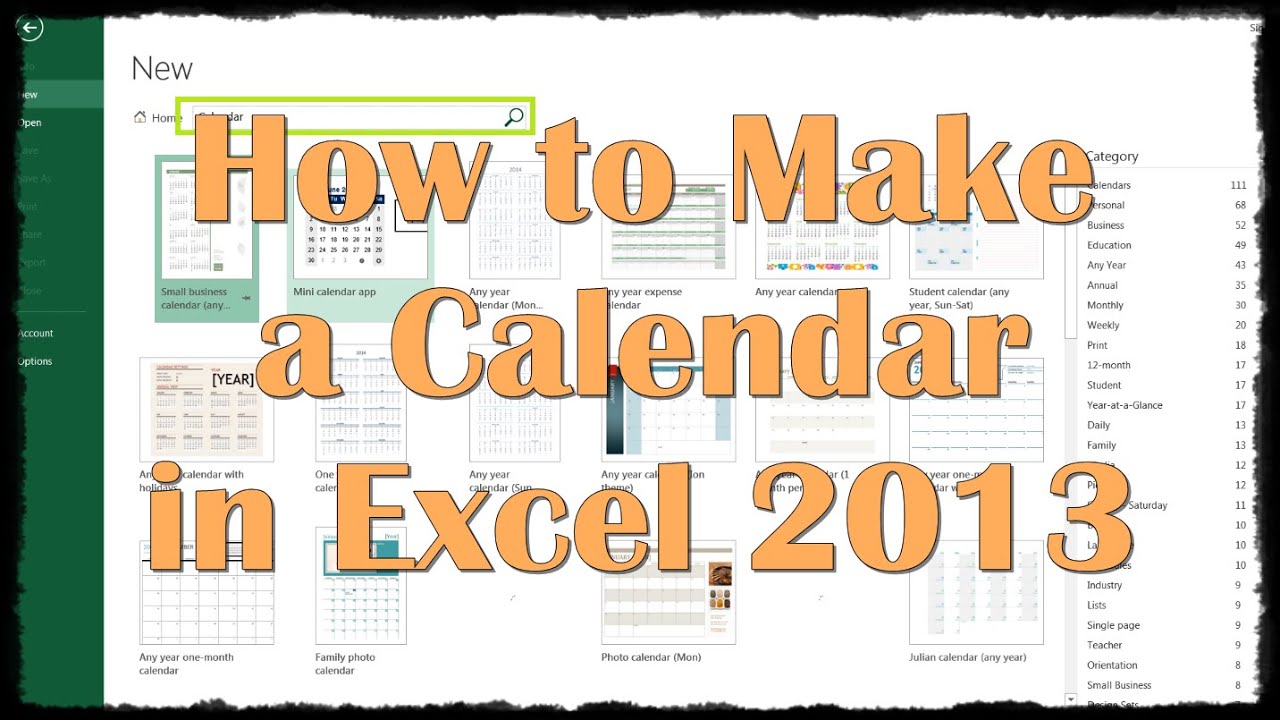
were going to show you how to make a calendar in Excel.
Calendars can be very helpful for organization, time management, and keeping track of important dates. Sometimes it may be very appealing to print out your own, and customized to your liking.
The easiest way to create a calendar in Excel, without getting into any Visual Basic code or very tedious manual work, is to simply go ahead and search for a calendar template
After searching, its just a matter of finding the right template that appeals and works for you (keep in mind that all templates are extremely customizable and there is much room for personal touch. After finding one, click it and hit Create
If there is any unwanted text or elements, simply remove them. Go ahead and change the year to the current year. You will notice that the days of the months change with the year (very hard to code in Visual Basic and a pain to do manually)
For more customization, you can highlight certain days, and even create a Legend on the side to define the colors to corresponding events
Kellster: I picked the Any Year Calendar with Holidays and Im running into a problem. Whenever a holiday should be on a weekend (particularly on a Sunday) it pushes it to a Monday. So New Years Day is January 1st, but on the calendar it puts the text on January 2nd. Same problem with Daylight Savings Time (ending) = this should be on Sunday Nov. 5th, but it shows up on Saturday Nov. 4th. Suggestions? Date: 2023-07-08