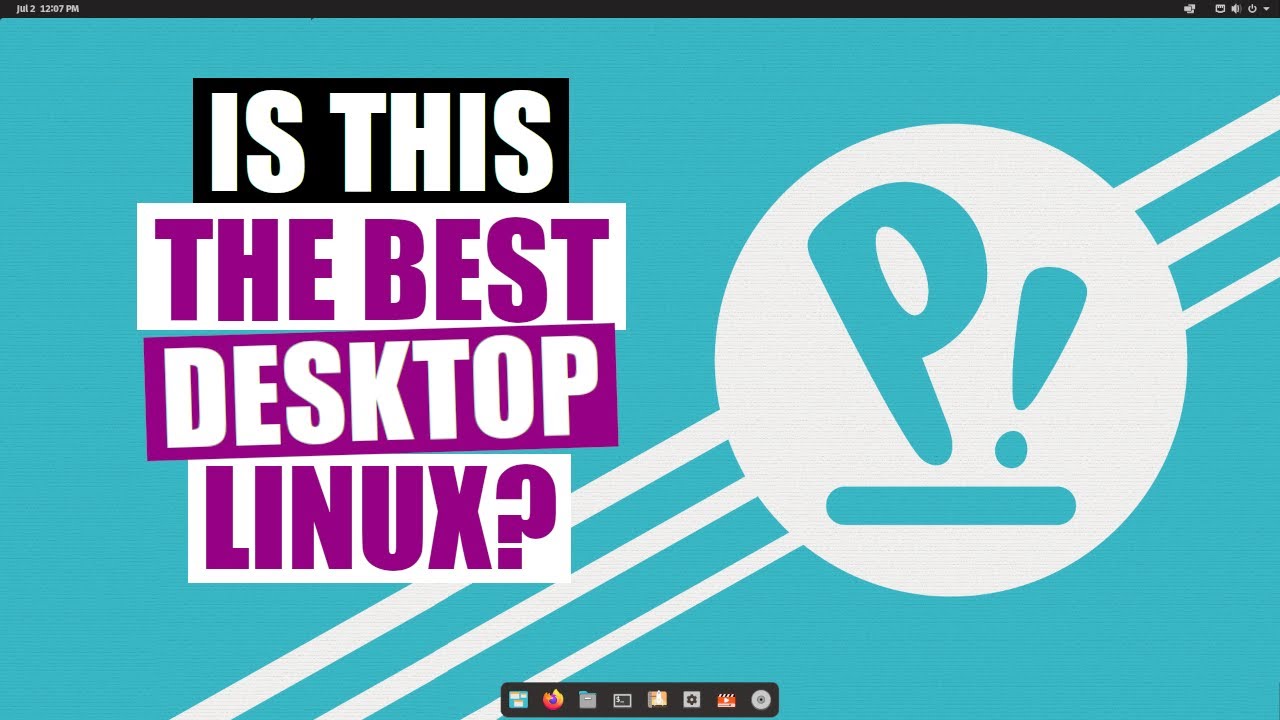
Pop!_OS And The COSMIC Desktop. The Best Desktop Linux? DistroTube
video description
Date: 2022-03-30
Related videos


Comments and reviews: 10
Robert
I have to disagree with your statement to avoid using a mouse and use the keyboard shortcuts instead so you avoid repetitive stress syndrome. I've been using computers and mice heavily since 1978 and the only time I had wrist pain from using a mouse was one weekend when I had to retouch another photographer's photos, 1,500 of them. Otherwise my wrist has been pain free the entire 44 years.
I use the mouse 99.99% of the time and only use a keyboard as little as possible. I feel I'm much speedier that way.
Also, having a dock on the right or left side makes sense only because on a rectangular screen is eats up a smaller percentage of the real estate. Most of the time your mouse cursor is in the middle of the screen or towards the bottom so a bottom dock makes the most sense as it takes less movement for the cursor to reach it, but everyone is different as far as tastes, and sometimes you just get tired of looking at the same screen so mixing things up a little feels refreshing.
I've been using Linux off and on since ver 3. and IMHO the best version was 7.10. Everything worked and it didn't crash, which is the problem I experienced when I went to test the latest version 20 and 21. Both would work fine for a few hours and then lock up so bad I had to turn the computer off, which screwed up the boot/grub so bad it wouldn't work anymore and none of the fix-it programs I tried worked.
reply
I have to disagree with your statement to avoid using a mouse and use the keyboard shortcuts instead so you avoid repetitive stress syndrome. I've been using computers and mice heavily since 1978 and the only time I had wrist pain from using a mouse was one weekend when I had to retouch another photographer's photos, 1,500 of them. Otherwise my wrist has been pain free the entire 44 years.
I use the mouse 99.99% of the time and only use a keyboard as little as possible. I feel I'm much speedier that way.
Also, having a dock on the right or left side makes sense only because on a rectangular screen is eats up a smaller percentage of the real estate. Most of the time your mouse cursor is in the middle of the screen or towards the bottom so a bottom dock makes the most sense as it takes less movement for the cursor to reach it, but everyone is different as far as tastes, and sometimes you just get tired of looking at the same screen so mixing things up a little feels refreshing.
I've been using Linux off and on since ver 3. and IMHO the best version was 7.10. Everything worked and it didn't crash, which is the problem I experienced when I went to test the latest version 20 and 21. Both would work fine for a few hours and then lock up so bad I had to turn the computer off, which screwed up the boot/grub so bad it wouldn't work anymore and none of the fix-it programs I tried worked.
reply
Tyler
I switched to Pop Os 3 days ago. I was a life time Windows User. The reasoning: I restarted my computer and it said it was installing updates before shutting down and to not turn my computer off. I waited an hour and a half and it still wasn-t done. So I powered it off anyways and decided I didn-t care what happened if I powered off because I was tired of windows BS. I hate the constant need for updates and bulky operating system slowing my experience down. I am so happy I switched, finally a version of Linux that I feel at home with. I feel like my privacy, my time and my experience is valued by the system 76 team. I get the purest arguments on why pop os is blasphemy, but Pop os is what will bring the not so tech savvy people (like me) over to Linux. I-ve been waiting for a version like this for years! If more people knew just how amazing Pop os is, I think they people would switch.
reply
I switched to Pop Os 3 days ago. I was a life time Windows User. The reasoning: I restarted my computer and it said it was installing updates before shutting down and to not turn my computer off. I waited an hour and a half and it still wasn-t done. So I powered it off anyways and decided I didn-t care what happened if I powered off because I was tired of windows BS. I hate the constant need for updates and bulky operating system slowing my experience down. I am so happy I switched, finally a version of Linux that I feel at home with. I feel like my privacy, my time and my experience is valued by the system 76 team. I get the purest arguments on why pop os is blasphemy, but Pop os is what will bring the not so tech savvy people (like me) over to Linux. I-ve been waiting for a version like this for years! If more people knew just how amazing Pop os is, I think they people would switch.
reply
BHBalast
I installed it on my laptop and it doesn't even detect correctly when it is closed so it hammers my battery life. Next thing I had problems connecting to university's WiFi, there were a shitton of options and nothing gave me a clue where to type what, in Windows and other distros it just works. Honestly in 2021, if Devs can't do such a simple task right, I can't trust them thy did a good job with the rest of the OS. I uninstalled it and installed xubuntu, I'm happy for now but it isn't perfect either, at least I don't have to get my hands dirty in the terminal just to set up WiFi...
reply
I installed it on my laptop and it doesn't even detect correctly when it is closed so it hammers my battery life. Next thing I had problems connecting to university's WiFi, there were a shitton of options and nothing gave me a clue where to type what, in Windows and other distros it just works. Honestly in 2021, if Devs can't do such a simple task right, I can't trust them thy did a good job with the rest of the OS. I uninstalled it and installed xubuntu, I'm happy for now but it isn't perfect either, at least I don't have to get my hands dirty in the terminal just to set up WiFi...
reply
Tobias
In previous editions of Pop!_OS hitting the super key would bring up all the windows for the current workspace, the workspace list and a search / run bar. I absolutely loved this, and separating the two things out to two different shortcuts disappointed me. It was so easy to navigate applications with a single key press before!
I've since recently moved over to Kubuntu, as I was having issues with additional monitors and the propitiatory graphics chip causing black screens and after some customizing I am enjoying the experience.
reply
In previous editions of Pop!_OS hitting the super key would bring up all the windows for the current workspace, the workspace list and a search / run bar. I absolutely loved this, and separating the two things out to two different shortcuts disappointed me. It was so easy to navigate applications with a single key press before!
I've since recently moved over to Kubuntu, as I was having issues with additional monitors and the propitiatory graphics chip causing black screens and after some customizing I am enjoying the experience.
reply
dennis
I tried the top 6 distros from distrowatch on a HP laptop with a external Dell Monitor .. Pop! OS was the only one that had a stable external screen .. and I REALLY tried to make the others work. On some the detect monitor never worked.. on others the resolution wouldn't stick or even gave me an odd screen that was like a smaller resolution on a background of a larger resolution.. I am sure it's me, and if I had done something I might have gotten one of the others to do what it was supposed to.. but I don't need to now.
reply
I tried the top 6 distros from distrowatch on a HP laptop with a external Dell Monitor .. Pop! OS was the only one that had a stable external screen .. and I REALLY tried to make the others work. On some the detect monitor never worked.. on others the resolution wouldn't stick or even gave me an odd screen that was like a smaller resolution on a background of a larger resolution.. I am sure it's me, and if I had done something I might have gotten one of the others to do what it was supposed to.. but I don't need to now.
reply
itech
I understand why they chose the path they did, but nothing about it is exciting to me as it's essentially Gnome with a couple of tweaks the likes of which can be accomplished with extensions. Hell, you can even transform Gnome into a full fat tiling window manager with extensions.
The top bar in Gnome definitely has its uses. As a system tray, clock in centre if desired. The option of a full fat global menu on the left would have been nice but other than that left side it serves its purpose.
reply
I understand why they chose the path they did, but nothing about it is exciting to me as it's essentially Gnome with a couple of tweaks the likes of which can be accomplished with extensions. Hell, you can even transform Gnome into a full fat tiling window manager with extensions.
The top bar in Gnome definitely has its uses. As a system tray, clock in centre if desired. The option of a full fat global menu on the left would have been nice but other than that left side it serves its purpose.
reply
Comm0ut
I don't chase ideal desktops. That's like distrohopping. Master the command line and the desktop recedes in importance. I don't decorate or rice or even run wallpapers since if I'm at the PC I'm using it not staring at it which is different. The PC desktop is arguably the LEAST important aspect of Linux but rather important to noobs who don't do much but want things to look pretty. I got over distrohopping around 2005 and today nearly any distro is amply functional.
reply
I don't chase ideal desktops. That's like distrohopping. Master the command line and the desktop recedes in importance. I don't decorate or rice or even run wallpapers since if I'm at the PC I'm using it not staring at it which is different. The PC desktop is arguably the LEAST important aspect of Linux but rather important to noobs who don't do much but want things to look pretty. I got over distrohopping around 2005 and today nearly any distro is amply functional.
reply
David
I had this for a while and LOVED IT-- IT-S WONDERFUL... BUT-- and here is the catch-- the BOOT sector will FILL UP as it updates the Kernels- and you can't get the old ones out-- so after a few updates- you're locked out.. IF they would fix that-- I-D Go back in a heartbeat. Mint has a part of it's program that will let you actually celete the old kernels without losing anythnng- and that is what POP oS needs!!!! IF they fix that- I'll get it back right now.
reply
I had this for a while and LOVED IT-- IT-S WONDERFUL... BUT-- and here is the catch-- the BOOT sector will FILL UP as it updates the Kernels- and you can't get the old ones out-- so after a few updates- you're locked out.. IF they would fix that-- I-D Go back in a heartbeat. Mint has a part of it's program that will let you actually celete the old kernels without losing anythnng- and that is what POP oS needs!!!! IF they fix that- I'll get it back right now.
reply
George
Hi I installed Arcolinux and when I first started it up it started giving me a log on prompt and password prompt. and it went into a big terminal, that I can't get my gui to install . I've tried installing it again nothing worked. I've searched for an answer for hours. Please give me some advice I'm desperate. I only have 1 usb drive and can't get a linux Mint usb/ This laptop runs Arco great sorry for being long. Blessing
reply
Hi I installed Arcolinux and when I first started it up it started giving me a log on prompt and password prompt. and it went into a big terminal, that I can't get my gui to install . I've tried installing it again nothing worked. I've searched for an answer for hours. Please give me some advice I'm desperate. I only have 1 usb drive and can't get a linux Mint usb/ This laptop runs Arco great sorry for being long. Blessing
reply
Kunal
What I do not like about Pop OS and other Gnome type DMs is the Applications window. Install Libreoffice suite and the Applications window shows only Libreoffice..., Libreoffice...., Libreoffice... etc. Cannot distinguish which one is writer, which is the spreadsheet and others, unless one knows the individual icons. This is true for any app that has a long name, including GIMP.
reply
What I do not like about Pop OS and other Gnome type DMs is the Applications window. Install Libreoffice suite and the Applications window shows only Libreoffice..., Libreoffice...., Libreoffice... etc. Cannot distinguish which one is writer, which is the spreadsheet and others, unless one knows the individual icons. This is true for any app that has a long name, including GIMP.
reply
Add a review, comment
Other channel videos