How to Insert Drop Cap in Microsoft Word Tutorial - The Teacher
FBTwitterReddit
video description
Rating: 4.0; Vote: 1
How to Insert Drop Cap in Microsoft Word Tutorial - The Teacher
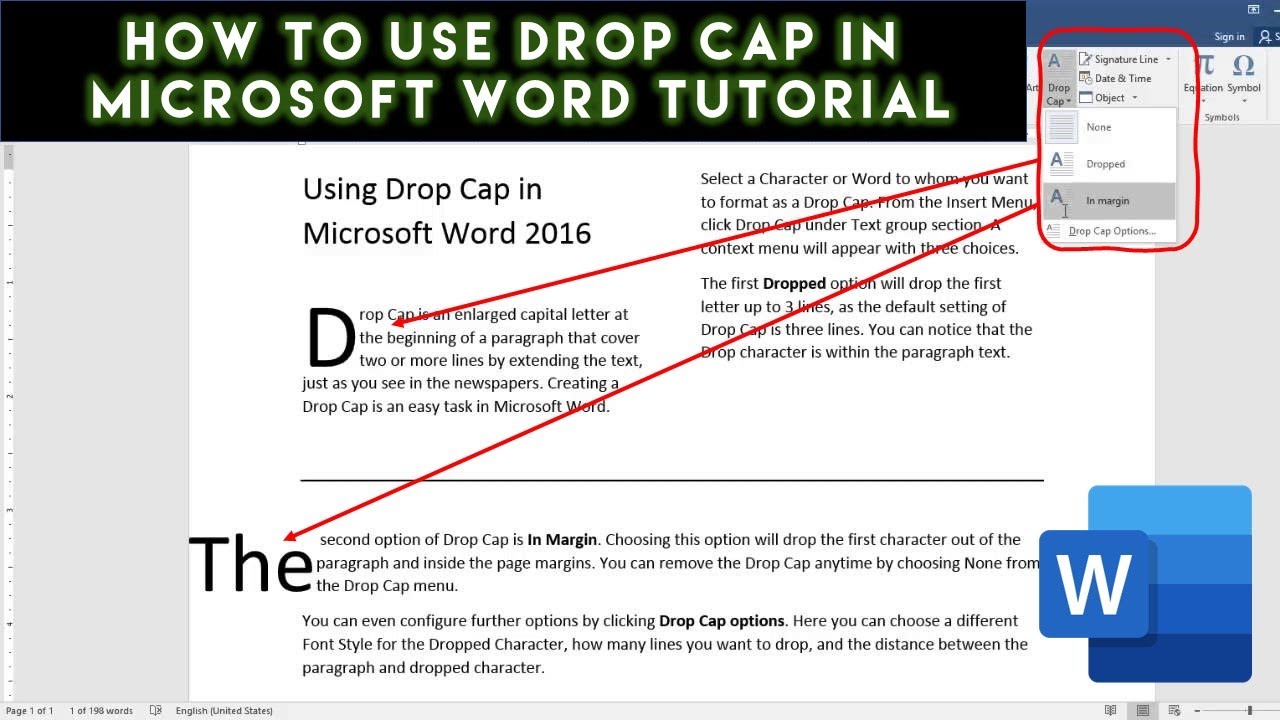
In this tutorial, you will learn how to use the Drop Cap command in Microsoft Word 2016. Drop Cap is an enlarged capital letter of a Word at the beginning of the paragraphs as you usually see in Newspapers, Magazines or Books.
- About using Drop Cap in Microsoft Word
You can find the Drop Cap option under the Insert tab - Text Section. You can either use the Dropped or In Margin options while applying Drop Cap to a paragraph. You can also configure other settings like you can change the Font Style of the dropped letter, how many lines you want to make it drop, and how much distance you want between the dropped letter and the rest of the paragraph text
Victory: Can you tell me how to center the text above the drop cap line? The drop cap moves the center of the line over a bit. Thank you. Date: 2022-03-31







 9:15
9:15 12:16
12:16
