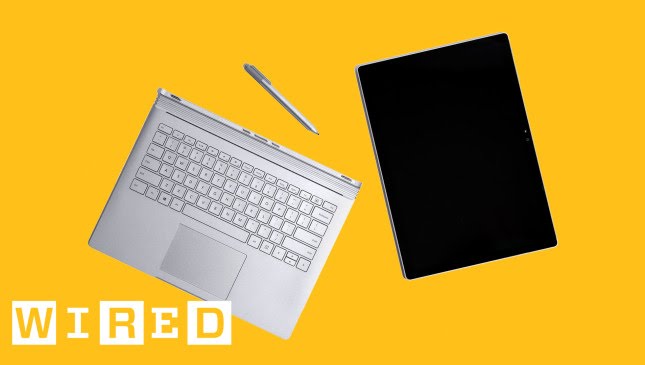
The Surface Book Really Is the Ultimate Laptop
video description
1 - lapability. The screen wobbles in laptop mode when touched
2 - the fulcrum hinge creates an objectionable gap -Could accumulate lint- according to one reviewer.
3 - battery life of the detached clipboard/tablet is weak.
4 - not a sufficient platform for video editing. -The Ultimate Editing Machine - Not! - one reviewer complained.
5 - headphone jack misplaced - top of screen vs. bottom
6 - keyboard a bit mushy
7 - Trackpad not responsive
8 - WIN10 not stable
9 - lack of WIN10 specific apps
10 - -It's not as good as/I've always used/serious designers only use- a Mac.
11 - Not a gaming machine
Those are the biggies. There are many more.
My group of collaborators began to tire of the lack of refresh in the Apple line of desk/laptops. Understand, we are a very agnostic group. You can fall in love with another person. Anything else and you are just plain weird. We only want to provide value to our clients. Technology is a productivity investment. Each of us has a history of experience with machines, operating systems and apps dating to 1982!
We were limping along on some 4 to 10 year old, mostly Apple, machines. We like to suck every last ounce of value out of our investments before anything is discarded! But we've always been a mixed group. The time came in early 2015 to bust the budget and buy new hardware. Most of us - but not all - have to be mobile all the time. After lots of research and loud arguments, we pulled the trigger on a 5 new machines. Purchased over a 14 month period, all were Surface Books. Min config - i5, 8 gb, 256 SSD, separate graphics processor. Max config - i7, 16 GB, 1TB SSD, separate graphics processor.
We are a design house dependent on Illustrator, Indesign, Photoshop, & Iinvision, All are running on our new platform. Answers:
1 - Wobble: We don't need touch when in laptop mode.
2 - Fulcrum hinge gap: A dirty backpack is bad for lots of reasons. We keep our portable machines in sleeves.
3 - Battery life when detached: We don't use the clipboard all day. It is -The Ultimate Laptop. -
4 - Insufficient for video editing. -The Ultimate Editing Machine - Not! - one reviewer complained. The tricked out I7 model has never let us down.
5 - Headphone jack misplaced. Get a life.
6 - Keyboard a bit mushy. We love it!
7 - Trackpad not responsive. Ours are.
8 - WIN10 not stable. Get off the Insider program! We have four production machines on W10 Pro (whatever is the most recent non-Insider release) and one experimental machine on the Insider Ring. Standard release is rock solid.
9 - lack of WIN10 specific apps - Illustrator, Indesign, Photoshop, & Iinvision work fine for us.
10 - -It's not as good as/I've always used/serious designers only use- a Mac. We used to agree with this.
11 - Not a gaming machine. Right.
Date: 2022-07-06
Related videos





Comments and reviews: 9
Kastan
The real question:
So imagine: Both tablet and keyboard full battery. Then I detach the tablet and use it until it is depleted. Can I reattach it to the keyboard then? If not, then imagine its at 5% battery. After I reattach it, do the keyboard batteries fully recharge the tablet? Do they simply equalize to a shared percentage?
When I use the laptop regularly, then when the whole device is at 20% where is that power being stored? Is the keyboard empty and the tablet is fairly full?
TL; DR What happens when the tablet and keyboard have different charges?
Lots of question about battery management.
reply
The real question:
So imagine: Both tablet and keyboard full battery. Then I detach the tablet and use it until it is depleted. Can I reattach it to the keyboard then? If not, then imagine its at 5% battery. After I reattach it, do the keyboard batteries fully recharge the tablet? Do they simply equalize to a shared percentage?
When I use the laptop regularly, then when the whole device is at 20% where is that power being stored? Is the keyboard empty and the tablet is fairly full?
TL; DR What happens when the tablet and keyboard have different charges?
Lots of question about battery management.
reply
Jay
You've glossed over the really game changing ways the tablet and pen can make a computing experience, whether you're a notetaker or an artist or illustrator. Instead you focus on the trivial mechanical aspects of the device as if you're reading a feature list off the back of a box.
If you're going to ignore the different use cases this allows, then perhaps it's not for you and you shouldn't be reviewing it.
reply
You've glossed over the really game changing ways the tablet and pen can make a computing experience, whether you're a notetaker or an artist or illustrator. Instead you focus on the trivial mechanical aspects of the device as if you're reading a feature list off the back of a box.
If you're going to ignore the different use cases this allows, then perhaps it's not for you and you shouldn't be reviewing it.
reply
Ken
The conclusion I got from this review was: really, really, really, really.
But seriously, here's an idea: not everyone is a writer. Some people work in fields that require a real clipboard and that's who the 'tablet' feature is aimed at. To recommend buying the laptop and not use the 'clipboard' because it's a first iteration is preposterous.
reply
The conclusion I got from this review was: really, really, really, really.
But seriously, here's an idea: not everyone is a writer. Some people work in fields that require a real clipboard and that's who the 'tablet' feature is aimed at. To recommend buying the laptop and not use the 'clipboard' because it's a first iteration is preposterous.
reply
Neil
I've used the Surface pro 3 for over a year and it's simply replaced every other device barring my phone, the desktop has gone, the laptop has gone and the ipad has been resigned to its rightful place as a cup coaster. Now my question is this is REALLY REALLY nice could this replace the surface. I think yes but the price is the problem
reply
I've used the Surface pro 3 for over a year and it's simply replaced every other device barring my phone, the desktop has gone, the laptop has gone and the ipad has been resigned to its rightful place as a cup coaster. Now my question is this is REALLY REALLY nice could this replace the surface. I think yes but the price is the problem
reply
Lucas
A good looking powerful laptop with a detachable screen that's more powerful than an iPad with an actual place to put the pen, and if you want even more battery life you can flip it and put it back on the keyboard. It replaces all of your notebooks. I don't see how a MacBook Pro is any better. I don't see the downside.
reply
A good looking powerful laptop with a detachable screen that's more powerful than an iPad with an actual place to put the pen, and if you want even more battery life you can flip it and put it back on the keyboard. It replaces all of your notebooks. I don't see how a MacBook Pro is any better. I don't see the downside.
reply
Xaiano
I like how he said that docking was difficult but like 5 seconds earlier he just popped it out and turned it around without looking away from the camera. New tech takes practice - if you've ever seen an old person try stuff for the first time, you'll understand.
reply
I like how he said that docking was difficult but like 5 seconds earlier he just popped it out and turned it around without looking away from the camera. New tech takes practice - if you've ever seen an old person try stuff for the first time, you'll understand.
reply
Insatiable
How does the Surface Pen lag on the Surface Book but not on the Surface Pro 4 when the Surface Book is supposed to be more powerful than the Surface Pro 4? And don't the Surface Book and new Type Cover for the Surface Pro 4 have the same keyboard technology?
reply
How does the Surface Pen lag on the Surface Book but not on the Surface Pro 4 when the Surface Book is supposed to be more powerful than the Surface Pro 4? And don't the Surface Book and new Type Cover for the Surface Pro 4 have the same keyboard technology?
reply
Sophie
i really like that this mentioned the good along with the bad. it makes me feel more like im not being lied to and now i kinda want one XD every thing has a problem but this in particular seems like it would be pretty good at what its made for
reply
i really like that this mentioned the good along with the bad. it makes me feel more like im not being lied to and now i kinda want one XD every thing has a problem but this in particular seems like it would be pretty good at what its made for
reply
Parker
For drawing and writing, I ended up going with the Surface Pro. The Pro screen can be pivoted back further, the standalone screen battery life is better, detaching and attaching the keyboard is far easier, and it's cheaper.
reply
For drawing and writing, I ended up going with the Surface Pro. The Pro screen can be pivoted back further, the standalone screen battery life is better, detaching and attaching the keyboard is far easier, and it's cheaper.
reply
Add a review, comment
Other channel videos