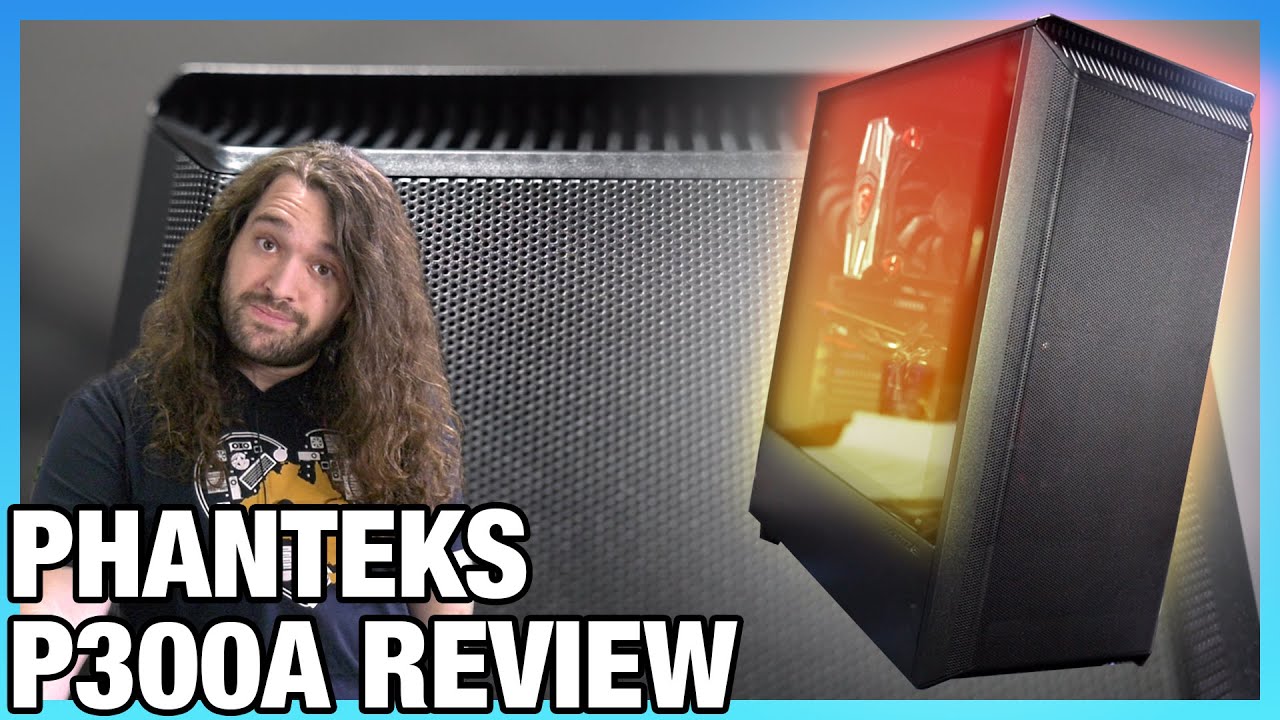
Phanteks P300A Cheap Airflow Case Review: Thermals, Extra Fan Tests, & Noise
video description
Date: 2020-05-06
Related videos


Comments and reviews: 10
Dezeos
So I pre-ordered this case as soon as it was announced in January. It was supposed to arrive in February, but the lockdown in China at the time made it arrive a full month later than predicted. I'd like to share my thoughts and experiences on this case as it was my first self-build rig. For the building, it was relatively painless IF you connect most of the motherboard cables in advance. The space you work with is pretty limited so connecting cables to the motherboard after installing it in the case will be pretty frustrating, especially if you have an aftermarket CPU Tower cooler like I did. Also, to me Steve didn't put enough emphasis on how much of a pain removing the top panel is. I tried it at first, but half-way through I realised under how much pressure the screws were and that remounting it would be quite difficult with only one pair of hands. But maybe that's because of my lack of experience doing this compared to Steve. The only thing worth mentioning otherwise for the building is the space for the Power supply. I bought a be quiet Dark Power 650W Platinum, and it would NOT have fit with the Hard Drive cages still in, I had to remove them completely, which was fine for me since I did not plan to to use any Hard Drives, but do keep in mind that if you do want to want to, you need a compact PSU. For the fan configuration, after some testing, I found that what works best is a slight negative pressure configuration with two 140mm intake at the front, one 120mm exhaust at the back and one 120mm exhaust at the top. Here is why: The 140mm fans block off the whole front, making it purely intake and providing the front half of your GPU with a good amount of cool air, as well as your CPU. The exhaust fans at the top and back of the case are somewhat self explanatory, the not so obvious fact is that once installed, they leave only one single place where, in a negative pressure set up, air could move in: the GPU mounting brackets below the GPU, which will provide cool air to the single place that gets a limited amount of it, the back half of your GPU. For reference, I have a Sapphire Nitro + RX5700 XT, which fits snugly in the case, with about an inch left between it and the front fans. My build is kind of a stealth build, with only white led highlights here and there, which fits well with the very limited amount of led illumination you get from the case itself. Overall I'm really satisfied with the case and got exactly want I expected, I can only recommend it.
reply
So I pre-ordered this case as soon as it was announced in January. It was supposed to arrive in February, but the lockdown in China at the time made it arrive a full month later than predicted. I'd like to share my thoughts and experiences on this case as it was my first self-build rig. For the building, it was relatively painless IF you connect most of the motherboard cables in advance. The space you work with is pretty limited so connecting cables to the motherboard after installing it in the case will be pretty frustrating, especially if you have an aftermarket CPU Tower cooler like I did. Also, to me Steve didn't put enough emphasis on how much of a pain removing the top panel is. I tried it at first, but half-way through I realised under how much pressure the screws were and that remounting it would be quite difficult with only one pair of hands. But maybe that's because of my lack of experience doing this compared to Steve. The only thing worth mentioning otherwise for the building is the space for the Power supply. I bought a be quiet Dark Power 650W Platinum, and it would NOT have fit with the Hard Drive cages still in, I had to remove them completely, which was fine for me since I did not plan to to use any Hard Drives, but do keep in mind that if you do want to want to, you need a compact PSU. For the fan configuration, after some testing, I found that what works best is a slight negative pressure configuration with two 140mm intake at the front, one 120mm exhaust at the back and one 120mm exhaust at the top. Here is why: The 140mm fans block off the whole front, making it purely intake and providing the front half of your GPU with a good amount of cool air, as well as your CPU. The exhaust fans at the top and back of the case are somewhat self explanatory, the not so obvious fact is that once installed, they leave only one single place where, in a negative pressure set up, air could move in: the GPU mounting brackets below the GPU, which will provide cool air to the single place that gets a limited amount of it, the back half of your GPU. For reference, I have a Sapphire Nitro + RX5700 XT, which fits snugly in the case, with about an inch left between it and the front fans. My build is kind of a stealth build, with only white led highlights here and there, which fits well with the very limited amount of led illumination you get from the case itself. Overall I'm really satisfied with the case and got exactly want I expected, I can only recommend it.
reply
patriotpaul
Not just the Phanteks P400A but the Lian Li 011XLs are next to impossible to find at less than robbery prices. I finally gave up and just got a regular 011 and got 360 rads instead of 420s because the case is so short! Dam this SARS CoV-2, economy destroying crap. Why did Silverstone quit making the RL06? It was one of the top 5 cases for cooling. Must not have enough margin in it. This Phanteks case would have been an almost perfect low budget case, IF they would vent the top for 360 rads or 3-120 fans! I'm seriously thinking of building my own next case out of 80/20 extrusion for the frame. Put tempered glass on the 2 sides, full sheetmetal mesh on top, and front. THE Whole top and front. Its NOT rocket science. Why cant case companies see this? Of course I will have to cut a motherboard tray out of an old tower and bolt it inside the rear extrusion with T-nuts, inside, this would leave about 1 across the entire back for cable management. The only hard part at all is attachment of the glass. Pretty sure I can come up with a way better than Corsair and Coolermaster though. :)
reply
Not just the Phanteks P400A but the Lian Li 011XLs are next to impossible to find at less than robbery prices. I finally gave up and just got a regular 011 and got 360 rads instead of 420s because the case is so short! Dam this SARS CoV-2, economy destroying crap. Why did Silverstone quit making the RL06? It was one of the top 5 cases for cooling. Must not have enough margin in it. This Phanteks case would have been an almost perfect low budget case, IF they would vent the top for 360 rads or 3-120 fans! I'm seriously thinking of building my own next case out of 80/20 extrusion for the frame. Put tempered glass on the 2 sides, full sheetmetal mesh on top, and front. THE Whole top and front. Its NOT rocket science. Why cant case companies see this? Of course I will have to cut a motherboard tray out of an old tower and bolt it inside the rear extrusion with T-nuts, inside, this would leave about 1 across the entire back for cable management. The only hard part at all is attachment of the glass. Pretty sure I can come up with a way better than Corsair and Coolermaster though. :)
reply
Stanimir
Having 3 intake (RGB too) and one exhaust fan is the main reason I bought my cheap 60 case a while ago. It wasnt hard to find mesh and TG panel on many cases, but it was rare to see whole 4 fans in a cheap case. I guess Im from the minority that doesnt want to buy fans myself: D P. S. Oh and its a reputable brand (Cooler Master) compared to the nJoy (Romanian cheap brand) that had the same amount of fans, acrylic, cheap plastic and the bottom part was not mesh so I moved the pointless fan to exhaust on top where there wasnt mesh but some tiny holes (I even drilled like 50 4mm holes) -_- The case was so poorly designed that I bought another fan for exhaust but returned it after I saw its pointless. Getting a new case but from a known brand but without changing anything made huge difference, my GPU barely uses its fans.
reply
Having 3 intake (RGB too) and one exhaust fan is the main reason I bought my cheap 60 case a while ago. It wasnt hard to find mesh and TG panel on many cases, but it was rare to see whole 4 fans in a cheap case. I guess Im from the minority that doesnt want to buy fans myself: D P. S. Oh and its a reputable brand (Cooler Master) compared to the nJoy (Romanian cheap brand) that had the same amount of fans, acrylic, cheap plastic and the bottom part was not mesh so I moved the pointless fan to exhaust on top where there wasnt mesh but some tiny holes (I even drilled like 50 4mm holes) -_- The case was so poorly designed that I bought another fan for exhaust but returned it after I saw its pointless. Getting a new case but from a known brand but without changing anything made huge difference, my GPU barely uses its fans.
reply
Drinkyoghurt
It's kinda weird to see how popular the P400a is. I bought it pre-release in Germany and had to wait like a week before it was in stock because supplies were really limited but at least got to have it for 90 euros. Supplies are still limited. It's a good case with some room for improvement, but at the 90 euro price point it's very hard to beat. Haven't had much dust issues, definitely not any more than in any other cases I've had. The NZXT Zero I had before this was a big dust magnet but with the P400A I haven't even had to clean out my cpu heatsink because there's literally no dust on it. Oh and if anyone is wondering, these cases to fit the Thermalright Macho series which is supposedly 3mm above the max spec of the case. It's such a tight fit it basically creates its own airflow shroud.
reply
It's kinda weird to see how popular the P400a is. I bought it pre-release in Germany and had to wait like a week before it was in stock because supplies were really limited but at least got to have it for 90 euros. Supplies are still limited. It's a good case with some room for improvement, but at the 90 euro price point it's very hard to beat. Haven't had much dust issues, definitely not any more than in any other cases I've had. The NZXT Zero I had before this was a big dust magnet but with the P400A I haven't even had to clean out my cpu heatsink because there's literally no dust on it. Oh and if anyone is wondering, these cases to fit the Thermalright Macho series which is supposedly 3mm above the max spec of the case. It's such a tight fit it basically creates its own airflow shroud.
reply
Drackar
I have a p350x which has the same hard drive cage system, and I have to point out that the power/SATA cables are in the front, due to how their sleds are designed. Which at least in my case means that cable routing is an issue, and clearance isn't really a thing. I'm debating ordering right-angle power adapters because of just how little room there is, if I leave my physical drives plugged in, I cannot close the front of my case. pressure pushes the bottom of the panel off. A irksome design flaw I don't really see anyone talking about. EDIT: somehow posted without the actual question. Is this a similar issue on this case, or is there sufficient room in that mesh front panel for power cables to actually fit?
reply
I have a p350x which has the same hard drive cage system, and I have to point out that the power/SATA cables are in the front, due to how their sleds are designed. Which at least in my case means that cable routing is an issue, and clearance isn't really a thing. I'm debating ordering right-angle power adapters because of just how little room there is, if I leave my physical drives plugged in, I cannot close the front of my case. pressure pushes the bottom of the panel off. A irksome design flaw I don't really see anyone talking about. EDIT: somehow posted without the actual question. Is this a similar issue on this case, or is there sufficient room in that mesh front panel for power cables to actually fit?
reply
Will
Thanks for the great review as always. I was waiting for this one for a while but went ahead and bought the case from newegg when it had the 10 rebate hoping the performance would be inline with the p400A (knowing I would have to add 2 intake fans to get there. I had been looking for the smallest case with tempered glass side panel and mesh front that could accommodate a full ATX board for a while and this fit the bill. I know the 7 centimetre reduction in depth doesn't sound like a lot but when considering the p400A is only 47 cm deep to begin with its about a 15% reduction. The P300A is also slightly narrower. This was the difference between the case kind of fitting on my small desk and fitting just right.
reply
Thanks for the great review as always. I was waiting for this one for a while but went ahead and bought the case from newegg when it had the 10 rebate hoping the performance would be inline with the p400A (knowing I would have to add 2 intake fans to get there. I had been looking for the smallest case with tempered glass side panel and mesh front that could accommodate a full ATX board for a while and this fit the bill. I know the 7 centimetre reduction in depth doesn't sound like a lot but when considering the p400A is only 47 cm deep to begin with its about a 15% reduction. The P300A is also slightly narrower. This was the difference between the case kind of fitting on my small desk and fitting just right.
reply
PjStarTV
Thanks for the review Steve. Due to stock issues, I was unable to get the P300a or P400a a few weeks ago so I ended up settling on the Corsair Carbide 275r. I loaded it up with 6 fans and I'm perfectly happy with it. Corsair also stopped using the hex screws on the glass panel of that case. It now has slotted screws that you can remove by hand and they put the hex screws and hex wrench in the added bag of goodies. for the sadists out there I guess. They also fixed the rubber grommets for the side panel screw holes to the case so they no longer fall off and also provide something for the glass to sit on so you don't have to hold the panel anymore while reattaching it.
reply
Thanks for the review Steve. Due to stock issues, I was unable to get the P300a or P400a a few weeks ago so I ended up settling on the Corsair Carbide 275r. I loaded it up with 6 fans and I'm perfectly happy with it. Corsair also stopped using the hex screws on the glass panel of that case. It now has slotted screws that you can remove by hand and they put the hex screws and hex wrench in the added bag of goodies. for the sadists out there I guess. They also fixed the rubber grommets for the side panel screw holes to the case so they no longer fall off and also provide something for the glass to sit on so you don't have to hold the panel anymore while reattaching it.
reply
Dustin
Most people are not you. I would argue most people don't buy a case, they buy a prebuilt computer. People buying components for a pc build DO buy case fans. Look at how many reviews for fans there are, even compared to cases. They also buy things like water cooling that's not included with a case. They also buy 3rd party cpu coolers. I think reviewing a case with just one included fan is a waste of time. Some of the best cases do not even come with fans, so do you waste your time testing that configuration when it's clearly meant to add fans?
reply
Most people are not you. I would argue most people don't buy a case, they buy a prebuilt computer. People buying components for a pc build DO buy case fans. Look at how many reviews for fans there are, even compared to cases. They also buy things like water cooling that's not included with a case. They also buy 3rd party cpu coolers. I think reviewing a case with just one included fan is a waste of time. Some of the best cases do not even come with fans, so do you waste your time testing that configuration when it's clearly meant to add fans?
reply
Keith
I know with my new built when I eventually get an after market cooler, I will not be going with a Tower cooler again, plugging in and unplugging the CPU power cord is just a pain in the ass when you are swapping out a power supply so you can repurpose your old build while waiting on the part for the new build. I was also able to get a P400A non Digital for my new build 69. 99, so not sure how much better a budget of this one is compared to the 400a non digital since it only comes with one fan compared to the two fans.
reply
I know with my new built when I eventually get an after market cooler, I will not be going with a Tower cooler again, plugging in and unplugging the CPU power cord is just a pain in the ass when you are swapping out a power supply so you can repurpose your old build while waiting on the part for the new build. I was also able to get a P400A non Digital for my new build 69. 99, so not sure how much better a budget of this one is compared to the 400a non digital since it only comes with one fan compared to the two fans.
reply
Iamthe
I'm not going to argue about people wanting fully populated cases at the budget end, because it's very likely you're right. That could actually be a selling point for the case. Hell, if the fans they used were dual ball bearing and not sleeve models it would even be a selling point for me. I agree, they should do a fully fanned up sku, and a sku with no fans at all What they also need to do is start putting a small punch out slot in the front panels of these cases so people can install a slimline optical drive.
reply
I'm not going to argue about people wanting fully populated cases at the budget end, because it's very likely you're right. That could actually be a selling point for the case. Hell, if the fans they used were dual ball bearing and not sleeve models it would even be a selling point for me. I agree, they should do a fully fanned up sku, and a sku with no fans at all What they also need to do is start putting a small punch out slot in the front panels of these cases so people can install a slimline optical drive.
reply
Add a review, comment
Other channel videos