How to Use the ODD Function in Excel Round Up to the Nearest Odd Number in Excel
FBTwitterReddit
video description
Rating: 4.0; Vote: 1
we will teach you how to use the ODD function in Excel.
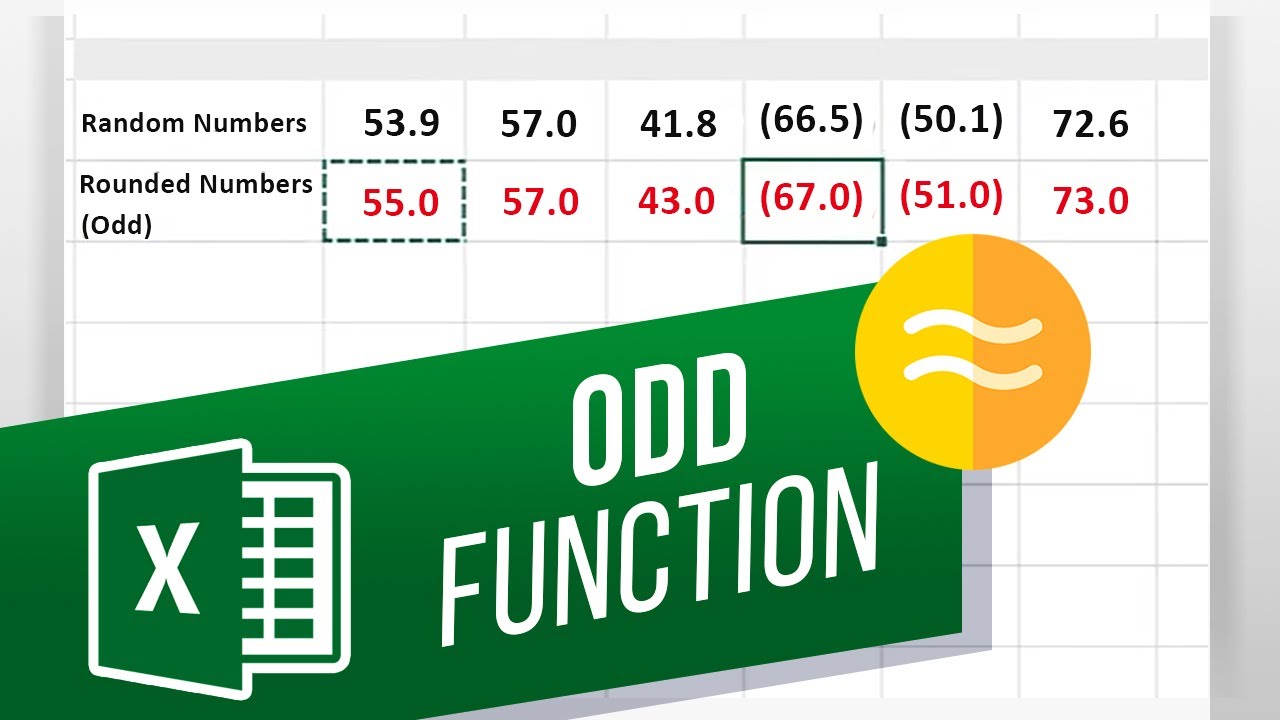
This function helps in returning the next ODD number after the value selected has been rounded off. For example, over here we have a sheet of random numbers. So lets round them up to the nearest ODD number. For this, we will use the ODD Syntax.
Lets double click on the cell here and enter the equals to sign. After that, we will type ODD followed by brackets open. Now we will select the cell which contains the value we want to round off. Next, lets close the bracket and hit enter.
You can see over here that it has rounded off Fifty Three Point Nine to Fifty Four, and then returned Fifty Five as the value, since its the nearest ODD number to the rounded number.
Lets copy and paste the formula to the remaining cells.
This formula rounds the values away from zero. So, if you enter a negative value, like for example over here, the values become more negative. Similar to how positive values become larger.
Also, if the entered value is already an ODD integer, or an ODD whole number, no rounding occurs Date: 2023-07-08



 2:17
2:17