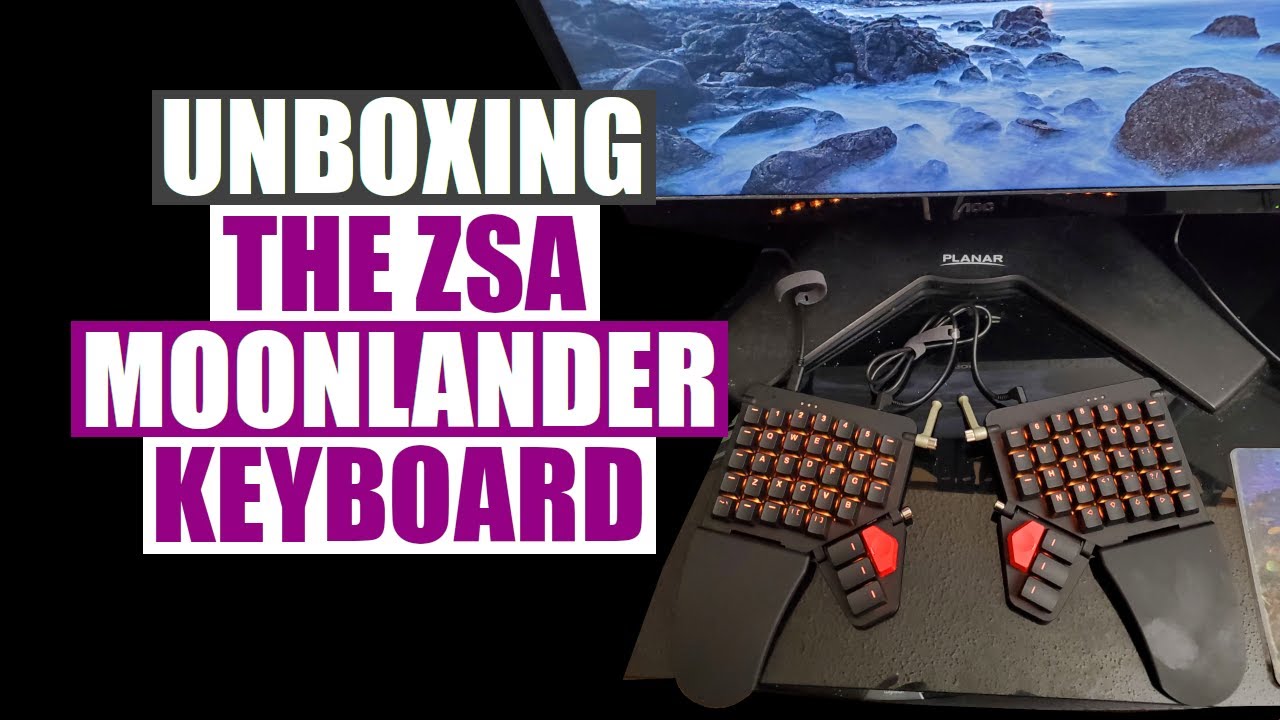
Unboxing The ZSA Moonlander Programmable Keyboard DistroTube
video description
Date: 2022-03-30
Related videos


Comments and reviews: 10
KalecAmagosh
Meh, CLI is better any way, so that's not a major loss. Great that it exists tho, open source community is amazing.
The way I use split keyboards in the past (I want to buy moonlander for work, get into dovrak, add some macros) is that I keep the right keyboard where people usually keep the mouse, so that my shoulders and arms are strait, no inward angle. I also keep the keyboard columns perpendicular to the table - again, no inward angles.
Then I put the mouse in the middle. Yeah, it takes a bit to get used to, but then I also use total commander and terminals, so not that much mouse movement.
When I program, I usually stick with page up / down, and keyboard shortcuts for navigating files.
CAN'T WAIT:
- to have ctrl + alt + shift on a macro
- to have shift on index or thumb instead of pinky
- to not do much with the pinky in general (maybe switch profiles and nothing else)
Everything else is just flavoring. Removing pinky from the equation and having -software- dovrak so that I'm using both hands equally is the bestest.
reply
Meh, CLI is better any way, so that's not a major loss. Great that it exists tho, open source community is amazing.
The way I use split keyboards in the past (I want to buy moonlander for work, get into dovrak, add some macros) is that I keep the right keyboard where people usually keep the mouse, so that my shoulders and arms are strait, no inward angle. I also keep the keyboard columns perpendicular to the table - again, no inward angles.
Then I put the mouse in the middle. Yeah, it takes a bit to get used to, but then I also use total commander and terminals, so not that much mouse movement.
When I program, I usually stick with page up / down, and keyboard shortcuts for navigating files.
CAN'T WAIT:
- to have ctrl + alt + shift on a macro
- to have shift on index or thumb instead of pinky
- to not do much with the pinky in general (maybe switch profiles and nothing else)
Everything else is just flavoring. Removing pinky from the equation and having -software- dovrak so that I'm using both hands equally is the bestest.
reply
Harry
Typing this on 21st Nov 2021. They must have fixed something as I can flash using the GUI version of Wally. However, Wally 'sometimes' opens on Arch Linux with just a blank pinkish colour screen. I simply kill it and launch again, which has so far - after two days of 'newbie' usage - yet to fail me. Very, very impressive bit of kit. The plastic is of the high quality stuff, not the cheap flimsy material I'm used to. Same high quality as the X-Keys X-Trac trackball. As someone who's only ever used laptop and non-clicky, budget priced PC keyboards, I'm already loving the clicky Kaihl Box White switches. Perfect choice, and nowhere near as loud as I expected. If you plan on swapping key caps around like a lunatic, you might want to order the $10 pack of Ten Blank Keycaps, although I see 'out of stock' right now. My feeling is: I'd rather have a blank keycap than a wrongly indicating keycap. A trivial matter (definitely not a criticism), plus I'll only require two of them to perfect my Vim layout.
reply
Typing this on 21st Nov 2021. They must have fixed something as I can flash using the GUI version of Wally. However, Wally 'sometimes' opens on Arch Linux with just a blank pinkish colour screen. I simply kill it and launch again, which has so far - after two days of 'newbie' usage - yet to fail me. Very, very impressive bit of kit. The plastic is of the high quality stuff, not the cheap flimsy material I'm used to. Same high quality as the X-Keys X-Trac trackball. As someone who's only ever used laptop and non-clicky, budget priced PC keyboards, I'm already loving the clicky Kaihl Box White switches. Perfect choice, and nowhere near as loud as I expected. If you plan on swapping key caps around like a lunatic, you might want to order the $10 pack of Ten Blank Keycaps, although I see 'out of stock' right now. My feeling is: I'd rather have a blank keycap than a wrongly indicating keycap. A trivial matter (definitely not a criticism), plus I'll only require two of them to perfect my Vim layout.
reply
Koto
I've had my Moonlander for ergonomic reasons and I love it. I've had it about a 2 months and I'm still getting used to it. But I also decided the change in keyboard would be a good time to switch to DVORAK. It's a tough transition but because i dont type perfectly on a standard QWERTY I'm learning to type from scratch with the Moonlander and building up better habits. But the Moonlander it's self is Awesome. and so powerful. 100% customizable. Pretty much infinite possibilities.
I don't have an issue with the reaching the lower Thumb keys, so it might be a hand size thing. I know on their site they recommend people with smaller hands tilt the thumb clusters up rather than down but that removes the tenting ability. There is 3d printed options available for having the tending without using the thumb cluster as a support, and I believe they're working on another solution for this.
reply
I've had my Moonlander for ergonomic reasons and I love it. I've had it about a 2 months and I'm still getting used to it. But I also decided the change in keyboard would be a good time to switch to DVORAK. It's a tough transition but because i dont type perfectly on a standard QWERTY I'm learning to type from scratch with the Moonlander and building up better habits. But the Moonlander it's self is Awesome. and so powerful. 100% customizable. Pretty much infinite possibilities.
I don't have an issue with the reaching the lower Thumb keys, so it might be a hand size thing. I know on their site they recommend people with smaller hands tilt the thumb clusters up rather than down but that removes the tenting ability. There is 3d printed options available for having the tending without using the thumb cluster as a support, and I believe they're working on another solution for this.
reply
Robert
Just wanted to comment that the Wally GUI software does/should work on Arch-based systems (and should work for other Linux distros no problem). There are two steps provided in their github's Linux install Wiki that are necessary. The first is to make sure that the necessary dependencies are installed. The second step is to create and add the user to the plugdev group (if it doesn't already exist) and then to add a file with specific rules to /etc/udev/rules.d/50-wally.rules. There are different rules for the Ergodox EZ and the Moonlander, and you might have done like I did and only placed the Ergodox rules in the file originally. Either way, I have been running this on multiple systems with Manjaro, with no flashing problems, since I got it in January. If both of these steps are done, the program should recognize and flash the software.
reply
Just wanted to comment that the Wally GUI software does/should work on Arch-based systems (and should work for other Linux distros no problem). There are two steps provided in their github's Linux install Wiki that are necessary. The first is to make sure that the necessary dependencies are installed. The second step is to create and add the user to the plugdev group (if it doesn't already exist) and then to add a file with specific rules to /etc/udev/rules.d/50-wally.rules. There are different rules for the Ergodox EZ and the Moonlander, and you might have done like I did and only placed the Ergodox rules in the file originally. Either way, I have been running this on multiple systems with Manjaro, with no flashing problems, since I got it in January. If both of these steps are done, the program should recognize and flash the software.
reply
Ritz
I to prefer a arm rest, but in my experience typing feel(properties of the switch as they pass through your fingers) and my accuracy improves if I type the right way and only use it in between to rest my palms on. Its hard not to be lazy though. When gaming in particular and I am only using QWERDF or WASD its just more comfortable for longer periods.
reply
I to prefer a arm rest, but in my experience typing feel(properties of the switch as they pass through your fingers) and my accuracy improves if I type the right way and only use it in between to rest my palms on. Its hard not to be lazy though. When gaming in particular and I am only using QWERDF or WASD its just more comfortable for longer periods.
reply
Badlife
On a somewhat unrelated note, I've been thinking about getting an ergonomic keyboard, however I have become too reliant on shortcuts like Shift+F6 and others including the function keys, which however, seem to be missing from Moonlander and the like.
Is anyone here aware of similar (preferably split) keyboards with a dedicated function key row?
reply
On a somewhat unrelated note, I've been thinking about getting an ergonomic keyboard, however I have become too reliant on shortcuts like Shift+F6 and others including the function keys, which however, seem to be missing from Moonlander and the like.
Is anyone here aware of similar (preferably split) keyboards with a dedicated function key row?
reply
Julian
No dice on Ubuntu as well. The same thing happens with the GUI version of Wally. The cli now asks for the reset as well and gets stuck. I'm really hyped with this keyboard but the default layout is less than ideal and Ubuntu users can't flash it and the github issues related to this have been deleted from the wally repo.
reply
No dice on Ubuntu as well. The same thing happens with the GUI version of Wally. The cli now asks for the reset as well and gets stuck. I'm really hyped with this keyboard but the default layout is less than ideal and Ubuntu users can't flash it and the github issues related to this have been deleted from the wally repo.
reply
slap_my_hand
Why didn't they just give the keyboard a config mode where it acts as an emulated flash drive? Lots of hardware uses this approach for firmware updates and configuration. You should avoid special purpose software at all costs, because it will inevitably get abandoned some day.
reply
Why didn't they just give the keyboard a config mode where it acts as an emulated flash drive? Lots of hardware uses this approach for firmware updates and configuration. You should avoid special purpose software at all costs, because it will inevitably get abandoned some day.
reply
Cezar
Hi! Can anyone point me to a place where I can learn how to program a second keyboard in linux, to make it act like a streaming deck? Basically I would like to run certain shortcuts by pressing only one key on the second keyboard. Thanks :)
reply
Hi! Can anyone point me to a place where I can learn how to program a second keyboard in linux, to make it act like a streaming deck? Basically I would like to run certain shortcuts by pressing only one key on the second keyboard. Thanks :)
reply
viniciusxp
It-s around one year I am thinking about spending the money on the Moonlander. Meanwhile I started playing with 40% and other ortholinear keyboards, and I love those. After your video, the moonlander bug is biting again...
reply
It-s around one year I am thinking about spending the money on the Moonlander. Meanwhile I started playing with 40% and other ortholinear keyboards, and I love those. After your video, the moonlander bug is biting again...
reply
Add a review, comment
Other channel videos