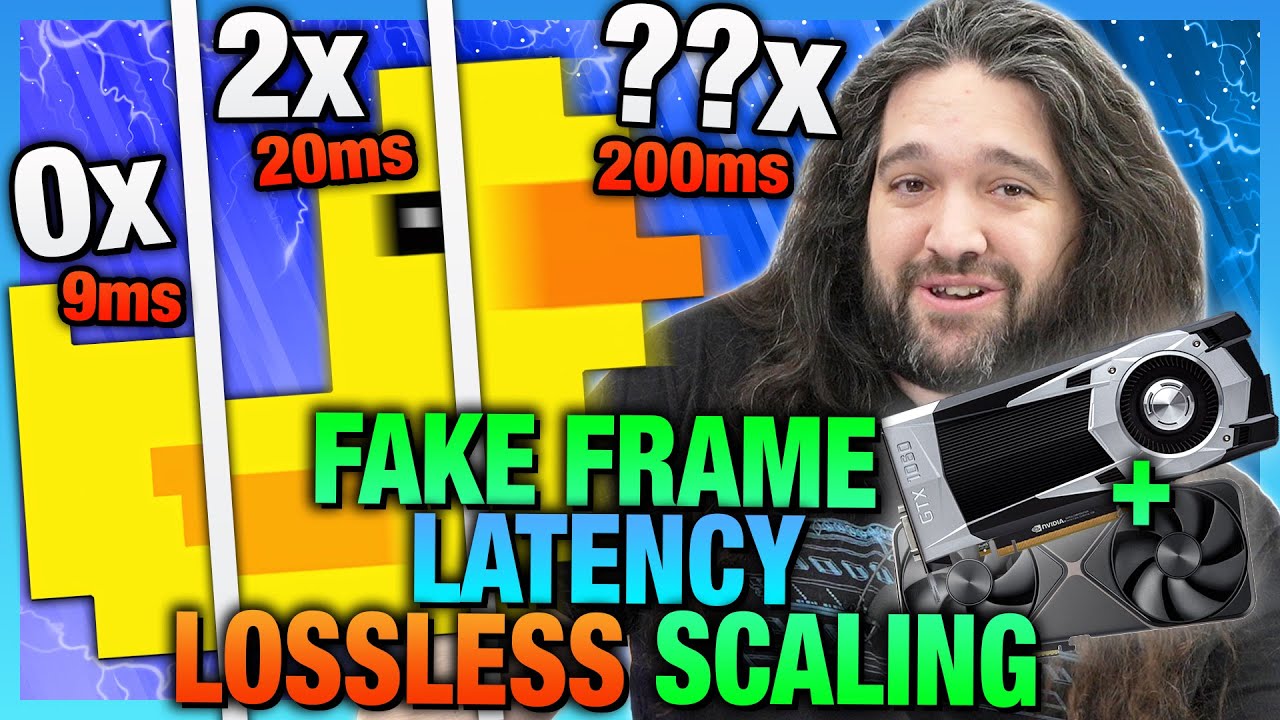
Dual-GPU Fake Frame Latency Benchmarks: $7 Lossless Scaling Frame Generation Test
video description
Date: 2025-12-12
Related videos




Comments and reviews: 20
StrangelyIronic
Worth pointing out, there's extreme diminishing returns on hardware to return on making you better at a competitive game. For basically everyone but maybe the top .01%, maybe even smaller in large games, so on stage pros and top of the top players, extreme framerates, a mouse made of air, etc. aren't going to help you anywhere near as much as just getting better at the game, mechanically and game knowledge wise. Dropping over 2k on a GPU/Monitor isn't going to get you out of Plat or Diamond, it's the ocean of difference in game knowledge and hours spent refining skill that gets you further. Anyone lower it definitely won't do anything. Just to prove a point to my friends complaining about their hardware being why they suck at League or CS:GO, I did a run on a Ryzen 2600, RX850 8GB, 16GB RAM, old G502 Hero, cheap keychron with brown switches, Yincrow X6 flathead earbuds, and a 1080p 60hz TN gaming monitor I got way back in 2010. I was able to hit D1 in League with a sub 62% winrate playing a mixture of Support, ADC, and Top. I hit Legendary Eagle Master in CS:GO with a high winrate and quit that miserable experience (I used to play competitive CS1.6, CS:2, and TF2 in High-school; I honestly dislike CS:G0 and CS2 relative to CS:S). Instead of admitting they just have terrible game sense, they said since I had multiple seasons of D1/Master tier as autofill, Top100/GM on HotS at it's peak, and played CS:S and TF2 competitive in tournaments back when I had time to sink in thousands of hours of into 1 title, my runs didn't count.
I only ever see framegen, at least with the current method of use, being OK for cinematic adventure titles. I've tried it starting at a high point and limiting framerate, and even with CP2077, I could feel the slop in aiming. Maybe I'm just twitching and realize it more than most, but it seemed pointless. I lock my framerates anyway, 1080p60 on my budget machine, that Ryzen 2600 RX580 8GB, that somehow plays CP2077 at 1080p60 no problem... on a mix of low/some medium and FSR with Balanced profile. On my other machine running an RX 6800 XT, I play 1440p120 locked after buying a new monitor that's 160hz with a 320hz 1080p integer scaled mode. Prior to that, I played at 75hz and would let Freesync run.
The ideal application for generating frames would be for it to only activate and generate frames during 0.1% or 1% low fps spikes, smoothing over a perceived stutter for a fraction of a second just to maintain the average native or upscaled framerate. Most latency issues would basically be nonexistent, and you'd have a perceived cleaner average frame delta by smoothing out those spikes. This targeted split second window framegen, at least in the sense of gaming, makes the most sense for me. I understand how impossible that would be at the moment. If you're forced into using existing mythology, you'd basically always be rendering the fake frames at something like 2x, on a secondary card, and then only applying them during a split second detection of a native/true frame spike, and even then it would only be a few frames. You'd be wasting a massive amount of resources for marginal (putting it nicely) improvement. If you create a better generation methodology and fit it on one GPU, that's kind of the dream application for me. I see zero point in having 200 fake frames or whatever, just smooth out the .1% lows on a 1440p120 experience at Ultra settings.
reply
Worth pointing out, there's extreme diminishing returns on hardware to return on making you better at a competitive game. For basically everyone but maybe the top .01%, maybe even smaller in large games, so on stage pros and top of the top players, extreme framerates, a mouse made of air, etc. aren't going to help you anywhere near as much as just getting better at the game, mechanically and game knowledge wise. Dropping over 2k on a GPU/Monitor isn't going to get you out of Plat or Diamond, it's the ocean of difference in game knowledge and hours spent refining skill that gets you further. Anyone lower it definitely won't do anything. Just to prove a point to my friends complaining about their hardware being why they suck at League or CS:GO, I did a run on a Ryzen 2600, RX850 8GB, 16GB RAM, old G502 Hero, cheap keychron with brown switches, Yincrow X6 flathead earbuds, and a 1080p 60hz TN gaming monitor I got way back in 2010. I was able to hit D1 in League with a sub 62% winrate playing a mixture of Support, ADC, and Top. I hit Legendary Eagle Master in CS:GO with a high winrate and quit that miserable experience (I used to play competitive CS1.6, CS:2, and TF2 in High-school; I honestly dislike CS:G0 and CS2 relative to CS:S). Instead of admitting they just have terrible game sense, they said since I had multiple seasons of D1/Master tier as autofill, Top100/GM on HotS at it's peak, and played CS:S and TF2 competitive in tournaments back when I had time to sink in thousands of hours of into 1 title, my runs didn't count.
I only ever see framegen, at least with the current method of use, being OK for cinematic adventure titles. I've tried it starting at a high point and limiting framerate, and even with CP2077, I could feel the slop in aiming. Maybe I'm just twitching and realize it more than most, but it seemed pointless. I lock my framerates anyway, 1080p60 on my budget machine, that Ryzen 2600 RX580 8GB, that somehow plays CP2077 at 1080p60 no problem... on a mix of low/some medium and FSR with Balanced profile. On my other machine running an RX 6800 XT, I play 1440p120 locked after buying a new monitor that's 160hz with a 320hz 1080p integer scaled mode. Prior to that, I played at 75hz and would let Freesync run.
The ideal application for generating frames would be for it to only activate and generate frames during 0.1% or 1% low fps spikes, smoothing over a perceived stutter for a fraction of a second just to maintain the average native or upscaled framerate. Most latency issues would basically be nonexistent, and you'd have a perceived cleaner average frame delta by smoothing out those spikes. This targeted split second window framegen, at least in the sense of gaming, makes the most sense for me. I understand how impossible that would be at the moment. If you're forced into using existing mythology, you'd basically always be rendering the fake frames at something like 2x, on a secondary card, and then only applying them during a split second detection of a native/true frame spike, and even then it would only be a few frames. You'd be wasting a massive amount of resources for marginal (putting it nicely) improvement. If you create a better generation methodology and fit it on one GPU, that's kind of the dream application for me. I see zero point in having 200 fake frames or whatever, just smooth out the .1% lows on a 1440p120 experience at Ultra settings.
reply
TheUltimateBlooper
One thing to note is that secondary GPU LSFG is tricky in general, since it's a dance between base FPS, the PCIE bandwidth, secondary card's compute capability and the resolution you play at.
For example, I use a 4090 as my base GPU and a 3090 as my secondary. I game at 4K HDR, so my limitations become quite apparent: at 4K HDR I can only send 160 frames between GPUs via PCIe 4.0 x8 - which would double when I upgrade both GPUs to PCIe 5.0 capable ones. On top of that, my 3090 can only process 110-115 base frames in 2x mode (so a 220-230fps LSFG output) due to lackluster compute capability. This means that if my 4090 can render a game at more than 120fps at 4K HDR - I'm literally losing base performance as soon as I engage LSFG. If I only do 1440p - none of these limits realistically matter anymore, since all the digits basically double and I'd have no problem filling my 360Hz screen with frames.
And this was mirrored in the video, especially in the uncapped FPS charts, where secondary GPU LSFG suddenly lost a 100 base frames in some cases before FG - that only adds to the latency, but wasn't mentioned as part of the cause!
So to anyone considering this method - be aware of those considerations! You can't just stick any old GPU into the system and expect miracles. Likewise - PCIE bandwidth may very well be a limitation for you, unless you own an expensive board that can do PCIe 5.0 x8 x8 AND have both GPUs running in PCIe 5.0 mode.
reply
One thing to note is that secondary GPU LSFG is tricky in general, since it's a dance between base FPS, the PCIE bandwidth, secondary card's compute capability and the resolution you play at.
For example, I use a 4090 as my base GPU and a 3090 as my secondary. I game at 4K HDR, so my limitations become quite apparent: at 4K HDR I can only send 160 frames between GPUs via PCIe 4.0 x8 - which would double when I upgrade both GPUs to PCIe 5.0 capable ones. On top of that, my 3090 can only process 110-115 base frames in 2x mode (so a 220-230fps LSFG output) due to lackluster compute capability. This means that if my 4090 can render a game at more than 120fps at 4K HDR - I'm literally losing base performance as soon as I engage LSFG. If I only do 1440p - none of these limits realistically matter anymore, since all the digits basically double and I'd have no problem filling my 360Hz screen with frames.
And this was mirrored in the video, especially in the uncapped FPS charts, where secondary GPU LSFG suddenly lost a 100 base frames in some cases before FG - that only adds to the latency, but wasn't mentioned as part of the cause!
So to anyone considering this method - be aware of those considerations! You can't just stick any old GPU into the system and expect miracles. Likewise - PCIE bandwidth may very well be a limitation for you, unless you own an expensive board that can do PCIe 5.0 x8 x8 AND have both GPUs running in PCIe 5.0 mode.
reply
PawnSacrifice
Is that the ARC Raiders duck
I watched a streamer, sponsored stream from PC builder and Nvidia, to run through the fancy new GPU features, he had the Nvidia overlay on which showed the PC Latency element (thanks for clarifying), and talked to the Frame Gen, and corresponding latency. I think he was playing BF6 (maybe ARC Raiders) and in terms of his gaming performance he wasn't suddenly getting rinsed (any worse than usual), even at 3x. He talked to the PC Latency on the overlay, and the increase with more frame gen, even at higher rates the displayed latency wasn't a lot over what I am seeing with DLSS and no fake frames using the same overlay, so apples for apples on the latency monitoring that element (and I have a perfectly playable experience, skill issues are my problem). He dropped backed to 2x to hit the monitors FPS limit, and the latency was lower than I am gaming with now.
So, I've gone from thinking this was all nonsense and would never, to, it's not for me, I don't think, but with a newer GPU if you wanted a smoother experience and to cap out the monitor, I won't judge.
reply
Is that the ARC Raiders duck
I watched a streamer, sponsored stream from PC builder and Nvidia, to run through the fancy new GPU features, he had the Nvidia overlay on which showed the PC Latency element (thanks for clarifying), and talked to the Frame Gen, and corresponding latency. I think he was playing BF6 (maybe ARC Raiders) and in terms of his gaming performance he wasn't suddenly getting rinsed (any worse than usual), even at 3x. He talked to the PC Latency on the overlay, and the increase with more frame gen, even at higher rates the displayed latency wasn't a lot over what I am seeing with DLSS and no fake frames using the same overlay, so apples for apples on the latency monitoring that element (and I have a perfectly playable experience, skill issues are my problem). He dropped backed to 2x to hit the monitors FPS limit, and the latency was lower than I am gaming with now.
So, I've gone from thinking this was all nonsense and would never, to, it's not for me, I don't think, but with a newer GPU if you wanted a smoother experience and to cap out the monitor, I won't judge.
reply
Meditations2024
$7 seems far too expensive for something I can simply get for free, and with much higher visual fidelity, by simply buying an Nvidia GPU....
It's clearly the reason the RX 9000 Series isn't on the Steam Charts yet (will it ever be at this point!).
I find it sad that Hardware Unboxed works so very hard to do a value comparison that is in effect utterly meaningless in practical terms to the end consumer. One might even reasonably argue that their value analysis is anti-consumer, since they are willfully ignoring overwhelming consumer sentiment based off personal opinion alone...
I'm just thankful that I had a great Philosophy professor in college that introduced me to the concept of Epistemology. I've always been pretty good at separating fact from opinion, but once you get into the nature of knowledge and the limits of the human condition, you avoid saying a lot of untrue things that may one day come back to haunt you...
reply
$7 seems far too expensive for something I can simply get for free, and with much higher visual fidelity, by simply buying an Nvidia GPU....
It's clearly the reason the RX 9000 Series isn't on the Steam Charts yet (will it ever be at this point!).
I find it sad that Hardware Unboxed works so very hard to do a value comparison that is in effect utterly meaningless in practical terms to the end consumer. One might even reasonably argue that their value analysis is anti-consumer, since they are willfully ignoring overwhelming consumer sentiment based off personal opinion alone...
I'm just thankful that I had a great Philosophy professor in college that introduced me to the concept of Epistemology. I've always been pretty good at separating fact from opinion, but once you get into the nature of knowledge and the limits of the human condition, you avoid saying a lot of untrue things that may one day come back to haunt you...
reply
GorgonJob
I know this test took a lot of time to make, but I think better results could be better or more close to reality. When we reach those 360fps, that's a very small percentage of people with those high refresh rate monitors. Also, if the mais GPU was getting 120, 180, wouldn't be better to limit the fps at those marks, and not 60fps If we have dual GPU, we are underutilizing the raw render performance and expecting miracles from the second GPU.
In that way, even the GTX 1060 would have better results. Let's say we wanna reach 240hz, and our GPU can go to 180fps raw, we could just bump it to 240hz with a second GPU, and with marginal latency effect, imo.
Nonetheless, that's was a good and complete test, explaining what latency really is and supporting an open source project
reply
I know this test took a lot of time to make, but I think better results could be better or more close to reality. When we reach those 360fps, that's a very small percentage of people with those high refresh rate monitors. Also, if the mais GPU was getting 120, 180, wouldn't be better to limit the fps at those marks, and not 60fps If we have dual GPU, we are underutilizing the raw render performance and expecting miracles from the second GPU.
In that way, even the GTX 1060 would have better results. Let's say we wanna reach 240hz, and our GPU can go to 180fps raw, we could just bump it to 240hz with a second GPU, and with marginal latency effect, imo.
Nonetheless, that's was a good and complete test, explaining what latency really is and supporting an open source project
reply
gamersnexus
Great video! Would love to see some more investigation on high-end use cases for LSFG, for example running a 5090 plus a cheaper older card, specifically to push 4K with HDR at very high refresh rates, or obscure nuts resolutions such as 32:9 7860x2160 and 5120x1440 resolutions.
I've tried it myself with a 5090 3070, but the 3070 simply could not keep up and ran out of bandwidth on the PCIe4 x8 slot, so my performance was actually worse than the 5090 alone in basically every use case --4K HDR, the 3070 couldn't handle anything higher than a 50 FPS base framerate. Seems like a 5070 or 5070Ti would be better suited for this scenario, mostly due to the PCIe5 x8 capability which gives you double the PCIe bandwidth available to actually process those 4K HDR frames.
reply
Great video! Would love to see some more investigation on high-end use cases for LSFG, for example running a 5090 plus a cheaper older card, specifically to push 4K with HDR at very high refresh rates, or obscure nuts resolutions such as 32:9 7860x2160 and 5120x1440 resolutions.
I've tried it myself with a 5090 3070, but the 3070 simply could not keep up and ran out of bandwidth on the PCIe4 x8 slot, so my performance was actually worse than the 5090 alone in basically every use case --4K HDR, the 3070 couldn't handle anything higher than a 50 FPS base framerate. Seems like a 5070 or 5070Ti would be better suited for this scenario, mostly due to the PCIe5 x8 capability which gives you double the PCIe bandwidth available to actually process those 4K HDR frames.
reply
lordsqueak
gamernexus
I would just like to add, that an improved FPS can in fact improve your experience despite latency staying the same. Because we humans can adapt to the input delay and learn to time accordingly.
Now the real advantage would be that our brains will be able to compute movements faster at a higher FPS, because it will have more information to work with. So if you are trying to, for example, snap off a shot on a moving target, it will be faster for the brain to compute where to place that shot, and with the adapting to the input delay, we could in fact time it well. . . in theory.
This of course relies on the latency being consistent. and that's usually the biggest issue with latency.
TLDR. more FPS makes brain process data faster.
reply
gamernexus
I would just like to add, that an improved FPS can in fact improve your experience despite latency staying the same. Because we humans can adapt to the input delay and learn to time accordingly.
Now the real advantage would be that our brains will be able to compute movements faster at a higher FPS, because it will have more information to work with. So if you are trying to, for example, snap off a shot on a moving target, it will be faster for the brain to compute where to place that shot, and with the adapting to the input delay, we could in fact time it well. . . in theory.
This of course relies on the latency being consistent. and that's usually the biggest issue with latency.
TLDR. more FPS makes brain process data faster.
reply
nwheatcraft
Did you use performance mode Kind of surprised you didn't use the 1060 as the main card. I sometimes wonder how much of the lag in these modern games is coming from nvidia driver overhead. I was laughing at the latency increase you got on one of those games for just having two gpus and using just one. From my use case, I use LFSG on the steamdeck. If a game can run fairly stable at 40fps, I'll lock it to 30 fps and double the fps with LSFG. It could be interesting to see what happens when you try linux. Could also be interesting to see what APIs provide what overhead. DX11 V DX12 v Proton/Vulk. I have a buddy that modern games on a 2070 and has a 4k ultra wide monitor. LSFG is basically a constant for him.
reply
Did you use performance mode Kind of surprised you didn't use the 1060 as the main card. I sometimes wonder how much of the lag in these modern games is coming from nvidia driver overhead. I was laughing at the latency increase you got on one of those games for just having two gpus and using just one. From my use case, I use LFSG on the steamdeck. If a game can run fairly stable at 40fps, I'll lock it to 30 fps and double the fps with LSFG. It could be interesting to see what happens when you try linux. Could also be interesting to see what APIs provide what overhead. DX11 V DX12 v Proton/Vulk. I have a buddy that modern games on a 2070 and has a 4k ultra wide monitor. LSFG is basically a constant for him.
reply
Malins2000
I think it would be better to show average time per frame instead of FPS.
Because latency is measured in miliseconds. FPS is measure of frequency. to get head around how many frames was visible between input to actual influence on the game world, showing average frame time (so 1/FPS) would give same unit.
In case of 60 FPS cap, frame by average is displayed every 16.6(7) ms. So 30.9 ms latency is about two frames. Which would agree with your previous videos when you discussed how frames being generated. It was that while we see current frame N, GPU is rendering frame N1 and CPU is computing frame N2. When click comes, then it will be computed on frame n3 -> hence 2 frame time latency.
reply
I think it would be better to show average time per frame instead of FPS.
Because latency is measured in miliseconds. FPS is measure of frequency. to get head around how many frames was visible between input to actual influence on the game world, showing average frame time (so 1/FPS) would give same unit.
In case of 60 FPS cap, frame by average is displayed every 16.6(7) ms. So 30.9 ms latency is about two frames. Which would agree with your previous videos when you discussed how frames being generated. It was that while we see current frame N, GPU is rendering frame N1 and CPU is computing frame N2. When click comes, then it will be computed on frame n3 -> hence 2 frame time latency.
reply
nehylen5738
The 2nd GPU LSFG possibility is both a boon, and coming with awful timing: there are no longer any modern single slot GPUs. And according the the LSFG community spreadsheet, all the RTX 30XX series are oddly worse than comparable AMD competitors as a 2nd GPU, sometimes worse than the previous NVidAI generation.
The last consumer available ones for each are the Radeon 6400 and the RTX 3050. Now, iGPUs are supposed to handle the slack except we don't get any good one on OEM CPUs: there's no unsoldered Ryzen AI 395 available, for instance. What exists in a 9800X3D is just minimal file explorer/wallpaper display-only capable chip.
reply
The 2nd GPU LSFG possibility is both a boon, and coming with awful timing: there are no longer any modern single slot GPUs. And according the the LSFG community spreadsheet, all the RTX 30XX series are oddly worse than comparable AMD competitors as a 2nd GPU, sometimes worse than the previous NVidAI generation.
The last consumer available ones for each are the Radeon 6400 and the RTX 3050. Now, iGPUs are supposed to handle the slack except we don't get any good one on OEM CPUs: there's no unsoldered Ryzen AI 395 available, for instance. What exists in a 9800X3D is just minimal file explorer/wallpaper display-only capable chip.
reply
Connorhockeydude
has anyone else been having a lot of problems with amd adrenaline and display issues since 25h2 I can no longer open adrenaline on my computer. I have factory reset it multiple times, used a windows install usb to have a clean install and delete partitions, among other software updates and driver updating strategies. I have a gigabyte x870e, 9800x3d, 128gb ddr5, a 6800xt, and a 7700xt, a 2tb gen 5 ssd with a 1500 watt psu. if anyone has experienced similar problems and/or has a similar setup and a solution I would love to hear it. my computer is usable but the amount of problems I have been having recently is insane
reply
has anyone else been having a lot of problems with amd adrenaline and display issues since 25h2 I can no longer open adrenaline on my computer. I have factory reset it multiple times, used a windows install usb to have a clean install and delete partitions, among other software updates and driver updating strategies. I have a gigabyte x870e, 9800x3d, 128gb ddr5, a 6800xt, and a 7700xt, a 2tb gen 5 ssd with a 1500 watt psu. if anyone has experienced similar problems and/or has a similar setup and a solution I would love to hear it. my computer is usable but the amount of problems I have been having recently is insane
reply
nath4096
Great vid.
But it got me thinking...
Hypothetically, would a workstation gpu be a viable option for the scaling/frame gen
For example; the recently released Intel Arc pro B50
- Only need 70watts, so doesn't take-up much power compared to other gpu (and plus no need to hook-up any wires into it)
- as small as the 4060 LP so it doesn't block airflow as much as a full length card, very good when you don't have much space between you pcie slots.
- and has 16gb vram, to help with the frame gen.
- and finally, Workstation cards primary handle AI stuff right so would frame gen / scalling be the same then
reply
Great vid.
But it got me thinking...
Hypothetically, would a workstation gpu be a viable option for the scaling/frame gen
For example; the recently released Intel Arc pro B50
- Only need 70watts, so doesn't take-up much power compared to other gpu (and plus no need to hook-up any wires into it)
- as small as the 4060 LP so it doesn't block airflow as much as a full length card, very good when you don't have much space between you pcie slots.
- and has 16gb vram, to help with the frame gen.
- and finally, Workstation cards primary handle AI stuff right so would frame gen / scalling be the same then
reply
jakobschneider558
That is one reason why I bought my 5090 last week. I want to be able to play games without any FG. 1440p, Pathtracing on Max settings in CP2077 is giving me 70-85fps, when I use the full 600W (And my 7800x3d with 32gb ram). When I limit the GPU to 67% TDP (400W), I still get smooth 50-60fps. I also bought it for workflow and AI reasons.
I never would have it bought just for gaming. Compared to my 3080ti it was a big jump.
I only use LS for emulators, since normal games feel so wobbly and spongy for some reason. I don't know why, but I also don't have to care anymore. :D
reply
That is one reason why I bought my 5090 last week. I want to be able to play games without any FG. 1440p, Pathtracing on Max settings in CP2077 is giving me 70-85fps, when I use the full 600W (And my 7800x3d with 32gb ram). When I limit the GPU to 67% TDP (400W), I still get smooth 50-60fps. I also bought it for workflow and AI reasons.
I never would have it bought just for gaming. Compared to my 3080ti it was a big jump.
I only use LS for emulators, since normal games feel so wobbly and spongy for some reason. I don't know why, but I also don't have to care anymore. :D
reply
microcolonel
Root mean square is a reasonable metric for latency comparison. It counts the significance of the spikes somewhat well. You can use higher powers and roots to weigh spikes and waves of high latency more significantly.
Power means more generally have the nice property that as you increase the power toward infinity, the result converges toward the maximum value, this gives you a lot of adjustability (which lets you tailor your metrics based on qualitative testing, or change the power used based on the median frame interval to account for time).
reply
Root mean square is a reasonable metric for latency comparison. It counts the significance of the spikes somewhat well. You can use higher powers and roots to weigh spikes and waves of high latency more significantly.
Power means more generally have the nice property that as you increase the power toward infinity, the result converges toward the maximum value, this gives you a lot of adjustability (which lets you tailor your metrics based on qualitative testing, or change the power used based on the median frame interval to account for time).
reply
spyrous62
You do realize that Lossness is primarily used by peaople that have older GPUs that do not have all these new technologies and want to play new games in better visual quality and frames. What is the point of having a GPU that can output more thn 60 fps to a game, cap it at 60 and use LS1 and frame generation Furthermore if the GPU is new and already has DlSS4 or FSR4 It is more useful to do these tests on older GPUs like GTX1660, RX570 etc that can make 50 fps at most, and using the onboard GPU as the secondary.
reply
You do realize that Lossness is primarily used by peaople that have older GPUs that do not have all these new technologies and want to play new games in better visual quality and frames. What is the point of having a GPU that can output more thn 60 fps to a game, cap it at 60 and use LS1 and frame generation Furthermore if the GPU is new and already has DlSS4 or FSR4 It is more useful to do these tests on older GPUs like GTX1660, RX570 etc that can make 50 fps at most, and using the onboard GPU as the secondary.
reply
CruiseShip365
In the video, when setting up dual GPUs,
why is the monitor cable connected to the 5060ti
Don't you even know the basics about the secondary GPU being responsible for monitor output when running dual GPU LSFG
The setup shown in the video appears to be a 5060ti 3060.
Then, it can't be because the 3060 doesn't support 360Hz monitor output...
The whole point of running dual GPU LSFG is to minimize latency by having the secondary GPU handle all the output.
So, what's the point
reply
In the video, when setting up dual GPUs,
why is the monitor cable connected to the 5060ti
Don't you even know the basics about the secondary GPU being responsible for monitor output when running dual GPU LSFG
The setup shown in the video appears to be a 5060ti 3060.
Then, it can't be because the 3060 doesn't support 360Hz monitor output...
The whole point of running dual GPU LSFG is to minimize latency by having the secondary GPU handle all the output.
So, what's the point
reply
TheJinxedkarma
Thank you Steve for bringing to light FPS is not what you feel in game. It's latency. And latency in game changes your ability to function in game like you might would with less latency. I used to overclock a 875K with a 580 and the difference was massive depending on how I overclocked it. Latency in data getting in or out changed and either I wouldn't win gun fights or I literally couldn't lose. I wish I'd have kept that system for as long as it was viable. That thing worked for FPS gaming.
reply
Thank you Steve for bringing to light FPS is not what you feel in game. It's latency. And latency in game changes your ability to function in game like you might would with less latency. I used to overclock a 875K with a 580 and the difference was massive depending on how I overclocked it. Latency in data getting in or out changed and either I wouldn't win gun fights or I literally couldn't lose. I wish I'd have kept that system for as long as it was viable. That thing worked for FPS gaming.
reply
tomoprime217
Thanks Steve. I find AFMF 2.1 has way better latency anyways. Some people got AFMF to work with dual GPUs go figure! I don't enjoy the performance hit LSFG incurs. I find it better to cap a better framerate with LSFG off if the system is struggling. Lossless does better on newer AMD hardware believe it or not vs nvidia as the lossless encoding hits a higher math precision. There are also some tricky windows display setting bottlenecks you have to ensure are disabled in a dual gpu setup.
reply
Thanks Steve. I find AFMF 2.1 has way better latency anyways. Some people got AFMF to work with dual GPUs go figure! I don't enjoy the performance hit LSFG incurs. I find it better to cap a better framerate with LSFG off if the system is struggling. Lossless does better on newer AMD hardware believe it or not vs nvidia as the lossless encoding hits a higher math precision. There are also some tricky windows display setting bottlenecks you have to ensure are disabled in a dual gpu setup.
reply
LRFLEW
16:21 Honestly, I think this graph could have used an entry for 4x LSFG using the iGPU on the 9800X3D. Showing the results using older cards that people might have around is useful, but a lot more people are going to have an iGPU than a spare dGPU. Additionally, knowing whether the poor results of the 1060 is due more to its speed or its age (i.e. using an older architecture) would be helpful, and having the datapoint of a more modern, but less powerful iGPU would be helpful with that.
reply
16:21 Honestly, I think this graph could have used an entry for 4x LSFG using the iGPU on the 9800X3D. Showing the results using older cards that people might have around is useful, but a lot more people are going to have an iGPU than a spare dGPU. Additionally, knowing whether the poor results of the 1060 is due more to its speed or its age (i.e. using an older architecture) would be helpful, and having the datapoint of a more modern, but less powerful iGPU would be helpful with that.
reply
siraff4461
Remember when cards generally jumped to double or at least a massive increase in power every generation Remember how the same amount of power kept getting cheaper every generation
We used to get a 30% increase in power and a 5% increase in price. Now we get barely any difference in actual experience (ignoring the fake frame BS) with a 50%-100% increase in price.
We should have all stuck with the 10 and 20 series cards when the 30's massive price increases were out.
reply
Remember when cards generally jumped to double or at least a massive increase in power every generation Remember how the same amount of power kept getting cheaper every generation
We used to get a 30% increase in power and a 5% increase in price. Now we get barely any difference in actual experience (ignoring the fake frame BS) with a 50%-100% increase in price.
We should have all stuck with the 10 and 20 series cards when the 30's massive price increases were out.
reply
Add a review, comment
Other channel videos