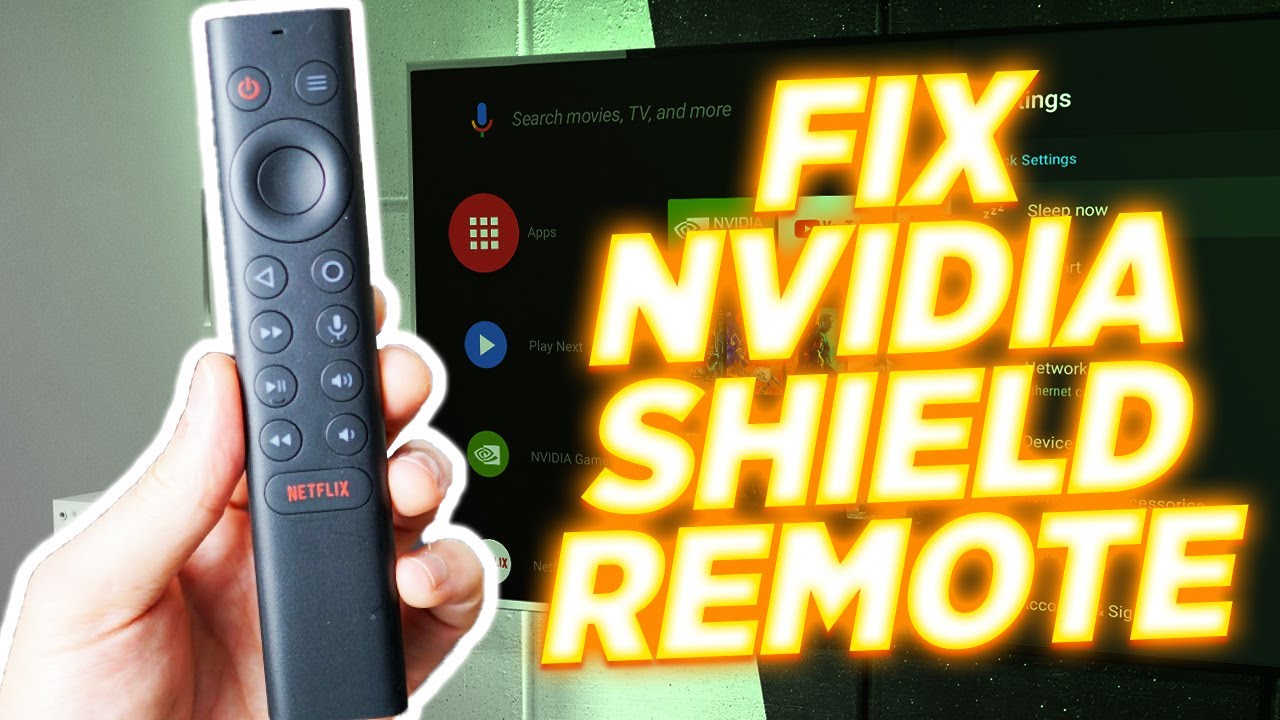
How to Fix your Nvidia Shield tv Remote - 5 solutions
video description
1. Go into apps, system apps and look for Bluetooth, there are 2..force stop first then clear cache, then clear all data, do same on 2nd except there is no force stop.
2. Then reset remote as you described bulling battery and key combo.
3. Unplug shield for 30 seconds or more.
Thats it, when you plug it back in, it will auto pair and mine has been working for several moths now.
PS...I had so many issues for so long, I kept complaining to Nvidia over and over until they finally sent me a warranty replacement, but I still had same issue after a short while.\r\n
Date: 2024-03-02
Related videos


Comments and reviews: 31
StefanoGottardo
unfurnately to me nothing works, you can disconnect it, replace with new battery, clear bluetooth...etc after 1 day remote become freezed only backlight works until you remove/reinsert same battery, but removing/reinserting same batteries every day is absurd...
I discovered that if i leave the remote control with firmware freezed for 3/4 days it starts working again but after use it become freezed again
looks like as internal standby routine on shield remote chip seems to have a bug
However, forcing the disconnection via GUI, causes the same effect and remote become unusable
at the end i was forced to use a remote control from an old cheap Chinese device not good but at least works
reply
unfurnately to me nothing works, you can disconnect it, replace with new battery, clear bluetooth...etc after 1 day remote become freezed only backlight works until you remove/reinsert same battery, but removing/reinserting same batteries every day is absurd...
I discovered that if i leave the remote control with firmware freezed for 3/4 days it starts working again but after use it become freezed again
looks like as internal standby routine on shield remote chip seems to have a bug
However, forcing the disconnection via GUI, causes the same effect and remote become unusable
at the end i was forced to use a remote control from an old cheap Chinese device not good but at least works
reply
lukek6492
More steps!!!!!
I got mine working... AGAIN!!!
Try this... I just fixed mine.
Replace batteries.
Do the reset as described in video.
Hold select and home install second battery.
BEEEEEP
not working
Be at least 1 foot away from box
Press and hold
Home and Back button.
It will start to flash.
It should connect in a few moments.
If that doesnt work.
Take out one battery and do reset.
Center and home button
Beeeeep.
Now press and hold center button
Remote will flash.
Let it flash.
Hopefully it will connect.
I did all steps a few times... and BAMMM!!
SHE IS ALIVE AND WORKING
;)
reply
More steps!!!!!
I got mine working... AGAIN!!!
Try this... I just fixed mine.
Replace batteries.
Do the reset as described in video.
Hold select and home install second battery.
BEEEEEP
not working
Be at least 1 foot away from box
Press and hold
Home and Back button.
It will start to flash.
It should connect in a few moments.
If that doesnt work.
Take out one battery and do reset.
Center and home button
Beeeeep.
Now press and hold center button
Remote will flash.
Let it flash.
Hopefully it will connect.
I did all steps a few times... and BAMMM!!
SHE IS ALIVE AND WORKING
;)
reply
lukek6492
Hey. I fixed mine too...
Took out batteries.
made sure batteries were good.
Put in top battery.
Held select circular button and circle home button.
Put in second battery while holding the two buttons.
I heard a beep.
It didn't work... did it twice again.
With batteries in i pressed select abd home together... held it for 3 seconds remote started flashing...
And few seconds later it's back to normal.
All works
reply
Hey. I fixed mine too...
Took out batteries.
made sure batteries were good.
Put in top battery.
Held select circular button and circle home button.
Put in second battery while holding the two buttons.
I heard a beep.
It didn't work... did it twice again.
With batteries in i pressed select abd home together... held it for 3 seconds remote started flashing...
And few seconds later it's back to normal.
All works
reply
markjackson2395
I just want to say even though this video is a year old as someone with a learning disability thanks for the simple explanation. My Nvidia Shield remote stopped partially working so ive had to buy a new one which came today. After problems linking the new one up i went through your video with the faulty one particularly the part of replacing the batteries and switch and touch wood its back in working order so thank you for your help.
reply
I just want to say even though this video is a year old as someone with a learning disability thanks for the simple explanation. My Nvidia Shield remote stopped partially working so ive had to buy a new one which came today. After problems linking the new one up i went through your video with the faulty one particularly the part of replacing the batteries and switch and touch wood its back in working order so thank you for your help.
reply
kevin_736
Thanks for the video! Unfortunately none of those methods worked for me. BUT I was able to get my remote working. What I did :
Unplugged the shield's power waited about 10 seconds.
Then I pressed both the play button and the circle button (above the mic button)
And it worked! Obviously make sure you have working batteries. Thanks again for the video!
reply
Thanks for the video! Unfortunately none of those methods worked for me. BUT I was able to get my remote working. What I did :
Unplugged the shield's power waited about 10 seconds.
Then I pressed both the play button and the circle button (above the mic button)
And it worked! Obviously make sure you have working batteries. Thanks again for the video!
reply
akilo32
If these steps don’t work you probably just have to pair your remote to your Nvida Shield again. That’s what I had to do when these steps didn’t work. All I had to do was unplug my Nvida Shield plug it back in and wait for the Home Screen to load up. Then press and hold the select button for 15 seconds or till your Nvida Shield confirms it is paired.
reply
If these steps don’t work you probably just have to pair your remote to your Nvida Shield again. That’s what I had to do when these steps didn’t work. All I had to do was unplug my Nvida Shield plug it back in and wait for the Home Screen to load up. Then press and hold the select button for 15 seconds or till your Nvida Shield confirms it is paired.
reply
chrisboucher79
another great video. my remote was still not working after I followed the steps, although it did beep when I pushed those two buttons and installed the other battery, so I decided to try and plug the shield and disconnect it from the TV, then tried your steps over again and it worked.
reply
another great video. my remote was still not working after I followed the steps, although it did beep when I pushed those two buttons and installed the other battery, so I decided to try and plug the shield and disconnect it from the TV, then tried your steps over again and it worked.
reply
user-lh3zs5yb4y
If the shield/TV is not on --- before exhausting your suggestion and buying a new remote-- I was successful by unplugging TV/Shield when I plugged the shield/Tv & automatically the Shield TV tuned back which very quickly paired with my remote --- remote then working perfectly
reply
If the shield/TV is not on --- before exhausting your suggestion and buying a new remote-- I was successful by unplugging TV/Shield when I plugged the shield/Tv & automatically the Shield TV tuned back which very quickly paired with my remote --- remote then working perfectly
reply
iptv
Wow!!!! Thank you ! Didn't think doing the one battery trick would work but it certainly does. I have nvidia older version. It beeped! I was about to throw it away and get a new remote. The remote has fallen countless times it has tape all over it. Thanks a million!!
reply
Wow!!!! Thank you ! Didn't think doing the one battery trick would work but it certainly does. I have nvidia older version. It beeped! I was about to throw it away and get a new remote. The remote has fallen countless times it has tape all over it. Thanks a million!!
reply
samubolvivat9504
I followed thru your step by reset the remote (one battery with both button held down then insert a 2nd battery) and hear beep sound. but still won't work. I went ahead and unplug my NVIDIA SHIELD 4K unit to reboot the shield.... REMOTE IS WORKING!!!!!!
reply
I followed thru your step by reset the remote (one battery with both button held down then insert a 2nd battery) and hear beep sound. but still won't work. I went ahead and unplug my NVIDIA SHIELD 4K unit to reboot the shield.... REMOTE IS WORKING!!!!!!
reply
iptv
Do you use Kodi If so, do you know how to exit a link, that has been selected, using the remote At the moment the only way I can exit a link is to select another link. Even then, it seems the 1st link seems to keep running in the background.
reply
Do you use Kodi If so, do you know how to exit a link, that has been selected, using the remote At the moment the only way I can exit a link is to select another link. Even then, it seems the 1st link seems to keep running in the background.
reply
memobug
How to fix your remote if it already works!
If you’re not getting any led backlights after replacing batteries unplug and repower the shield. Then press the select (big round button) for 5 secs until it flashes And it should Re-pair
reply
How to fix your remote if it already works!
If you’re not getting any led backlights after replacing batteries unplug and repower the shield. Then press the select (big round button) for 5 secs until it flashes And it should Re-pair
reply
TheGothicdolphin
These damn Nvidia remotes are so quirky. The first NS remote constantly warned 'low battery' and you had to switch the battery positions to clear the warning! It's 2023 how difficult can it be to make a reliable remote!
reply
These damn Nvidia remotes are so quirky. The first NS remote constantly warned 'low battery' and you had to switch the battery positions to clear the warning! It's 2023 how difficult can it be to make a reliable remote!
reply
ghyde7798
Great video thank you, just got a new shield after setting up 1 week later cannot get it to start with my remote. Have to unplug and re plugin to turn on. Do you have any video regarding this matter
reply
Great video thank you, just got a new shield after setting up 1 week later cannot get it to start with my remote. Have to unplug and re plugin to turn on. Do you have any video regarding this matter
reply
JohnTheodore
Thanks! Helped me pair my new remote that I had to get after my old one disintegrated from hitting the floor a couple times. Definitely recommend getting a rubber case for these fragile little guys
reply
Thanks! Helped me pair my new remote that I had to get after my old one disintegrated from hitting the floor a couple times. Definitely recommend getting a rubber case for these fragile little guys
reply
Housestationlive
best video ever of the day. because i'm saying it every day. i don t have purchased the official remote. official remote was 50 while unofficial 22. this is abusively expensive.
reply
best video ever of the day. because i'm saying it every day. i don t have purchased the official remote. official remote was 50 while unofficial 22. this is abusively expensive.
reply
lukek6492
Well.... i fixxed it ... and it worked for a while ....
Now.... she will reset... beeep but nothing happens ...
No lights... and nothing works :(
Maybe new remote now :(
reply
Well.... i fixxed it ... and it worked for a while ....
Now.... she will reset... beeep but nothing happens ...
No lights... and nothing works :(
Maybe new remote now :(
reply
billknauss7963
The only thing that worked for me was pulling the power cord out of the Shield and leaving it out for about 30 seconds. When I plugged it back in everything worked fine.
reply
The only thing that worked for me was pulling the power cord out of the Shield and leaving it out for about 30 seconds. When I plugged it back in everything worked fine.
reply
eddieeverly8268
Lost my other remote and spent 2 days trying to figure out how to pair the other remote finally found the right you tube video to help. Amazing!!! Thank you so much!!!
reply
Lost my other remote and spent 2 days trying to figure out how to pair the other remote finally found the right you tube video to help. Amazing!!! Thank you so much!!!
reply
N-e.o
Just bought the 2019 Shield Tv yesterday and now it doesnt turn on Just did everything you did and the remote did make a noise but nothing on screen so the unit is still off
reply
Just bought the 2019 Shield Tv yesterday and now it doesnt turn on Just did everything you did and the remote did make a noise but nothing on screen so the unit is still off
reply
fefe5689
Thank You. Your method for holding buttons and entering one battery really worked and saved me $30. I appreciate the tutorial. VERY HELPFUL. KEEP UP THE GOOD WORK,!
reply
Thank You. Your method for holding buttons and entering one battery really worked and saved me $30. I appreciate the tutorial. VERY HELPFUL. KEEP UP THE GOOD WORK,!
reply
alantremblay2139
Good work. I still use the 2017 Shield, but bought the 2019 remote -- a massive improvement in so many respects, highly recommend this to everyone.
reply
Good work. I still use the 2017 Shield, but bought the 2019 remote -- a massive improvement in so many respects, highly recommend this to everyone.
reply
CreamyBone
If your remote stops working after changing the battery... restart your nvidia shield by pulling the power. It will automatically pair on reboot.
reply
If your remote stops working after changing the battery... restart your nvidia shield by pulling the power. It will automatically pair on reboot.
reply
iptv
There was no light or anything in my remote. Dead.
But then I turned off the power to my Shield and back on after 30 seconds.
That worked for me!
reply
There was no light or anything in my remote. Dead.
But then I turned off the power to my Shield and back on after 30 seconds.
That worked for me!
reply
sebrinaprewitt5171
How do I turn on my Nvidia shield tube without a remote Somehow the remote disconnect from the tube and I can't turn it on. Can you help
reply
How do I turn on my Nvidia shield tube without a remote Somehow the remote disconnect from the tube and I can't turn it on. Can you help
reply
CL-dr2kb
Thank you for this video! It fixed my issue with my remote when it’s pairing with the Shield Pro device stopped communicating with each other
reply
Thank you for this video! It fixed my issue with my remote when it’s pairing with the Shield Pro device stopped communicating with each other
reply
ramiyacoub5092
Thanks, Fresh batteries, and using the 1 battery then two battery method in the video worked and beeped and it began working again
reply
Thanks, Fresh batteries, and using the 1 battery then two battery method in the video worked and beeped and it began working again
reply
JasonDanzi
You might want to tell people the other method that words sometimes. Unplug and plug back in the Nvidia Shield device itself
reply
You might want to tell people the other method that words sometimes. Unplug and plug back in the Nvidia Shield device itself
reply
nickfox9669
Good info, except not sure how to reset my remote control with one battery only, since I have an older version
reply
Good info, except not sure how to reset my remote control with one battery only, since I have an older version
reply
iptv
Man, thanks a ton. I was about to throw off my Nvidia remote but your advice worked. Thanks again dude for your help.
reply
Man, thanks a ton. I was about to throw off my Nvidia remote but your advice worked. Thanks again dude for your help.
reply
manniefd
The battery reset works 100%.Thanks.Remote connects automatically immediately. Continue the good work.
reply
The battery reset works 100%.Thanks.Remote connects automatically immediately. Continue the good work.
reply
Add a review, comment
Other channel videos