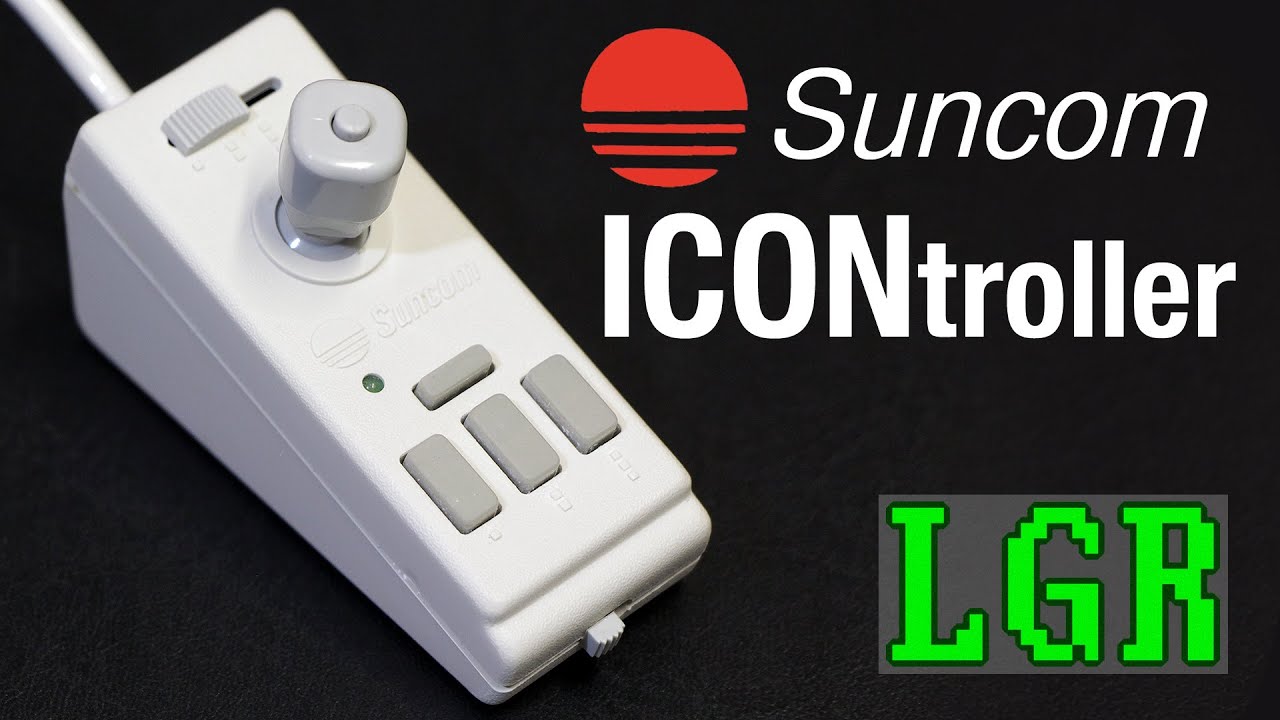
LGR Oddware - ICONtroller Input Device
video description
But this seems like the earliest iteration of the concept that became the infamous TrackPoint mouse on IBM laptops. Tilt it and the cursor moves. It would probably work better with stronger, non-23-year-old adhesive though.
Date: 2022-04-14
Related videos





Comments and reviews: 9
Maarten
Philips always made great things, although I think that the tilting action was rather far from perfect (or, more likely, too real. They also tended to make things that weren't necessarily great commercial successes, and they always had trouble with the marketing of stuff. So much so that most courses on marketing included a reference to Philips on how -not- to do things. So yeah, working oddware - exactly Philips in the computer space.
reply
Philips always made great things, although I think that the tilting action was rather far from perfect (or, more likely, too real. They also tended to make things that weren't necessarily great commercial successes, and they always had trouble with the marketing of stuff. So much so that most courses on marketing included a reference to Philips on how -not- to do things. So yeah, working oddware - exactly Philips in the computer space.
reply
MS
I think this would have been better paired with a laptop from that era. Remember the tiny little nubs? They were terrible! I think this would have worked far better as a replacement for them (assuming one would not want to or could not simply use a real mouse. I do agree with you that the mouse button placement is not well thought out, and its compatibility is iffy. What about in Windows?
reply
I think this would have been better paired with a laptop from that era. Remember the tiny little nubs? They were terrible! I think this would have worked far better as a replacement for them (assuming one would not want to or could not simply use a real mouse. I do agree with you that the mouse button placement is not well thought out, and its compatibility is iffy. What about in Windows?
reply
the
some of the things in it is rather cool like the -speed controller- that makes sense now days because like when going on desktop i like it going a bit slower to hit the right thing but for web browsing i want fas but sometimes need slow or like panting without an art pad changing on the fly would be a Big help, also makes more sense then a trak pad
reply
some of the things in it is rather cool like the -speed controller- that makes sense now days because like when going on desktop i like it going a bit slower to hit the right thing but for web browsing i want fas but sometimes need slow or like panting without an art pad changing on the fly would be a Big help, also makes more sense then a trak pad
reply
shawbros
I have an ICONtroller that is made for Commodore 64. It plugged in between your joystick and the joystick port. It was just a mini version of your joystick, and it worked great.
For games that used the keyboard and joystick, it was VERY convenient to have a tiny joystick mounted on the side of the keyboard.
reply
I have an ICONtroller that is made for Commodore 64. It plugged in between your joystick and the joystick port. It was just a mini version of your joystick, and it worked great.
For games that used the keyboard and joystick, it was VERY convenient to have a tiny joystick mounted on the side of the keyboard.
reply
Viki
Heh, you correpted yourself. _Really old_ PCs used DB25 for at least one of their serial ports too (opposite gender to the DB25-Parallel port. Left-over from mainframe/mini days, when a lot more of those pins were used for some configurations of the serial connection, I believe.
reply
Heh, you correpted yourself. _Really old_ PCs used DB25 for at least one of their serial ports too (opposite gender to the DB25-Parallel port. Left-over from mainframe/mini days, when a lot more of those pins were used for some configurations of the serial connection, I believe.
reply
Crabmastaflash
I like the idea of a joystick mouse. A long time ago, my laptop's mouse pad broke so I set up a wired xbox 360 controller to use as a mouse. Right joystick to move, D-pad to scroll, right trigger and right shoulder to left and right click.
reply
I like the idea of a joystick mouse. A long time ago, my laptop's mouse pad broke so I set up a wired xbox 360 controller to use as a mouse. Right joystick to move, D-pad to scroll, right trigger and right shoulder to left and right click.
reply
Catriona
I think it was Birds of Prey, wehre you could fly that experimental X-something plane. I actually pointed it vertically in the sky, gave it the beans and reached a height on the altimeter that equalled the distance to the moon.
reply
I think it was Birds of Prey, wehre you could fly that experimental X-something plane. I actually pointed it vertically in the sky, gave it the beans and reached a height on the altimeter that equalled the distance to the moon.
reply
Shawn
It looks like something designed for use with CAD, where you'd want to be able to click the buttons with a 100% guarantee that you won't nudge the pointer in the process. Good luck doing THAT with a normal mouse or joystick.
reply
It looks like something designed for use with CAD, where you'd want to be able to click the buttons with a 100% guarantee that you won't nudge the pointer in the process. Good luck doing THAT with a normal mouse or joystick.
reply
Kenneth
I had the Commodore 64 version of this, and loved it, the one button layout worked out better using the bottom of your thumb while playing a game. I got so used to this normal Joysticks felt weird when I would use them.
reply
I had the Commodore 64 version of this, and loved it, the one button layout worked out better using the bottom of your thumb while playing a game. I got so used to this normal Joysticks felt weird when I would use them.
reply
Add a review, comment
Other channel videos