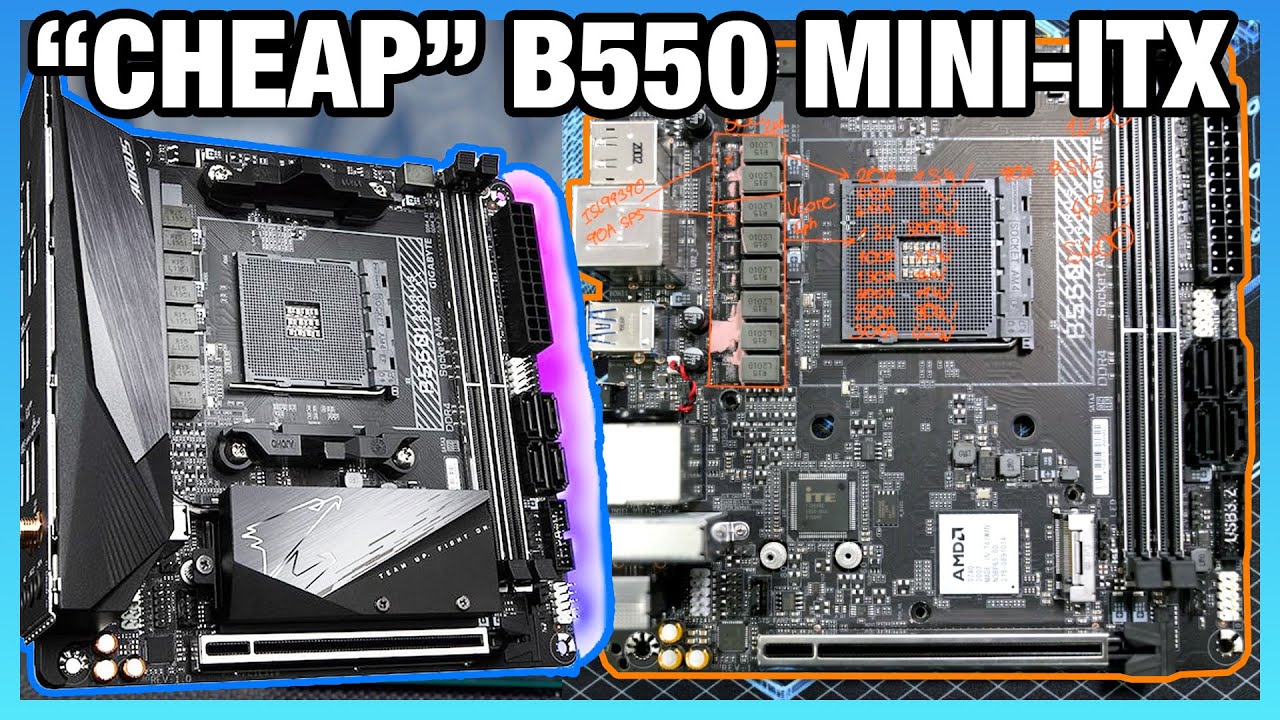
Cheap AMD B550 Mini-ITX Motherboard PCB Review: Gigabyte B550i Pro AX
video description
Date: 2020-06-26
Related videos


Comments and reviews: 9
MalakiLab
You mentioned the thermal sensors working, but looking at the board, i see an ITE SuperIO. It would be nice to see an analysis of which board have which SuperIO. It's something i usually don't find in spec sheets, and even when i write the manufacturer, they tell me they are not sure, so then i take a chance, receive it, and i'm not able to have thermal information off the bat, especially since i use Linux and i mostly compile at maximum speed, sometimes for hours, i need to know if the chipset need extra cooling or not, and i shouldn't have to put hours in reverse-engineering the SuperIO or try to guess a somewhat working driver override. Manufacturers should have more pressure on putting technology we can actually work with. If a board manufacturer would offer me 100% usable and accurate temperature and voltage sensors in Windows and Linux, even if it was 100 more expensive, it would be the one i'd buy.
reply
You mentioned the thermal sensors working, but looking at the board, i see an ITE SuperIO. It would be nice to see an analysis of which board have which SuperIO. It's something i usually don't find in spec sheets, and even when i write the manufacturer, they tell me they are not sure, so then i take a chance, receive it, and i'm not able to have thermal information off the bat, especially since i use Linux and i mostly compile at maximum speed, sometimes for hours, i need to know if the chipset need extra cooling or not, and i shouldn't have to put hours in reverse-engineering the SuperIO or try to guess a somewhat working driver override. Manufacturers should have more pressure on putting technology we can actually work with. If a board manufacturer would offer me 100% usable and accurate temperature and voltage sensors in Windows and Linux, even if it was 100 more expensive, it would be the one i'd buy.
reply
TeCh
Hey guys! I need help. I was cleaning my pc and when I was finished and plugged the psu back in it had sort of a clack noise. When I tried to turn on the pc it did nothing. Reason I tried to turn it on is because I smelled the psu around the fan it it smelled fine. I took the psu out and verified it s broken my opening it and smelling it (smells Burnt on the other side) is there a good chance it took out the rest of my complements? The clack noise happened before I even attempted to turn on the pc at all. Thanks. Sorry for the long comment but I m worried about my 1080ti and my 1800x as that was my dream build and took a year of work to build :)
reply
Hey guys! I need help. I was cleaning my pc and when I was finished and plugged the psu back in it had sort of a clack noise. When I tried to turn on the pc it did nothing. Reason I tried to turn it on is because I smelled the psu around the fan it it smelled fine. I took the psu out and verified it s broken my opening it and smelling it (smells Burnt on the other side) is there a good chance it took out the rest of my complements? The clack noise happened before I even attempted to turn on the pc at all. Thanks. Sorry for the long comment but I m worried about my 1080ti and my 1800x as that was my dream build and took a year of work to build :)
reply
Jesper
GamersNexus any chance either you or Buildzoid could look into why they make those heatsinks aerodynamic on the side turning toward the CPU socket (the side where the airflow is) and on the side they wrap into plastic shrouds with 0 chance of airflow they make the fins? In my heatdissipation management experiences that makes absolutely no sense to do that, you should/would want the fins exposed towards the CPU socket and the airflow to move the air over the heatsinks more efficiently and why do so many of them not use the finned heatsinks? they even have a heatpipe through this one
reply
GamersNexus any chance either you or Buildzoid could look into why they make those heatsinks aerodynamic on the side turning toward the CPU socket (the side where the airflow is) and on the side they wrap into plastic shrouds with 0 chance of airflow they make the fins? In my heatdissipation management experiences that makes absolutely no sense to do that, you should/would want the fins exposed towards the CPU socket and the airflow to move the air over the heatsinks more efficiently and why do so many of them not use the finned heatsinks? they even have a heatpipe through this one
reply
Enrique
I just build a 3900X system with this board in an NZXT H1 case and well I was expecting the system to be crazy hot and for my surprise it wasn't, the 3900X going up to 72c under 3dmark firestrike/timespy with PBO set to auto, I'm seeing speeds of 4.625Ghz with firmware F2a, another thing is I was expecting the nvme drive to be crazy hot since the chipset heatsink blocks the air flow to the M.2 heatsink , yup that block is not it it's covering it and not touching it at all, well it still works. idles at 33c on ambient of 25 and doesnt go over 41c
reply
I just build a 3900X system with this board in an NZXT H1 case and well I was expecting the system to be crazy hot and for my surprise it wasn't, the 3900X going up to 72c under 3dmark firestrike/timespy with PBO set to auto, I'm seeing speeds of 4.625Ghz with firmware F2a, another thing is I was expecting the nvme drive to be crazy hot since the chipset heatsink blocks the air flow to the M.2 heatsink , yup that block is not it it's covering it and not touching it at all, well it still works. idles at 33c on ambient of 25 and doesnt go over 41c
reply
Jake
I appreciate the effort but it would be really cool, for people like me who aren't total experts, if you would have gone around the perimeter of the board and specifically pointed out all of the features. spending a half-hour going into details about power delivery doesn't seem particularly useful when the most basic questions haven't been answered, such as: does the board have a 3.1gen 2 type C header for cases such as the h1??
Literally 20 minutes of the video could have been cut and summed up with: great board for everything up to 3900 w\oc
reply
I appreciate the effort but it would be really cool, for people like me who aren't total experts, if you would have gone around the perimeter of the board and specifically pointed out all of the features. spending a half-hour going into details about power delivery doesn't seem particularly useful when the most basic questions haven't been answered, such as: does the board have a 3.1gen 2 type C header for cases such as the h1??
Literally 20 minutes of the video could have been cut and summed up with: great board for everything up to 3900 w\oc
reply
Konrad
I got a good deal on the x570i version of this board, waiting for the desktop 4000-series. I am now genuinely curious what the advantages og x570 on itx is. Power delivery looks similar. The b550i comes with better networking (2.5gb vs 1gb on the x570), newer displayport and hdmi output standards and an extra fan header! I would honestly love another fan header on my x570i but only two are free, since there is a chipset fan.
Why would you go x570i now that this b550i exists?
reply
I got a good deal on the x570i version of this board, waiting for the desktop 4000-series. I am now genuinely curious what the advantages og x570 on itx is. Power delivery looks similar. The b550i comes with better networking (2.5gb vs 1gb on the x570), newer displayport and hdmi output standards and an extra fan header! I would honestly love another fan header on my x570i but only two are free, since there is a chipset fan.
Why would you go x570i now that this b550i exists?
reply
justjoeblow420
Shit only 180 I'm a bit surprised considering how much even the B450 mITX boards go for. Hell the board I'm using was 120 when I bought it just last month. I think some people in the comments don't realize the how bad the mITX tax can be. Granted I fully expect it to be like B450 in the fact that it's basically impossible to get a true dud of a motherboard. I guess you win some and you loose some.
reply
Shit only 180 I'm a bit surprised considering how much even the B450 mITX boards go for. Hell the board I'm using was 120 when I bought it just last month. I think some people in the comments don't realize the how bad the mITX tax can be. Granted I fully expect it to be like B450 in the fact that it's basically impossible to get a true dud of a motherboard. I guess you win some and you loose some.
reply
Elven
2.5gig on mobos is a meme or something.
There are no used and hardly any new 2.5gig network things besides nics. Data centers and businesses never really used 2.5gig all that much, they used/use 1/10/40/100gig. It's cool to see something better than 1 gigabit on consumer hardware but 10gig should have been the standard they went with.
reply
2.5gig on mobos is a meme or something.
There are no used and hardly any new 2.5gig network things besides nics. Data centers and businesses never really used 2.5gig all that much, they used/use 1/10/40/100gig. It's cool to see something better than 1 gigabit on consumer hardware but 10gig should have been the standard they went with.
reply
walentaz
The problem I have with B550 boards is that VRMs on those better ones is absolute overkill for most people - but it adds to the cost... and the cheapest ones are just crap in general, either no VRM heatsink or some utter gimmick one, terrible I/O, worse audio, worse build quality and they still cost over 100
reply
The problem I have with B550 boards is that VRMs on those better ones is absolute overkill for most people - but it adds to the cost... and the cheapest ones are just crap in general, either no VRM heatsink or some utter gimmick one, terrible I/O, worse audio, worse build quality and they still cost over 100
reply
Add a review, comment
Other channel videos