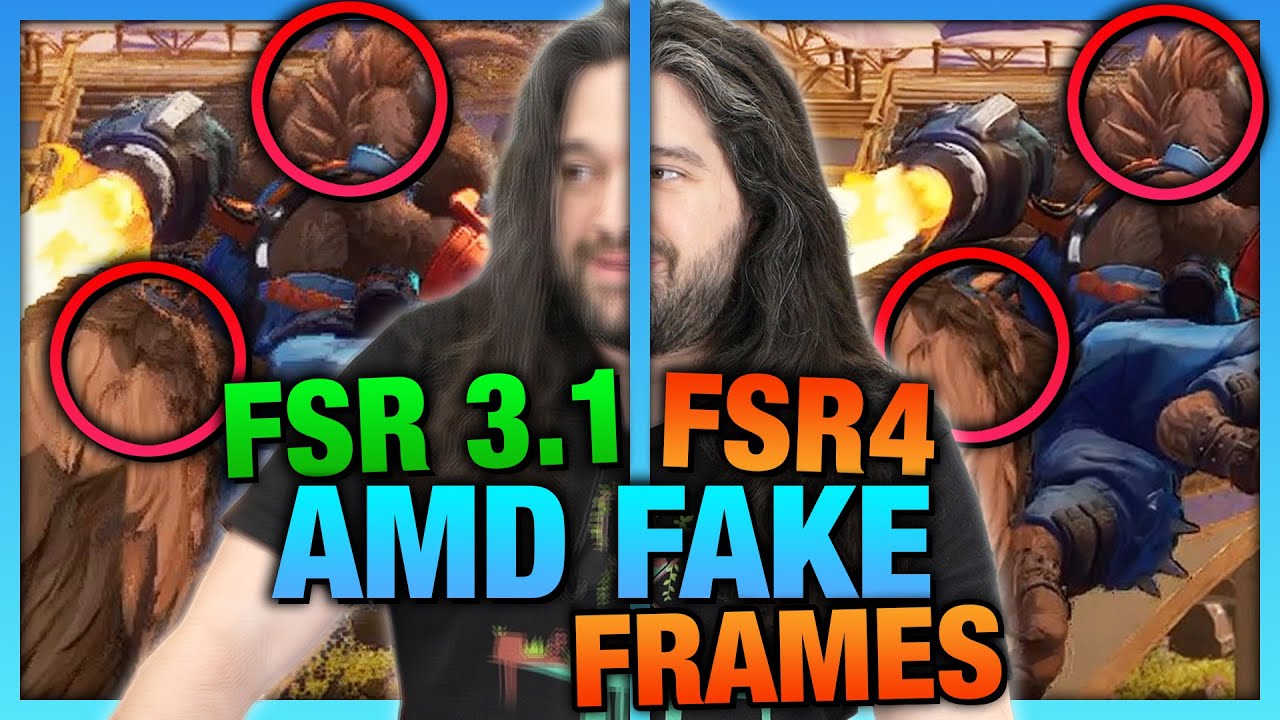
AMD Fake Frame Image Quality, AFMF, & FSR 4 vs. FSR 3.1 Comparison
video description
Date: 2025-04-11
Related videos





Comments and reviews: 20
ivankintober7561
it be pointless when 7900xtx and 9070xt have same tensor cores ...all the same, modder just modded amdxcffx64.dll not only work for linux rdna4 that also got rdna3 cards working...sadly only 7900xtx see huge difference when using fsr4 when ai is use...not sure 7800xt has tensors not sure why amd made rdna4 for they knew Bvh update is still same level as rdna3 ray tracing performance ..only difference they process 3 vs 2 on rdna3...its why high end rdna3 performance similar to rdna4 mid range with lesser compute shaders vs high end more compute shaders ...more cores make up the loss to get same ray tracing peformance as 9070xt..While ai on 7900xtx is overkill in amount of ROPS since both use same tech using ROPS ..rdna4 and rdna3 hardly difference since fp8 and fp6 is software update since entire architecture is programmable shaders since GCN, all this just gimmicks with name changes and moving numbers around by AMD since they always done this in the past to confuse everyone...lucky is not on TMU's...that be impossible to program the update FSR by driver level...when its hardware level update to do when cdna is complicated to program but as amd wants...they gonna cdna route for future updates now...thus cdna and udna shared same architecture ...ai no longer done by software ...everything done by hardware level in TMUS that is universal easier since devs major complaint is doing different from nvidia tmu's and amd doing in ROPS for FG and up-scaling textures ...reason amd doing in ROPS...they want it easier for drivers devs do fp instruction software updates that relied by drivers vs nvidia is relied on hardware updates...so what amd saying with rdna4 and rdna3 is MUTED and BS from company excuses since we all know how ROPS works and how it designed as programmable shaders done in software updates
reply
it be pointless when 7900xtx and 9070xt have same tensor cores ...all the same, modder just modded amdxcffx64.dll not only work for linux rdna4 that also got rdna3 cards working...sadly only 7900xtx see huge difference when using fsr4 when ai is use...not sure 7800xt has tensors not sure why amd made rdna4 for they knew Bvh update is still same level as rdna3 ray tracing performance ..only difference they process 3 vs 2 on rdna3...its why high end rdna3 performance similar to rdna4 mid range with lesser compute shaders vs high end more compute shaders ...more cores make up the loss to get same ray tracing peformance as 9070xt..While ai on 7900xtx is overkill in amount of ROPS since both use same tech using ROPS ..rdna4 and rdna3 hardly difference since fp8 and fp6 is software update since entire architecture is programmable shaders since GCN, all this just gimmicks with name changes and moving numbers around by AMD since they always done this in the past to confuse everyone...lucky is not on TMU's...that be impossible to program the update FSR by driver level...when its hardware level update to do when cdna is complicated to program but as amd wants...they gonna cdna route for future updates now...thus cdna and udna shared same architecture ...ai no longer done by software ...everything done by hardware level in TMUS that is universal easier since devs major complaint is doing different from nvidia tmu's and amd doing in ROPS for FG and up-scaling textures ...reason amd doing in ROPS...they want it easier for drivers devs do fp instruction software updates that relied by drivers vs nvidia is relied on hardware updates...so what amd saying with rdna4 and rdna3 is MUTED and BS from company excuses since we all know how ROPS works and how it designed as programmable shaders done in software updates
reply
BraggerSword45
As you asked, here are my two cents on upscalers and frame generation, and which I prefer to use.
Frame generation, for me, is only viable when I already have a stable 80 FPS (referring to frametime), because otherwise, I can feel how sluggish the game becomes compared to the number of frames (or fake frames) I'm getting. It just doesn't feel right below that threshold.
Upscalers have definitely improved recently, and I’ve gotten more used to themmainly because so many games now use integrated TAA as their default anti-aliasing, which absolutely ruined image quality for me. It made me appreciate the value of a decent upscaler.
I also discovered something after recently upgrading from a QHD to a 4K screen: upscalers (at least FSR 3 and below, in my opinion) seem to be designed with 4K in mind. At 4K, the visual fidelity remains solid while performance gains are very noticeable. On QHD, however, the performance boost becomes more marginal, and the drop in image quality is more obvious. At least, that’s been my experience.
As for combining upscaling with frame generationyeah, that’s usually a hard no from me. In most cases, it just turns into a blurry pixel mess.
So overall, I’m really glad to have the options of upscaling and framegen, but I strongly believeespecially from a gamer's perspectivethat these should remain optional, not mandatory to get decent performance and image quality. Sadly, the trend seems to be heading in the opposite direction, as we've just seen with Monster Hunter Wilds, for example.
Great video, by the way! :
reply
As you asked, here are my two cents on upscalers and frame generation, and which I prefer to use.
Frame generation, for me, is only viable when I already have a stable 80 FPS (referring to frametime), because otherwise, I can feel how sluggish the game becomes compared to the number of frames (or fake frames) I'm getting. It just doesn't feel right below that threshold.
Upscalers have definitely improved recently, and I’ve gotten more used to themmainly because so many games now use integrated TAA as their default anti-aliasing, which absolutely ruined image quality for me. It made me appreciate the value of a decent upscaler.
I also discovered something after recently upgrading from a QHD to a 4K screen: upscalers (at least FSR 3 and below, in my opinion) seem to be designed with 4K in mind. At 4K, the visual fidelity remains solid while performance gains are very noticeable. On QHD, however, the performance boost becomes more marginal, and the drop in image quality is more obvious. At least, that’s been my experience.
As for combining upscaling with frame generationyeah, that’s usually a hard no from me. In most cases, it just turns into a blurry pixel mess.
So overall, I’m really glad to have the options of upscaling and framegen, but I strongly believeespecially from a gamer's perspectivethat these should remain optional, not mandatory to get decent performance and image quality. Sadly, the trend seems to be heading in the opposite direction, as we've just seen with Monster Hunter Wilds, for example.
Great video, by the way! :
reply
sneaky_tiki
TL;DR I generally prefer the fidelity of native resolution, but art style make s big difference imo.
In general so far my preference has always been to reduce fancy settings to maintain image clarity. I've always turned off AA of any kind wherever possible as well, as the performance hit for the good ones (like MSAA for example) has never been worth it. Jagged edges don't bother me very much.
That said, I do think there's something to be said for art style and visual design influencing that choice.
An easy example which comes to mind is I remember playing Borderlands 2 when all I had access to was an aging laptop. I played with settings for a while trying to find something which gave me reasonable performance (45 fps) without looking awful. Until ultimately I realized the correct solution was just dropping resolution to 720p. The cell-shaded art style meant I lost basically nothing I cared about dropping from 1080p, and I could maintain some of the effects.
Another example which comes to mind is Breath of the Wild. I now play it at 1440p 120fps, and the the clarity and smoothness is objectively superior, obviously. But even going back to 720p, the game is still gorgeous, because it was designed around that.
That was a long winded way of saying I can imagine art and visual styles which would have me prefer FSR. Monster Hunter for example. I haven't played, but all footage I've seen makes it seem like a dirty mess already anyway, and the performance is quite poor. So I could imagine using FSR in that case.
reply
TL;DR I generally prefer the fidelity of native resolution, but art style make s big difference imo.
In general so far my preference has always been to reduce fancy settings to maintain image clarity. I've always turned off AA of any kind wherever possible as well, as the performance hit for the good ones (like MSAA for example) has never been worth it. Jagged edges don't bother me very much.
That said, I do think there's something to be said for art style and visual design influencing that choice.
An easy example which comes to mind is I remember playing Borderlands 2 when all I had access to was an aging laptop. I played with settings for a while trying to find something which gave me reasonable performance (45 fps) without looking awful. Until ultimately I realized the correct solution was just dropping resolution to 720p. The cell-shaded art style meant I lost basically nothing I cared about dropping from 1080p, and I could maintain some of the effects.
Another example which comes to mind is Breath of the Wild. I now play it at 1440p 120fps, and the the clarity and smoothness is objectively superior, obviously. But even going back to 720p, the game is still gorgeous, because it was designed around that.
That was a long winded way of saying I can imagine art and visual styles which would have me prefer FSR. Monster Hunter for example. I haven't played, but all footage I've seen makes it seem like a dirty mess already anyway, and the performance is quite poor. So I could imagine using FSR in that case.
reply
politelurker0710
I would definitely be interested in comparing FSR and DLSS directly. 4K gaming relies on upscaling, so for those people, the question is if Nvidia's tech looks or performs better than AMD's. If they're similar, then AMD wins unless you have over $1k to drop on a card, which would be a big change from the past several years where DLSS has reigned supreme at the mid-to-high end.
For me specifically, I usually turn on DLSS first if I need to lower latency or gain frames because visual effects tend to individually save only a few FPS despite sometimes having a big impact on the scene. As noted in your DLSS video, Nvidia's processing is also far cleaner than what's built into a lot of games, so if I notice a quality change with DLSS it's usually an upgrade. Since DLSS in Quality mode renders at 66% of the display resolution, this gives more pixels than turning down the render resolution of the game and relying on traditional upscaling. As for frame generation, I can't tell the difference in stable frame rates above about 75 Hz and it looks awful below about 50 Hz, so it sees limited use. I have noticed that in Spider-Man 2, frame generation seems to create a more stable frame rate. Overall, though, I really want to run games at high resolutions natively and not have to mess with settings and research all these algorithms to understand what tradeoffs I'm making.
reply
I would definitely be interested in comparing FSR and DLSS directly. 4K gaming relies on upscaling, so for those people, the question is if Nvidia's tech looks or performs better than AMD's. If they're similar, then AMD wins unless you have over $1k to drop on a card, which would be a big change from the past several years where DLSS has reigned supreme at the mid-to-high end.
For me specifically, I usually turn on DLSS first if I need to lower latency or gain frames because visual effects tend to individually save only a few FPS despite sometimes having a big impact on the scene. As noted in your DLSS video, Nvidia's processing is also far cleaner than what's built into a lot of games, so if I notice a quality change with DLSS it's usually an upgrade. Since DLSS in Quality mode renders at 66% of the display resolution, this gives more pixels than turning down the render resolution of the game and relying on traditional upscaling. As for frame generation, I can't tell the difference in stable frame rates above about 75 Hz and it looks awful below about 50 Hz, so it sees limited use. I have noticed that in Spider-Man 2, frame generation seems to create a more stable frame rate. Overall, though, I really want to run games at high resolutions natively and not have to mess with settings and research all these algorithms to understand what tradeoffs I'm making.
reply
mandowarrior123
Fake frames are newish, lots of ludite tech nerds, who knew. Upscaling is fantastic and will surpass AA due to how it works. Even rendering as we know it should disappear in favour of description tags allowing a neural network to entirely handle things like hair physics, fur detail etc. Neural networks have 'imagination' effectively. Essentially multi level neural networks.
Having said that, latency is a huge issue in the current paradigm. I love upscaling, it can do a better job than renderers sometimes already. Frame generation imho is a faulty use case of nn, as it should be used to predict or prerender the NEXT frame, LOWERING latency. Harder, but absolutely possible
(Human mind has strong pre frame generation due to long latency. If you go to catch a ball but it hits glass etc something you didn't see you think you caught it until your brain panics and rolls back time, and tries to get you to forget it.)
We percieve there is no latency and AI can make this reality, too, with the flaws we already have and deal with.
reply
Fake frames are newish, lots of ludite tech nerds, who knew. Upscaling is fantastic and will surpass AA due to how it works. Even rendering as we know it should disappear in favour of description tags allowing a neural network to entirely handle things like hair physics, fur detail etc. Neural networks have 'imagination' effectively. Essentially multi level neural networks.
Having said that, latency is a huge issue in the current paradigm. I love upscaling, it can do a better job than renderers sometimes already. Frame generation imho is a faulty use case of nn, as it should be used to predict or prerender the NEXT frame, LOWERING latency. Harder, but absolutely possible
(Human mind has strong pre frame generation due to long latency. If you go to catch a ball but it hits glass etc something you didn't see you think you caught it until your brain panics and rolls back time, and tries to get you to forget it.)
We percieve there is no latency and AI can make this reality, too, with the flaws we already have and deal with.
reply
CQ_Live
I do think that Context matters when it comes to fake frames.
If they use a flat 2x multiplier to double framerate (1 fake 1 real) so 60fps looks like 120fps, that means 60/120 are fake and have those artifacts/ghosting.
Pair this with an OLED, and the 60 fake 60 real frames look pretty good. The issue with this technology is that the game is rendering at 60 frames, but looks like 120, so the inputs are registering at 60 and it feels off. If you can't maintain a consistent FPS, then this issue turns into latency you're only moving at what the game is rendering at.
THIS is the next step that these companies need to fix. Incorporating the fake frames into the game itself so it renders correctly with minimal to no performance hit. There is virtually no difference using AMD Frame gen or nvidia frame gen over Lossless Scaling until the implementation is made to fix the issues I listed. AI will get better at generating the visuals for frames as it gets more data, the biggest issue is how the fake frames are presented.
reply
I do think that Context matters when it comes to fake frames.
If they use a flat 2x multiplier to double framerate (1 fake 1 real) so 60fps looks like 120fps, that means 60/120 are fake and have those artifacts/ghosting.
Pair this with an OLED, and the 60 fake 60 real frames look pretty good. The issue with this technology is that the game is rendering at 60 frames, but looks like 120, so the inputs are registering at 60 and it feels off. If you can't maintain a consistent FPS, then this issue turns into latency you're only moving at what the game is rendering at.
THIS is the next step that these companies need to fix. Incorporating the fake frames into the game itself so it renders correctly with minimal to no performance hit. There is virtually no difference using AMD Frame gen or nvidia frame gen over Lossless Scaling until the implementation is made to fix the issues I listed. AI will get better at generating the visuals for frames as it gets more data, the biggest issue is how the fake frames are presented.
reply
Taorakis
I play on a 42inch 4k Monitor, therefore I want to have stuff run in 4k.
This is sadly mostly not possible native, even with a 4090 on newer games.
I use DLSS in the highest quality that runs the game over 60fps, that's usually quality, balanced is also ok, Performance or Ultra Performance I try to avoid.
I played one game with Frame Gen so far, this is Star Wars Outlaws and there are moments where you see the Frame Gen Wobble but it's a minor inconvenience when I get a solid 80-100fps with DLSS Quality. It's just a price I am willing to pay for this to be so smooth.
I also second the sentiment to try Lossless Scaling, as this is something that gets promoted hard here and there and I'd really enjoy someone knowledgeable to look into it. Because if it's so good, why people not make much more fuzz about it etc...
reply
I play on a 42inch 4k Monitor, therefore I want to have stuff run in 4k.
This is sadly mostly not possible native, even with a 4090 on newer games.
I use DLSS in the highest quality that runs the game over 60fps, that's usually quality, balanced is also ok, Performance or Ultra Performance I try to avoid.
I played one game with Frame Gen so far, this is Star Wars Outlaws and there are moments where you see the Frame Gen Wobble but it's a minor inconvenience when I get a solid 80-100fps with DLSS Quality. It's just a price I am willing to pay for this to be so smooth.
I also second the sentiment to try Lossless Scaling, as this is something that gets promoted hard here and there and I'd really enjoy someone knowledgeable to look into it. Because if it's so good, why people not make much more fuzz about it etc...
reply
watsonage
This is probably an odd question, but is it better to watch this video in the resolution that matches your monitor, ie 1440p, or at the highest resolution, 2160p Does it more accurately recreate the artifacting that's being displayed to have it not be downscaled, or do you get more detail with a higher resolution
Edit: I think your comparison to V-Sync is very astute, it's almost like they've reintroduced the choice to turn V-Sync off, getting higher frame rates but more artifacting. To your question at the end, I personally always lower graphics settings before trying FSR, but I think that's because I'm old fashioned. I never had an Nvidia card with DLSS but I think I would have used that much more often, especially in games that offer high intensity Ray Tracing.
reply
This is probably an odd question, but is it better to watch this video in the resolution that matches your monitor, ie 1440p, or at the highest resolution, 2160p Does it more accurately recreate the artifacting that's being displayed to have it not be downscaled, or do you get more detail with a higher resolution
Edit: I think your comparison to V-Sync is very astute, it's almost like they've reintroduced the choice to turn V-Sync off, getting higher frame rates but more artifacting. To your question at the end, I personally always lower graphics settings before trying FSR, but I think that's because I'm old fashioned. I never had an Nvidia card with DLSS but I think I would have used that much more often, especially in games that offer high intensity Ray Tracing.
reply
evangraessle1674
I understand that you couldn't have put everything in one video, and splitting the analysis by company might be better from the prospective buyer's perspective, but from the perspective of understanding the underlying technology, probably slicing the content by feature, rather than by company may have been more helpful. It makes it simpler to explain, for example, what super resolution is, and then compare how the image quality of upscaled frames is between the two companies. Similar with Frame Gen, multi frame-gen. I suppose when it comes to some of these technologies, the intircacies of support are different enough that that might not be as easy as I'm imagining, but I would be interested in some kind of recap comparison video once the data is available.
reply
I understand that you couldn't have put everything in one video, and splitting the analysis by company might be better from the prospective buyer's perspective, but from the perspective of understanding the underlying technology, probably slicing the content by feature, rather than by company may have been more helpful. It makes it simpler to explain, for example, what super resolution is, and then compare how the image quality of upscaled frames is between the two companies. Similar with Frame Gen, multi frame-gen. I suppose when it comes to some of these technologies, the intircacies of support are different enough that that might not be as easy as I'm imagining, but I would be interested in some kind of recap comparison video once the data is available.
reply
MrTernation
My opinion about DlSS and FSR changed when nowadays TAA makes games look so blurry, Having a 4070 super and like to play 2K I just developed my opinion with experimentation, Use one or another, set requirements (image quality or Fps) then judge what you see, what triggers you. So to me nowadays either Native DLAA or FSR AA or quality mode aiming for at least 120 fps. If i need to kick FrameGen i just ask myself is there something in the screen or input trigering me if no, okay.
For like 1 year i havent played a game on pure native mostly because f TAA.
Both proved that this tecnology only gets better, little sad that FSR4 is exclusive to 9000 series but if devs arent making native games run better and look good these are atleast helping me.
reply
My opinion about DlSS and FSR changed when nowadays TAA makes games look so blurry, Having a 4070 super and like to play 2K I just developed my opinion with experimentation, Use one or another, set requirements (image quality or Fps) then judge what you see, what triggers you. So to me nowadays either Native DLAA or FSR AA or quality mode aiming for at least 120 fps. If i need to kick FrameGen i just ask myself is there something in the screen or input trigering me if no, okay.
For like 1 year i havent played a game on pure native mostly because f TAA.
Both proved that this tecnology only gets better, little sad that FSR4 is exclusive to 9000 series but if devs arent making native games run better and look good these are atleast helping me.
reply
idontneedthis66
I've used DLSS and FSR 3.1 on my 3090 over the last few years, which was my first and only exosure to this technology. At first I learned to accept it but as time went on, and especially once I upgraded from a 1080 to a 1440 monitor is when I really started noticing the quality difference between native and upscalers. Ultimately I've just chosen to lower settings and use native over using higher settings and upscaling in most games, though games like Cyberpunk you basically HAVE to use upscaling if you want anything approaching 80 FPS. I tried the framegen in FSR 3.1 and sure it's smoother visually, but it doesn't FEEL smoother on the response to your inputs obviously and so I ended up abandoning it.
reply
I've used DLSS and FSR 3.1 on my 3090 over the last few years, which was my first and only exosure to this technology. At first I learned to accept it but as time went on, and especially once I upgraded from a 1080 to a 1440 monitor is when I really started noticing the quality difference between native and upscalers. Ultimately I've just chosen to lower settings and use native over using higher settings and upscaling in most games, though games like Cyberpunk you basically HAVE to use upscaling if you want anything approaching 80 FPS. I tried the framegen in FSR 3.1 and sure it's smoother visually, but it doesn't FEEL smoother on the response to your inputs obviously and so I ended up abandoning it.
reply
Mutrumbo
With an RTX 3080, between 2020 and early 2024, I usually aimed for 144 FPS with nearly maxed settings and DLSS or Lossless Scaling or a built-in render resolution to maintain the framerate. Last year, I used Lossless Scaling's frame generation, but in some games, the distortions along screen edges were so distracting that I stopped doing that in those games.
Since I gave up on getting a high-end GPU this generation, I have accepted that 144 FPS is no longer realistic for newer games and have begun setting my framerate to 72 or 120 FPS via the driver in more demanding games. DLSS or other render resolution scalers are still used a lot.
Cheers!
reply
With an RTX 3080, between 2020 and early 2024, I usually aimed for 144 FPS with nearly maxed settings and DLSS or Lossless Scaling or a built-in render resolution to maintain the framerate. Last year, I used Lossless Scaling's frame generation, but in some games, the distortions along screen edges were so distracting that I stopped doing that in those games.
Since I gave up on getting a high-end GPU this generation, I have accepted that 144 FPS is no longer realistic for newer games and have begun setting my framerate to 72 or 120 FPS via the driver in more demanding games. DLSS or other render resolution scalers are still used a lot.
Cheers!
reply
pirojfmifhghek566
That Sony guy talks like a friggin lizard. Where do tech companies keep finding these uncanny valley marketers None of them speak like people. They don't act like people. They don't seem to know what normal people want. They don't seem to know what they're selling half the time. Yet they're clearly being paid A LOT OF MONEY to go up on stage and talk about tech demos and hardware. Seems like the people who run these tech companies have their heads so far up their asses they can't see how offputting the front-facing part of their company is. We know you're a big multi-billion dollar conglomo, but for the love of god just hire an actor.
reply
That Sony guy talks like a friggin lizard. Where do tech companies keep finding these uncanny valley marketers None of them speak like people. They don't act like people. They don't seem to know what normal people want. They don't seem to know what they're selling half the time. Yet they're clearly being paid A LOT OF MONEY to go up on stage and talk about tech demos and hardware. Seems like the people who run these tech companies have their heads so far up their asses they can't see how offputting the front-facing part of their company is. We know you're a big multi-billion dollar conglomo, but for the love of god just hire an actor.
reply
chuckthetekkie
GPU makers should be focusing on giving us more raw performance at Native resolutions than these Band-Aid features. It shouldn't be out of the realm of possibilities to put Ray/Path-Tracing hardware in a separate card much like how PhysX was in the early days. Since there is a limited amount of die space to me it would make more sense to put the main graphic processing horsepower as the main GPU and pair it with a dedicated RT/PT accelerator card. This would also allow the user to upgrade each part separately since we are seeing bigger advancements in RT/PT at a faster pace than traditional rendering.
reply
GPU makers should be focusing on giving us more raw performance at Native resolutions than these Band-Aid features. It shouldn't be out of the realm of possibilities to put Ray/Path-Tracing hardware in a separate card much like how PhysX was in the early days. Since there is a limited amount of die space to me it would make more sense to put the main graphic processing horsepower as the main GPU and pair it with a dedicated RT/PT accelerator card. This would also allow the user to upgrade each part separately since we are seeing bigger advancements in RT/PT at a faster pace than traditional rendering.
reply
DigIntoGaming
Depending on the game, mostly slower paced story games, I will turn on some sort of frame generation if needed because I play at 4k. But I don't usually go below balanced on the preset for fsr or dlss. I also use losselsess scaling frame generation for emulation of ps3 games and sometimes in minecraft with shaders. However I prefer high quality over fps. Sometimes the fsr or dlss implementation is bad. Other times like with bad TAA its completely necessary to fix the shimmering. If I do lower graphics quality I go down to high or look up a quality to performance guide like for red dead redemption 2.
reply
Depending on the game, mostly slower paced story games, I will turn on some sort of frame generation if needed because I play at 4k. But I don't usually go below balanced on the preset for fsr or dlss. I also use losselsess scaling frame generation for emulation of ps3 games and sometimes in minecraft with shaders. However I prefer high quality over fps. Sometimes the fsr or dlss implementation is bad. Other times like with bad TAA its completely necessary to fix the shimmering. If I do lower graphics quality I go down to high or look up a quality to performance guide like for red dead redemption 2.
reply
iku7630
I have been on the side that hated the Fake Frames, but now I have come to embrace it (a little). Because it can make the experience smoother at least in games that didn't look that great to begin with. As long as it's not high action/FPS kind of thing. I still prefer native raster, but dynamic upscaling and frame gen are a great tool to have that can stretch your GPU life span a bit with these horrendous prices.
For games like Anno though the blurriness was just too bad to even consider using it and the performance gain was also very limited (like 20% more FPS for blurry quality)
reply
I have been on the side that hated the Fake Frames, but now I have come to embrace it (a little). Because it can make the experience smoother at least in games that didn't look that great to begin with. As long as it's not high action/FPS kind of thing. I still prefer native raster, but dynamic upscaling and frame gen are a great tool to have that can stretch your GPU life span a bit with these horrendous prices.
For games like Anno though the blurriness was just too bad to even consider using it and the performance gain was also very limited (like 20% more FPS for blurry quality)
reply
SpawnX210
Looking back at when I bought my 7900XTX; I remember making the decision to get the XTX due to reading an article where AMD confirmed that they had plans to use the AI cores for performance improvements like what they are doing with FSR 4, but now after all this time us 7900XTX owners get told no we wont get anything like that I coulda swore I remember reading that they were in the works of using the non used AI cores at the time to boost performance in a way similair to DLSS and that was a big factor in my decision on getting the XTX over the XT cause it had more AI cores....
reply
Looking back at when I bought my 7900XTX; I remember making the decision to get the XTX due to reading an article where AMD confirmed that they had plans to use the AI cores for performance improvements like what they are doing with FSR 4, but now after all this time us 7900XTX owners get told no we wont get anything like that I coulda swore I remember reading that they were in the works of using the non used AI cores at the time to boost performance in a way similair to DLSS and that was a big factor in my decision on getting the XTX over the XT cause it had more AI cores....
reply
Nyarurin
I very much do like having dlss as an option for when i need extra performance. Although i do try first to optimize some other settings - it all in the end comes down to specific game, how dlss impacts the visuals on subjective level vs how some other options do. If i use dlss - then i don't go below the quality option, as i am running 1080p resolution, and going below 720p for the render does impact the visuals very strongly. I would imagine that dlss and similar upscalers are overall much more useful for 1440p and higher - there i would probably use it much more often.
reply
I very much do like having dlss as an option for when i need extra performance. Although i do try first to optimize some other settings - it all in the end comes down to specific game, how dlss impacts the visuals on subjective level vs how some other options do. If i use dlss - then i don't go below the quality option, as i am running 1080p resolution, and going below 720p for the render does impact the visuals very strongly. I would imagine that dlss and similar upscalers are overall much more useful for 1440p and higher - there i would probably use it much more often.
reply
mike13foxtrot79
My RX 9070 that I have had for a month, has been doing just fine, FPS, temps, the only hiccup was one loading screen stutter, never happened again. If FSR makes it prettier I have yet to notice as I do not stop to go ohhh look at the pretty environment. That tearing at the edges is really messing up my game play, all is lost. ) For 1/3 of what it would have cost me to get a team green, if I could find one, if it worked, wasn't missing ROPS, possibly fried my MB of burnt my house down, I have been on team red since the K5 days, ain't gonna change any time soon.
reply
My RX 9070 that I have had for a month, has been doing just fine, FPS, temps, the only hiccup was one loading screen stutter, never happened again. If FSR makes it prettier I have yet to notice as I do not stop to go ohhh look at the pretty environment. That tearing at the edges is really messing up my game play, all is lost. ) For 1/3 of what it would have cost me to get a team green, if I could find one, if it worked, wasn't missing ROPS, possibly fried my MB of burnt my house down, I have been on team red since the K5 days, ain't gonna change any time soon.
reply
GuyManley
I did use DLSS and lower graphics when I played a heavy game like Silent Hill 2 at 4k on a 3080. Recently picked up a 9070xt and at the same time a 1440p OLED monitor. So while I can turn on FSR 4 in some games. I have yet to find a game that does not perform better than my older set up did so I am at native 9 times out of 10 so far.
Given the choice to need to use one, Up scaling over frame gen always. Anything that increases latency is a step backwards. Might as well play on Nintendo switch.
reply
I did use DLSS and lower graphics when I played a heavy game like Silent Hill 2 at 4k on a 3080. Recently picked up a 9070xt and at the same time a 1440p OLED monitor. So while I can turn on FSR 4 in some games. I have yet to find a game that does not perform better than my older set up did so I am at native 9 times out of 10 so far.
Given the choice to need to use one, Up scaling over frame gen always. Anything that increases latency is a step backwards. Might as well play on Nintendo switch.
reply
Add a review, comment
Other channel videos



 33:21
33:21

 34:27
34:27