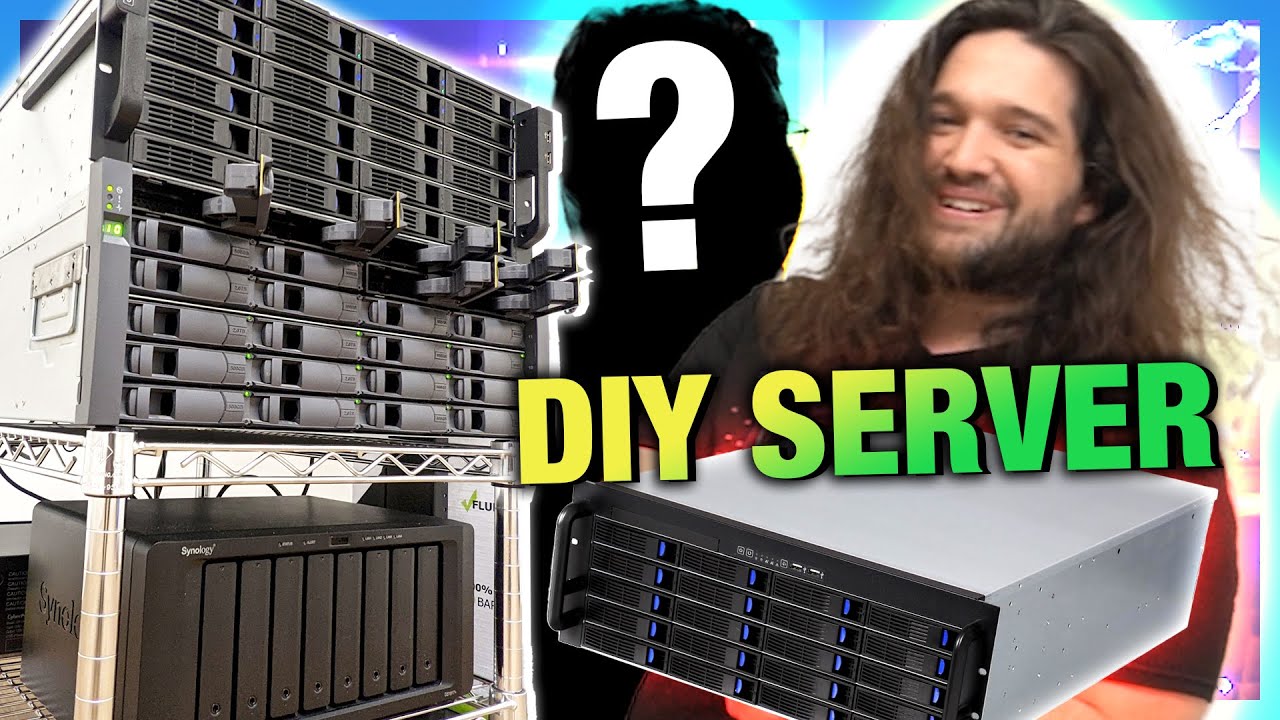
Overhauling Our DIY NAS with AMD Threadripper, ft. Level1Techs Wendell
video description
Date: 2023-01-31
Related videos


Comments and reviews: 14
Shanix
Oh boy, if you want the best compression you're better off compressing with the CPU not the GPU. The GPU will bloat the file sizes for the same quality, or reduce quality significantly for the same size. It'll still be smaller than the original file (usually, if you've already compressed it heavily it'll probably result in a larger output file). CPU will take longer (well, Threadripper is pretty fast for h264 encoding, so it won't be as bad) but you'll have much smaller files.
For anyone wondering, the short explanation is GPUs have hardware that does certain operations very fast and can't do others while the CPU can do any operation but isn't the fastest at any of them. So if there's a situation where something would be more efficiently encoded with an operation that isn't supported then it will fallback to one that is. CPU encoding doesn't have this problem while GPU encoding does.
It's the classic You have three, pick two scenario. Speed, Quality, and Size. A CPU can make a small file fast but it won't be good quality, and it can make a good looking small file but it'll take longer, etc. The GPU picks speed and you get to pick either Quality or Size.
GPUs are great for on-the-fly transcoding (e.g. a client doesn't support the media it's trying to playback and the server needs to convert it to a supported codec) since they're so fast, but when preparing video for long-term storage, CPU encoding is the way to go.
I'm sorry if this got mentioned in the video, compression wasn't really mentioned except for a few places and so was GPU encoding so my spidey-sense activated.
reply
Oh boy, if you want the best compression you're better off compressing with the CPU not the GPU. The GPU will bloat the file sizes for the same quality, or reduce quality significantly for the same size. It'll still be smaller than the original file (usually, if you've already compressed it heavily it'll probably result in a larger output file). CPU will take longer (well, Threadripper is pretty fast for h264 encoding, so it won't be as bad) but you'll have much smaller files.
For anyone wondering, the short explanation is GPUs have hardware that does certain operations very fast and can't do others while the CPU can do any operation but isn't the fastest at any of them. So if there's a situation where something would be more efficiently encoded with an operation that isn't supported then it will fallback to one that is. CPU encoding doesn't have this problem while GPU encoding does.
It's the classic You have three, pick two scenario. Speed, Quality, and Size. A CPU can make a small file fast but it won't be good quality, and it can make a good looking small file but it'll take longer, etc. The GPU picks speed and you get to pick either Quality or Size.
GPUs are great for on-the-fly transcoding (e.g. a client doesn't support the media it's trying to playback and the server needs to convert it to a supported codec) since they're so fast, but when preparing video for long-term storage, CPU encoding is the way to go.
I'm sorry if this got mentioned in the video, compression wasn't really mentioned except for a few places and so was GPU encoding so my spidey-sense activated.
reply
Heino
Not sure if you are aware, but the NetApp shelf you have (DS4243/DS4246) can be upgraded to 12G SAS by replacing the link module at the back to an IOM12 module hvis shouldn't be that hard to get your hands on... of cause you will need 12G SAS disks installed in your shelf, than can be done just by removing the little converterboard you are probably using now to convert from SATA to SAS... and lastly you will of cause also need a 12G SAS capable HBA... but all in all I think the NetApp shelfs are a very stable and proven rock solid.. (I work a lot with NetApp professionally, and in 10 years I think I have ever only replaced one disk shelf because of a bad back-plane) Another good thing about the shelfs are of cause the cheap replacement parts... normally you buy it with two or four PSUs where you can actually run it with only one connected, if you can handle the yellow warning light... I have several company servers using the NetApp shelfs with ZFS, and it has been rock solid... yet another thing that I find great is the fact that you can tweak the vdev.conf file, so that the disk devices are shown in relation to their position in the disk shelf, which makes it very easy to replace a disk... you can also run a little script and point it to your device, and it will light up yellow... so you are 100% sure you are pulling the correct disk ;-) I think all these nice things would make a great video in it self, maybe a bit too deep for Gamers Nexus, but would fit Wendell very well? ;-)
reply
Not sure if you are aware, but the NetApp shelf you have (DS4243/DS4246) can be upgraded to 12G SAS by replacing the link module at the back to an IOM12 module hvis shouldn't be that hard to get your hands on... of cause you will need 12G SAS disks installed in your shelf, than can be done just by removing the little converterboard you are probably using now to convert from SATA to SAS... and lastly you will of cause also need a 12G SAS capable HBA... but all in all I think the NetApp shelfs are a very stable and proven rock solid.. (I work a lot with NetApp professionally, and in 10 years I think I have ever only replaced one disk shelf because of a bad back-plane) Another good thing about the shelfs are of cause the cheap replacement parts... normally you buy it with two or four PSUs where you can actually run it with only one connected, if you can handle the yellow warning light... I have several company servers using the NetApp shelfs with ZFS, and it has been rock solid... yet another thing that I find great is the fact that you can tweak the vdev.conf file, so that the disk devices are shown in relation to their position in the disk shelf, which makes it very easy to replace a disk... you can also run a little script and point it to your device, and it will light up yellow... so you are 100% sure you are pulling the correct disk ;-) I think all these nice things would make a great video in it self, maybe a bit too deep for Gamers Nexus, but would fit Wendell very well? ;-)
reply
1sonyzz
On that note about shucked drives is also that WD Ultrastar drives are much cheaper than WD Gold drives even then new Gold drive stickers say 'Powered by Ultrastar' thus Gold drives are just rebadged Ultrastar drives with same internal specs... I only find that out last year and also compared my pre 2018 Q3 WD Gold 12TB drive to 2019 WD Gold 14TB drive... In 2018 Q3 - WD discontinued Gold line of drives but, brought the line back after 8 months... so, I bought 3 - 20TB WD Ultrastar drives instead of planned Gold drives and saved money because specs of both 20TB Ultrastar and Gold drives is identical yet Gold drive usually cost about 100usd more than Ultrastar drive
reply
On that note about shucked drives is also that WD Ultrastar drives are much cheaper than WD Gold drives even then new Gold drive stickers say 'Powered by Ultrastar' thus Gold drives are just rebadged Ultrastar drives with same internal specs... I only find that out last year and also compared my pre 2018 Q3 WD Gold 12TB drive to 2019 WD Gold 14TB drive... In 2018 Q3 - WD discontinued Gold line of drives but, brought the line back after 8 months... so, I bought 3 - 20TB WD Ultrastar drives instead of planned Gold drives and saved money because specs of both 20TB Ultrastar and Gold drives is identical yet Gold drive usually cost about 100usd more than Ultrastar drive
reply
Arkanrais
Man, I was looking at the cheapest option for a home NAS box with 6 or more 3.5 drive bays, and it's rather bonkers.
1100+ NZ for a barebones 4 bay NAS looks rather steep. 300nz for motherboards that, if you're lucky, have more than 4 SATA ports, usually 350-400 starting price for a board with 6 or more. It's kind of nuts considering my x370 prime-pro cost around 180 brand new, has 8 SATA ports, as well as PCIe lane splitters to run any x8 controller cards at full bandwidth
reply
Man, I was looking at the cheapest option for a home NAS box with 6 or more 3.5 drive bays, and it's rather bonkers.
1100+ NZ for a barebones 4 bay NAS looks rather steep. 300nz for motherboards that, if you're lucky, have more than 4 SATA ports, usually 350-400 starting price for a board with 6 or more. It's kind of nuts considering my x370 prime-pro cost around 180 brand new, has 8 SATA ports, as well as PCIe lane splitters to run any x8 controller cards at full bandwidth
reply
orfeous
Finally you upgrade to TrueNAS/FreeNAS! Welcome! Unraid has lots of issues. TrueNAS will work better.
I like the case of choice! Inspiring me to also upgrade/buld myself a new NAS. Mine is really old and lacks a lots of modern/standard features.
Might end up with some kind of VMware ESXi environment and do a TrueNAS VM and such for a more effective solution.
reply
Finally you upgrade to TrueNAS/FreeNAS! Welcome! Unraid has lots of issues. TrueNAS will work better.
I like the case of choice! Inspiring me to also upgrade/buld myself a new NAS. Mine is really old and lacks a lots of modern/standard features.
Might end up with some kind of VMware ESXi environment and do a TrueNAS VM and such for a more effective solution.
reply
Twigg
I'm using a shucked drive in my PC. My external Xbox One drive enclosure died. So I tore it apart and it was just the enclosure that was faulty, so the 2.5 inch HD is happily working in my PC. It was 2 terabytes of really slow space, but I offloaded random things like Visual Studio to it and it left my 2 terabyte SSD free for just games.
reply
I'm using a shucked drive in my PC. My external Xbox One drive enclosure died. So I tore it apart and it was just the enclosure that was faulty, so the 2.5 inch HD is happily working in my PC. It was 2 terabytes of really slow space, but I offloaded random things like Visual Studio to it and it left my 2 terabyte SSD free for just games.
reply
Peter
From what I've seen I think the actual reason for the 3.3v shutdown on shucked drives is that the SATA spec changed to not use the 3.3v rail and that pin was changed to a shutdown pin. Since the drives used in enclosures are generally relabeled server drives, they follow the new spec and power off whenever that pin is held high.
reply
From what I've seen I think the actual reason for the 3.3v shutdown on shucked drives is that the SATA spec changed to not use the 3.3v rail and that pin was changed to a shutdown pin. Since the drives used in enclosures are generally relabeled server drives, they follow the new spec and power off whenever that pin is held high.
reply
dougler500
I have a teeny, tiny little TrueNAS set up in my home for storage. My starting point for the build was seeing Wendell on GN years ago, then checking out L1 vids and their builds then scraping together the parts around the house to make a shoddy home server and I love it. Thanks to GN and L1 for inspiring the project.
reply
I have a teeny, tiny little TrueNAS set up in my home for storage. My starting point for the build was seeing Wendell on GN years ago, then checking out L1 vids and their builds then scraping together the parts around the house to make a shoddy home server and I love it. Thanks to GN and L1 for inspiring the project.
reply
supra107
It's definitely better to have Wendell design the entire NAS beforehand than trying to design it yourself when you have zero idea what you're doing, end up with a single bad drive, lose the entire petabyte of your data and have to do a video about how you lost all your data and have Wendell bail you out.
reply
It's definitely better to have Wendell design the entire NAS beforehand than trying to design it yourself when you have zero idea what you're doing, end up with a single bad drive, lose the entire petabyte of your data and have to do a video about how you lost all your data and have Wendell bail you out.
reply
ZivZulander
I love that it's now a thing that the self-described IT plumbing guy gets the most dramatic intros. Wendell is great. I'm currently setting up a much, much smaller TrueNAS home server with a Ryzen 7900 due to efficiency (great chip - thanks, Steve) and Arc A770 so this content piques my interest.
reply
I love that it's now a thing that the self-described IT plumbing guy gets the most dramatic intros. Wendell is great. I'm currently setting up a much, much smaller TrueNAS home server with a Ryzen 7900 due to efficiency (great chip - thanks, Steve) and Arc A770 so this content piques my interest.
reply
Zeshue
I like how GN and LTT have polar opposite philosophies when it comes to retaining videos. LTT is having to turn to full on enterprise style setups and GN is just now upgrading from a standard desktop CPU to a workstation one. A lot more practical and way less power hungry.
reply
I like how GN and LTT have polar opposite philosophies when it comes to retaining videos. LTT is having to turn to full on enterprise style setups and GN is just now upgrading from a standard desktop CPU to a workstation one. A lot more practical and way less power hungry.
reply
DiddyMoe92
Wait so regarding Wendell's comment about shucked drives... does it mean if we find a way to block the power connection on the 3.3V pins via either physically removing the pin or electric tape we could get those drives to boot on servers that supply 3.3V power?
reply
Wait so regarding Wendell's comment about shucked drives... does it mean if we find a way to block the power connection on the 3.3V pins via either physically removing the pin or electric tape we could get those drives to boot on servers that supply 3.3V power?
reply
Thewickedjon
:45 seconds into the video, SMASHED the like button so hard I almost broke my mouse
Edit: you dont need to label order of hard drives in unraid either. if you swap the drives to new hardware, just carry over your pendrive and it just works.
reply
:45 seconds into the video, SMASHED the like button so hard I almost broke my mouse
Edit: you dont need to label order of hard drives in unraid either. if you swap the drives to new hardware, just carry over your pendrive and it just works.
reply
Ethan
The servers stacked ontop of each other causes me a bit of stress. I did a decent amount of enterprise racking ( network storage servers ) and it's all cool until the server with 500lbs of grear stacked on it needs to be replaced/serviced.
reply
The servers stacked ontop of each other causes me a bit of stress. I did a decent amount of enterprise racking ( network storage servers ) and it's all cool until the server with 500lbs of grear stacked on it needs to be replaced/serviced.
reply
Add a review, comment
Other channel videos